New Year Sale 70% Discount Offer - Ends in 0d 00h 00m 00s - Coupon code: save70

CCNP Enterprise 300-410 Full Course Free

Page: 5 / 47
Total 630 questions

Implementing Cisco Enterprise Advanced Routing and Services (300-410 ENARSI) Questions and Answers

Question 17

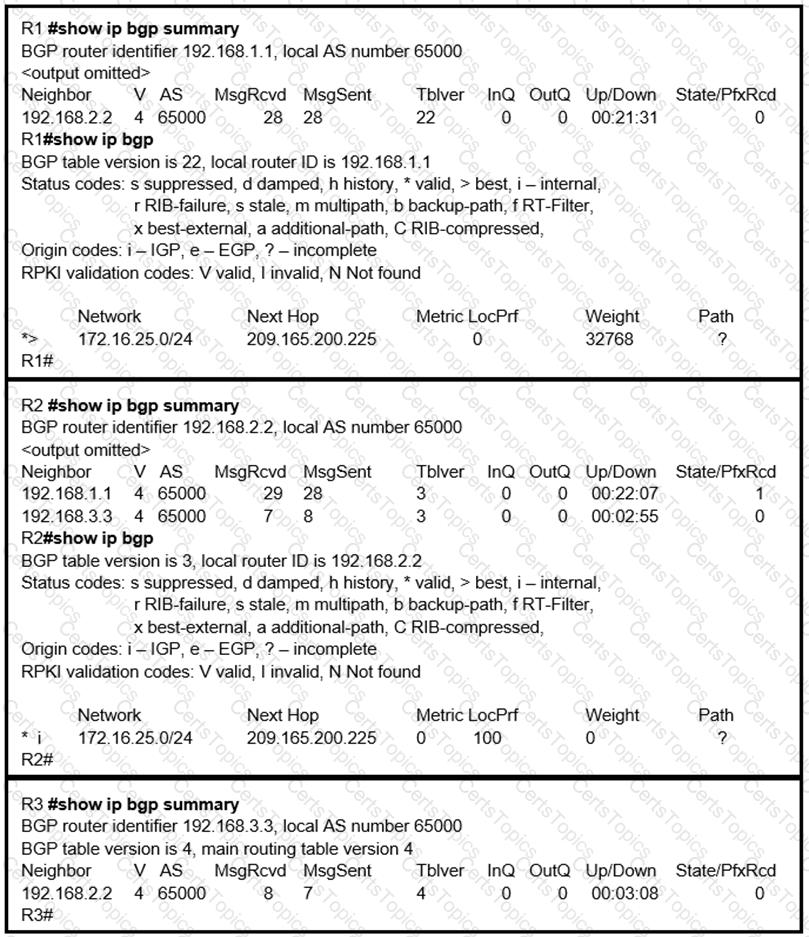
Refer to the exhibit. The users from subnet 172.16.1.16/28 are experiencing connectivity issues to subnet 172.16.2.32/48. Which configuration resolves the issue?

Options:

A.

R1(config)#route-map REDIST permit 10

R1(config-route-map) #match Ip address 15

R1 (config-route-map) #exit

R1(config)# access-list 15 permit 172.16.0.0 0.0.255.255

R1(config-router) #router eigrp 100

R1(config-router) #redistrlbute ospf 1 route-map REDIST

B.

R1(oonfig-router) #router ospf 1

R2(config-router) #redistribute eigrp 100 subnets metric 100C.

C.

R1(config-router>#routereigrp 100

R1(config-router>#redistribute ospf 1 metric 1000000 1111

D.

R1(config)#route-map REDIST permit 10

R1(config-roule-map) #match ip address 15

R1 (config-route-map) #exlt

R1(config)# access-list 15 permit 172.16.0.0 0.0.255.255

R1(config-router) #router ospf 1

R1(config-router) #redistrlbute elgrp 100 subnets route-map REDIST

Question 18

Refer to the exhibit.
R4 is experiencing packet drop when trying to reach 172.16.2.7 behind R2. Which action resolves the issue?

Options:

A.

Insert a /16 floating static route on R2 toward R3 with metric 254

B.

Insert a /24 floating static route on R2 toward R3 with metric 254

C.

Enable auto summarization on all three routers R1, R2, and R3

D.

Disable auto summarization on R2

Question 19

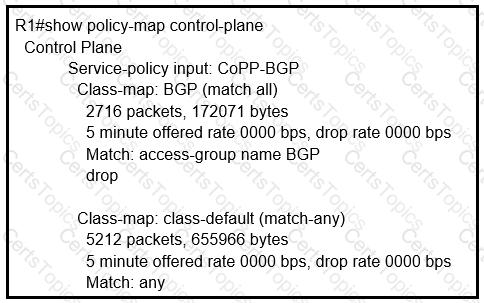
Refer to the exhibit. Users are experiencing slow response times from critical application servers connected to the network. The engineer determined from the console log that there is a DOS attack on the interface GigabitEthernet0/0. Which action must the engineer take to resolve the issue?

Options:

A.

Configure an access group on GigabitEthernet0/0 to block traffic from 192.168.1.1.

B.

Configure an access group on GigabitEthernet0/0 to block traffic from 172.17.132.95.

C.

Restrict CoPP traffic on the management interface from 172.17.132.95 and 192.168.1.1.

D.

Configure QoS on FastEthernet0/0 to restrict bandwidth usage for 172.17.132.95 and 192.168.1.1.

Question 20

An engineer received a ticket about a router that has reloaded. The monitoring system graphs show different traffic patterns between logical and physical interfaces when the router is rebooted. Which action resolves the issue?

Options:

A.

Configure the snmp ifindex persist command globally.

B.

Clear the logical interfaces with snmp ifindex clear command

C.

Configure the snmp ifindex persist command on the physical interfaces.

D.

Trigger a new snmpwalk from the monitoring system to synchronize interface OlDs

Page: 5 / 47
Total 630 questions