
Which of the following technologies is the best way to reduce hardware costs in a data center by allowing multiple operating systems to run on a single physical server?
Which of the following describes an advantage of mini-LED displays over OLED displays?
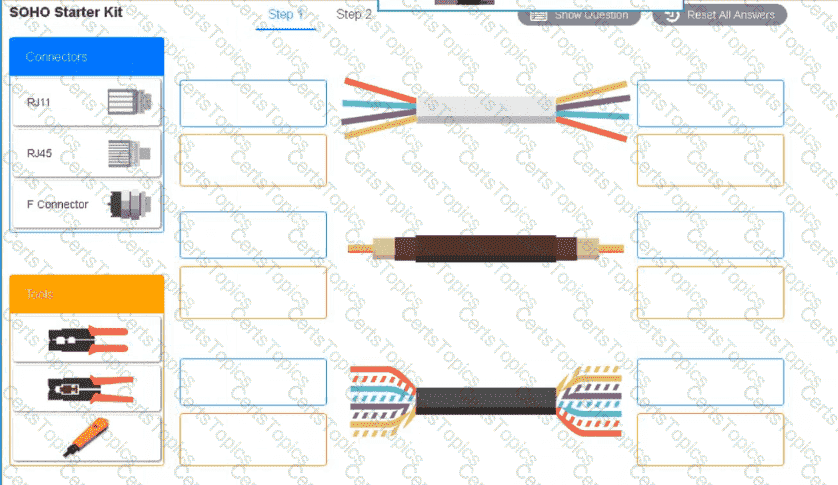
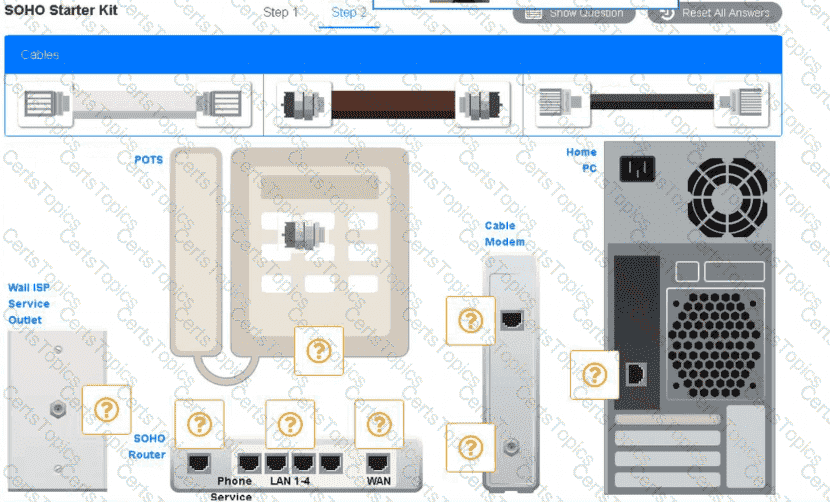
A small ISP has hired a new technician Joe, the new technician, is being trained to configure customers* home networks The trailing instructor gives me technician a starter kit with cables, cable ends, and other network equipment and asks mm to build a working network.
The computer should be connected to have internet connectivity and the phone should be connected to have a dial tone.
INSTRUCTIONS
Use the appropriate cables. cable ends, tools and equipment to configure the network ana connect an components accordingly
There are 3 steps and the simulation starts on step 1.
A company is separating its accounting department’s network from its customer service department’s network. Which of the following will accomplish this task?
Copyright © 2021-2026 CertsTopics. All Rights Reserved

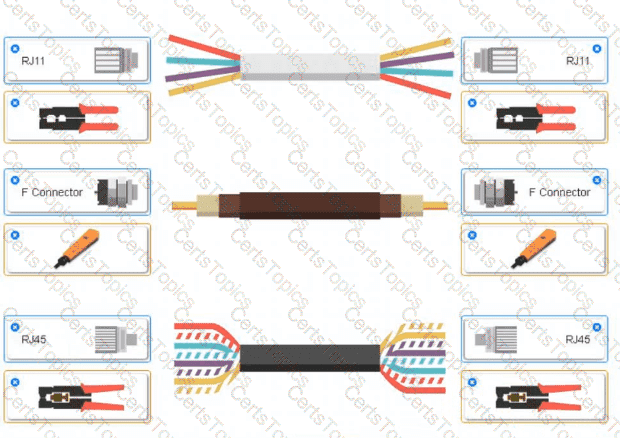 A group of wires with different colors AI-generated content may be incorrect.
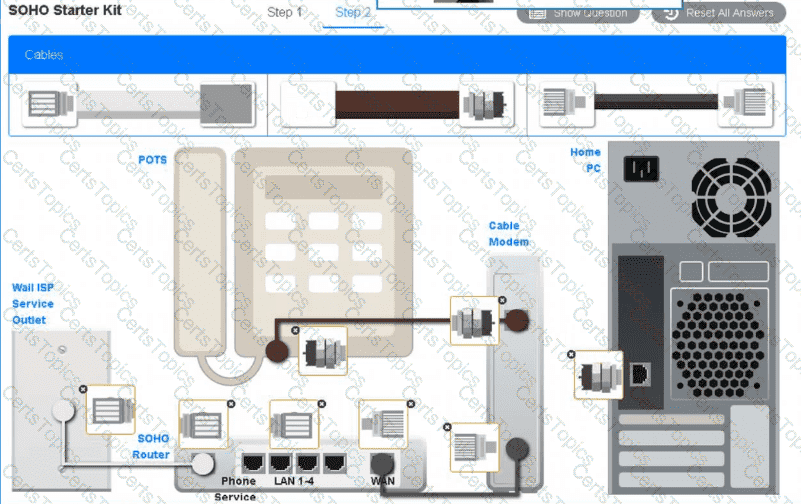 A screenshot of a computer AI-generated content may be incorrect.