Comprehensive Detailed Explanation
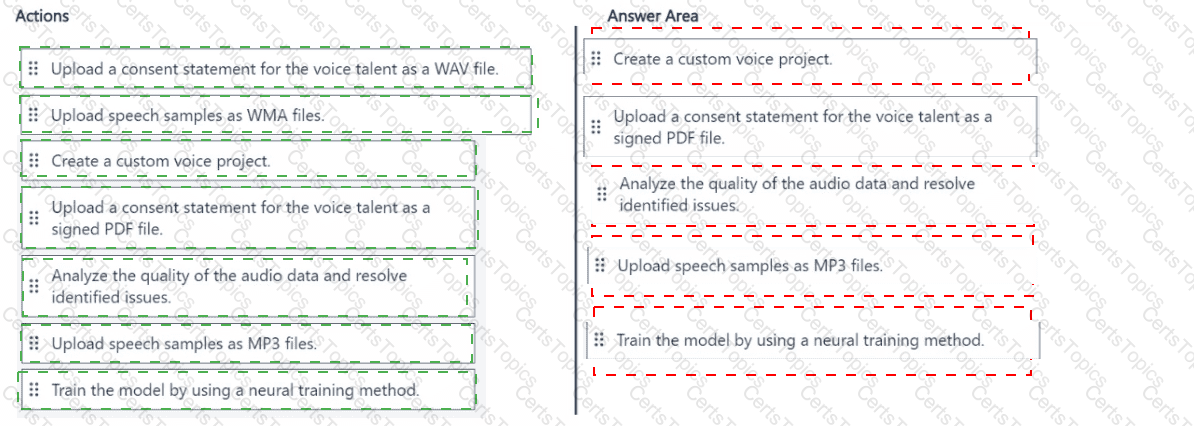
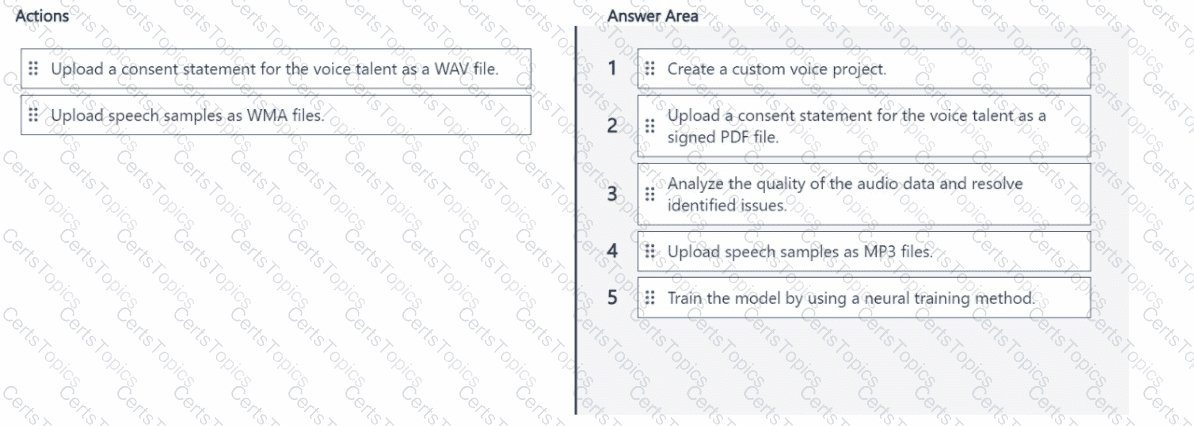
A custom neural voice (professional voice) project in Azure AI Speech requires that you follow Responsible AI and consent steps before any model training. The correct workflow in Speech Studio / Azure AI Foundry is:
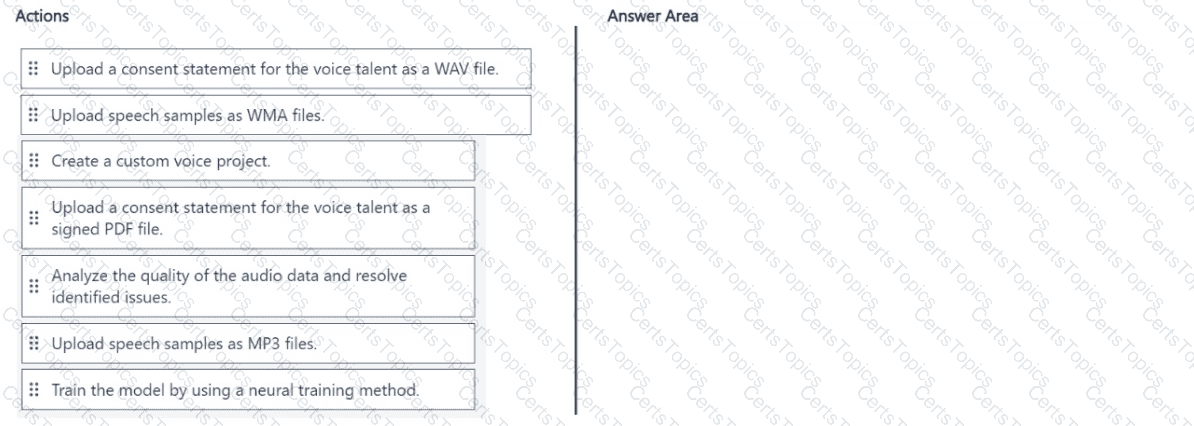
Create a custom voice project – This is the container that will hold the voice talent consent, your training datasets, models, and deployments. Each project is scoped to a locale and other attributes. Microsoft Learn
Collect and upload consent – Microsoft requires explicit authorization from the voice talent. In practice, you add the voice talent consent to the project. The platform requires the verbal consent recording (WAV); many guidance and exam items also include the signed consent document (PDF) as part of consent capture to meet Responsible AI expectations. The consent step is performed before uploading training data.
Upload the voice talent’s verbal consent as a WAV file – The consent audio verifies that the person who granted consent is the same as the speaker in your training data. The documentation shows consent is a recorded statement uploaded to the project. Microsoft Learn
Analyze the quality of the audio data and fix issues – After data upload, Speech Studio runs validation and provides a per-utterance analysis (format checks, sampling rate, script match, pronunciation/noise scoring). You must resolve issues and run Analyze data before the dataset can be used for training. Microsoft Learn
Train the model using a neural training method – Start model training from the project and choose Neural as the training type for custom neural voice. Microsoft Learn
Why not “upload speech samples as WMA/MP3 files”?
For the standard, recommended Individual utterances + matching transcript data type used to fine-tune a professional neural voice, the audio files must be WAV/RIFF PCM; the docs explicitly reference “.wav” throughout data checks and corrections. WMA isn’t supported, and MP3 isn’t accepted for this core data type. (Long audio / audio-only workflows can accept MP3 for preprocessing, but the canonical training dataset for custom neural voice is WAV.)
Microsoft Azure AI References
Create a project for professional voice (Speech Studio/Azure AI Foundry): Project contains consent, datasets, models, endpoints. Microsoft Learn
Add voice talent consent to the professional voice project: Upload the recorded consent statement for the voice talent. Microsoft Learn
Professional voice fine-tuning data – required formats: Individual utterances + transcript require WAV/RIFF PCM; guidance on sample rate and transcript format. Microsoft Learn
Add a professional voice training dataset & resolve data issues: Data validation, pronunciation/noise checks, and the Analyze data step prior to training. Microsoft Le arn
Train your professional voice model: Start training and select Neural method. Microsoft Learn