New Year Sale 70% Discount Offer - Ends in 0d 00h 00m 00s - Coupon code: save70

100-140 Exam Dumps : Cisco Certified Support Technician (CCST) IT Support

PDF
100-140 pdf
 Real Exam Questions and Answer
 Last Update: Jan 7, 2026
 Question and Answers: 42 With Explanation
 Compatible with all Devices
 Printable Format
 100% Pass Guaranteed
$28.5  $94.99
100-140 exam
PDF + Testing Engine
100-140 PDF + engine
 Both PDF & Practice Software
 Last Update: Jan 7, 2026
 Question and Answers: 42
 Discount Offer
 Download Free Demo
 24/7 Customer Support
$43.5  $144.99
Testing Engine
100-140 Engine
 Desktop Based Application
 Last Update: Jan 7, 2026
 Question and Answers: 42
 Create Multiple Test Sets
 Questions Regularly Updated
  90 Days Free Updates
  Windows and Mac Compatible
$33  $109.99

Verified By IT Certified Experts

CertsTopics.com Certified Safe Files

Up-To-Date Exam Study Material

99.5% High Success Pass Rate

100% Accurate Answers

Instant Downloads

Exam Questions And Answers PDF

Try Demo Before You Buy

Certification Exams with Helpful Questions And Answers

Cisco Certified Support Technician (CCST) IT Support Questions and Answers

Question 1

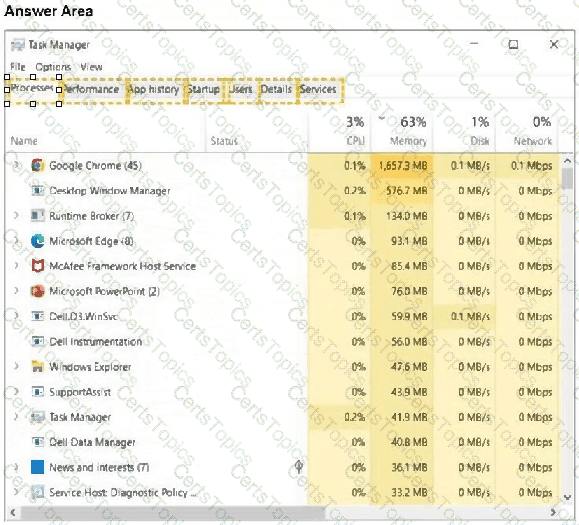
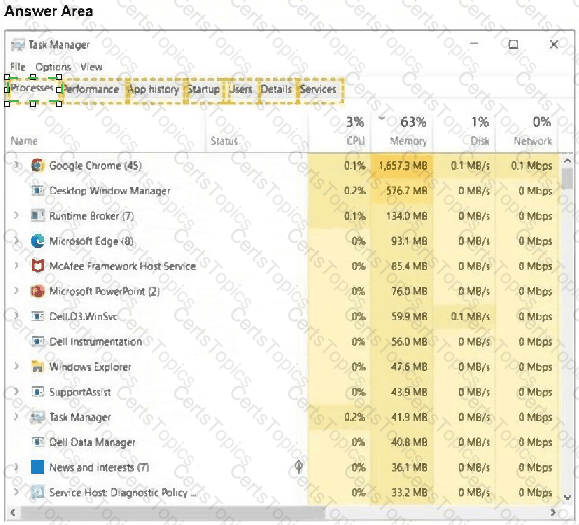
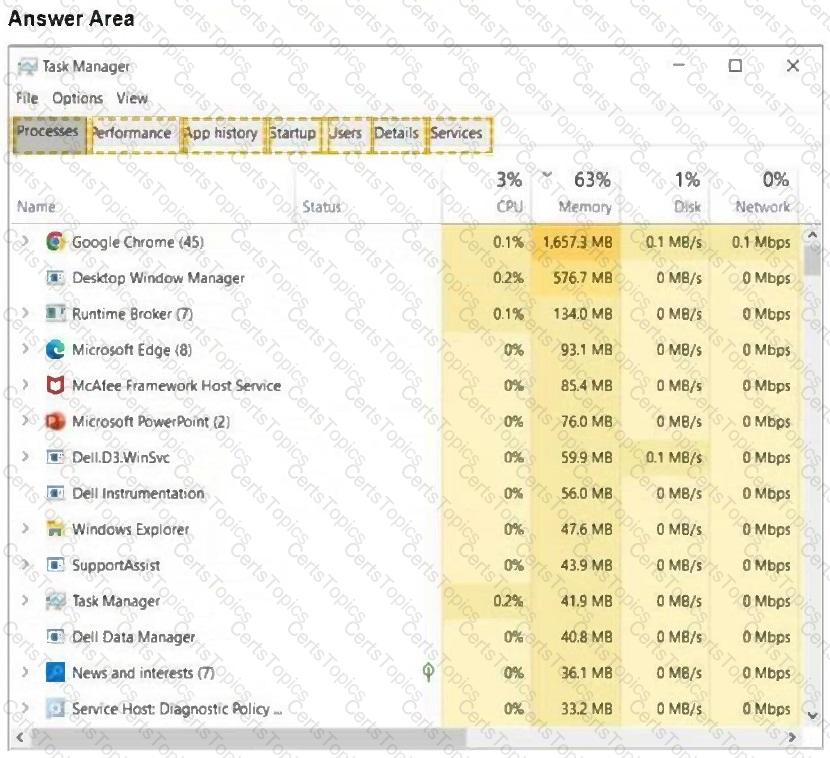
You need to help a Windows user close some Microsoft Edge pages that are no longer responding.

You guide them to Task Manager to perform the action.

In the answer area, select the tab that will allow the user to close a task.

Note: There might be multiple ways to complete this action.

Options:

Buy Now
Question 2

You receive a call from a user stating that their webcam stopped working. There have been no operating system updates since it was last working.

Which action should you tell the user to perform first?

Options:

A.

Check cables for connectivity.

B.

Check the screen resolution of webcam.

C.

Update the webcam driver software.

D.

Rollback the webcam driver software.

Question 3

Your company allows users to use their personal devices while in company meetings. However, the computers must meet the following power management requirements:

The display must always turn black if the computer has no activity for 15 minutes.

The computer must always go into low-power mode if it has no activity for 30 minutes.

The computer must never hibernate.

You need to configure power management for a user's laptop to meet the requirements.

Select the correct options in the Power & Sleep settings window show in the answer area.

Options: