
What are two tasks that can be performed by using computer vision? Each correct answer presents a complete solution.
NOTE: Each correct selection is worth one point.
Predict stock prices.
Detect brands in an image.
Detect the color scheme in an image
Translate text between languages.
Extract key phrases.
According to the Microsoft Azure AI Fundamentals study guide and Microsoft Learn module “Identify features of computer vision workloads”, computer vision is an AI workload that allows systems to interpret and understand visual information from the world, such as images and videos.
Computer vision tasks typically include:
Object detection and image classification (e.g., detecting brands, logos, or items in images)
Image analysis (e.g., identifying colors, patterns, or visual features)
Face detection and recognition
Optical Character Recognition (OCR) for reading text in images
Therefore, both detecting brands and detecting color schemes in an image are clear examples of computer vision tasks because they involve analyzing visual content.
In contrast:
A. Predict stock prices → Regression task, not vision-based.
D. Translate text between languages → Natural language processing (NLP).
E. Extract key phrases → NLP as well.
Thus, the correct computer vision tasks are B and C.
For each of the following statements, select Yes if the statement is true. Otherwise, select No.
NOTE: Each correct selection is worth one point.
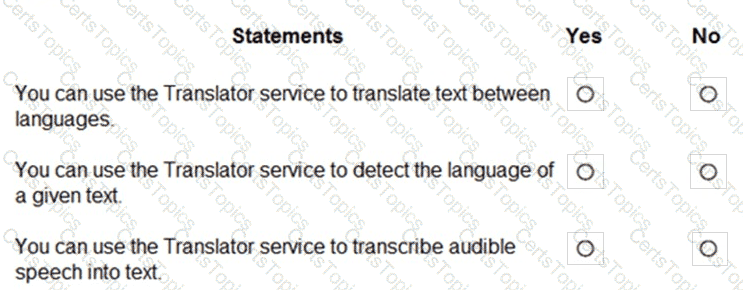
The Translator service, part of Microsoft Azure Cognitive Services, is designed specifically for text translation between multiple languages. It is a cloud-based neural machine translation service that supports more than 100 languages. According to Microsoft Learn’s module “Translate text with the Translator service”, this service provides two main capabilities: text translation and automatic language detection.
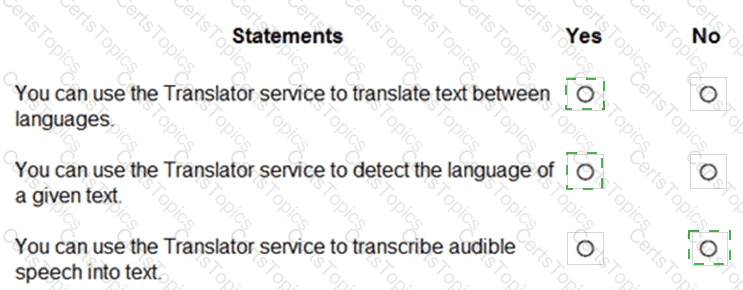
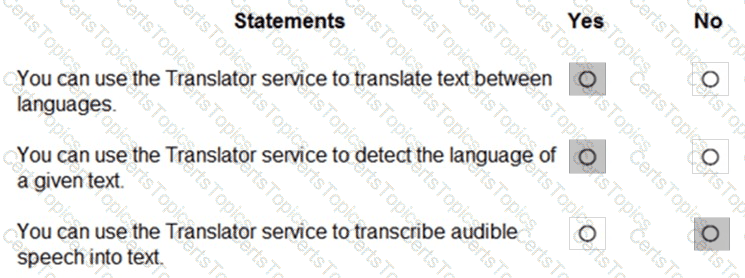
“You can use the Translator service to translate text between languages.” → YesThis statement is true. The primary purpose of the Translator service is to translate text accurately and efficiently between supported languages, such as English to Spanish or French to Japanese. It maintains contextual meaning using neural machine translation models.
“You can use the Translator service to detect the language of a given text.” → YesThis statement is also true. The Translator service includes automatic language detection, which determines the source language before translation. For instance, if a user submits text in an unknown language, the service can identify it automatically before performing translation.
“You can use the Translator service to transcribe audible speech into text.” → NoThis statement is false. Transcribing speech (audio) into text is a function of the Azure Speech service, specifically the Speech-to-Text API, not the Translator service.
Therefore, the Translator service is used for text translation and language detection, while speech transcription belongs to the Speech service.
What is a form of unsupervised machine learning?
multiclass classification
clustering
binary classification
regression
As outlined in the AI-900 study guide and Microsoft Learn’s “Explore fundamental principles of machine learning” module, clustering is a core example of unsupervised machine learning.
In unsupervised learning, the model is trained on data without labeled outcomes. The goal is to discover patterns or groupings naturally present in the data. Clustering algorithms, such as K-means, DBSCAN, or Hierarchical clustering, analyze similarities among data points and group them into clusters. For example, clustering can group customers by purchasing behavior or segment products by shared characteristics — all without predefined labels.
Supervised learning, by contrast, uses labeled data (input-output pairs) to train a model that predicts outcomes. This includes:
A. Multiclass classification – Predicts more than two categories (e.g., classifying images as dog, cat, or bird).
C. Binary classification – Predicts two categories (e.g., spam vs. not spam).
D. Regression – Predicts continuous numeric values (e.g., price prediction).
Therefore, the only option representing unsupervised learning is clustering, which enables data discovery without predefined labels.
You have a custom question answering solution.
You create a bot that uses the knowledge base to respond to customer requests. You need to identify what the bot can perform without adding additional skills. What should you identify?
Register customer complaints.
Answer questions from multiple users simultaneously.
Register customer purchases.
Provide customers with return materials authorization (RMA) numbers.
According to the AI-900 Microsoft Learn modules on Conversational AI, a custom question answering solution built using Azure AI Language (formerly QnA Maker) enables a chatbot to respond to user questions based on a predefined knowledge base. When integrated with a bot, the solution can automatically respond to multiple user queries in real time without additional programming.
This capability is known as scalability and concurrency, which allows chatbots to manage simultaneous conversations with multiple users. This feature is built into the Azure Bot Service, meaning you don’t need to add extra “skills” or custom logic for concurrent interactions.
Other options require additional integration or logic:
Register customer complaints or purchases would require connecting the bot to a CRM or sales system.
Provide RMA numbers requires business process logic or database access.
Therefore, the out-of-the-box functionality of a custom question answering bot is the ability to answer questions from multiple users at once, which is supported natively by Azure Bot Service and the QnA knowledge base.
What should you implement to prevent hateful responses from being returned by a generative Al solution?
abuse monitoring
content filtering
fine-tuning
prompt engineering
To prevent hateful or harmful responses from being returned by a generative AI solution, the correct approach is to implement content filtering. According to the Microsoft Learn documentation for Azure OpenAI Service and the Responsible AI principles, content filtering is a built-in safety mechanism that automatically screens both user prompts (inputs) and model outputs (responses) for inappropriate, harmful, or policy-violating material.
Content filters are designed to detect and block content such as:
Hate speech or harassment
Sexual or explicit material
Self-harm or violent content
Personally identifiable information (PII) misuse
In Azure OpenAI, the content filtering system is part of Microsoft’s Responsible AI standard and cannot be disabled. It ensures that generative AI models such as GPT-3.5 or GPT-4 operate safely and ethically, reducing the risk of producing offensive or discriminatory text. The filter evaluates model responses in real time and can modify, block, or flag inappropriate outputs before they reach the user.
Let’s review the other options:
A. Abuse monitoring tracks misuse after deployment but does not actively prevent hateful responses.
C. Fine-tuning customizes a model’s style or domain knowledge but does not guarantee filtering of offensive content.
D. Prompt engineering helps steer model behavior but cannot fully prevent harmful outputs.
Therefore, to proactively prevent hateful, unsafe, or offensive responses in a generative AI system built on Azure OpenAI, the correct and Microsoft-verified approach is B. Content filtering.
To complete the sentence, select the appropriate option in the answer area.
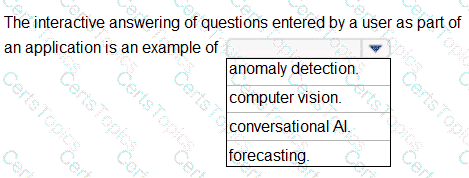
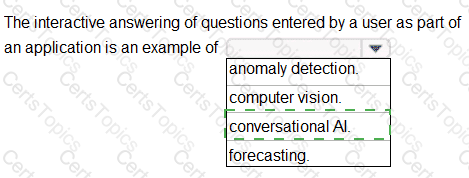
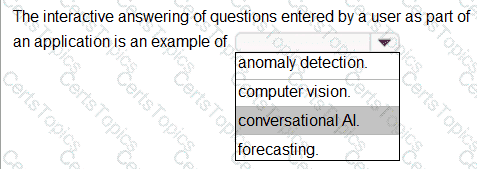
According to the Microsoft Azure AI Fundamentals (AI-900) study guide and official Microsoft Learn modules under “Describe features of common AI workloads”, Conversational AI refers to technology that enables computers to engage in dialogue or conversation with users through natural language, whether by text or speech. The interactive answering of user-entered questions through a chat interface or virtual assistant is a direct example of a conversational AI workload.
Microsoft defines Conversational AI as systems that use natural language processing (NLP) and language understanding models to interpret what users are asking and respond appropriately. This includes chatbots, virtual assistants (like Cortana or Azure Bot Service), and automated customer service systems that simulate a human-like conversation. In this case, when an application answers questions that a user types interactively, the AI model is processing human language inputs, deriving intent, and generating meaningful replies — precisely what conversational AI is designed to do.
By contrast:
Anomaly detection identifies unusual patterns in data, typically used for fraud detection or equipment monitoring — not interactive dialogue.
Computer vision deals with interpreting images or video (e.g., object detection, facial recognition), unrelated to answering text-based questions.
Forecasting uses historical data to predict future trends or outcomes, often in sales or demand prediction scenarios.
The AI-900 guide emphasizes that Conversational AI helps businesses improve customer interaction efficiency by offering instant, automated, and consistent responses. It enables real-time engagement 24/7 and integrates with tools such as Azure Bot Service, Azure Cognitive Service for Language, and QnA Maker (now part of Azure AI Language Service).
Therefore, based on the Microsoft Learn objectives and definitions from the official AI-900 curriculum, the interactive answering of user questions in an application is best categorized as Conversational AI.
You have a dataset that contains information about taxi journeys that occurred during a given period.
You need to train a model to predict the fare of a taxi journey.
What should you use as a feature?
the number of taxi journeys in the dataset
the trip distance of individual taxi journeys
the fare of individual taxi journeys
the trip ID of individual taxi journeys
The label is the column you want to predict. The identified Features are the inputs you give the model to predict the Label.
Example:
The provided data set contains the following columns:
vendor_id: The ID of the taxi vendor is a feature.
rate_code: The rate type of the taxi trip is a feature.
passenger_count: The number of passengers on the trip is a feature.
trip_time_in_secs: The amount of time the trip took. You want to predict the fare of the trip before the trip is completed. At that moment, you don ' t know how long the trip would take. Thus, the trip time is not a feature and you ' ll exclude this column from the model.
trip_distance: The distance of the trip is a feature.
payment_type: The payment method (cash or credit card) is a feature.
fare_amount: The total taxi fare paid is the label.
You need to generate cartoons for use in a brochure. Each cartoon will be based on a text description.
Which Azure OpenAI model should you use?
Codex
DALL-E
GPT-3.5
GPT-4
To generate cartoons or images from text descriptions, the correct Azure OpenAI model is DALL-E. As described in Microsoft’s OpenAI integration documentation, DALL-E is a generative image model that converts natural language prompts into images, illustrations, and artwork.
Codex is for code generation, GPT-3.5 and GPT-4 are for text and reasoning tasks, not image creation. Therefore, B. DALL-E is correct.
For each of the following statements, select Yes if the statement is true. Otherwise, select No.
NOTE: Each correct selection is worth one point.
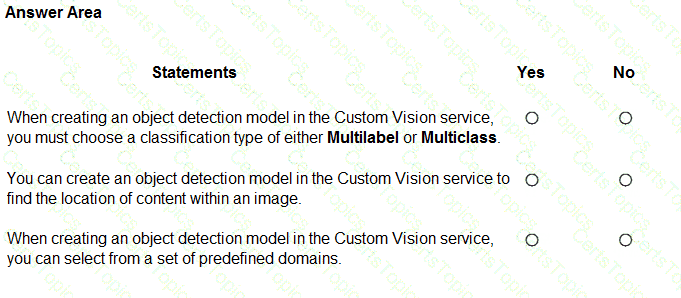
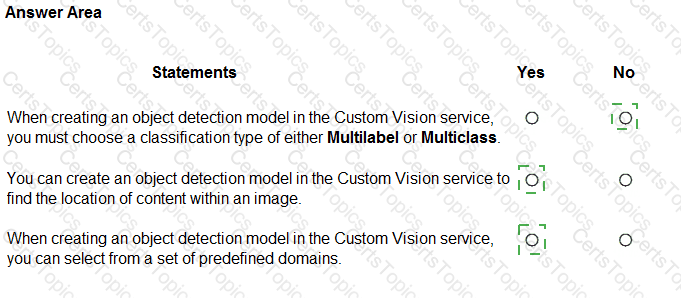
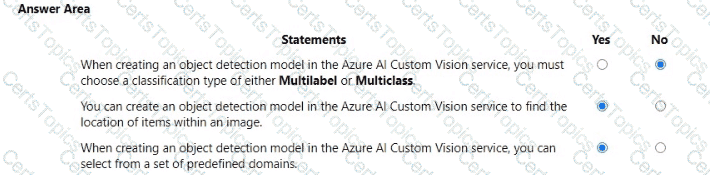
According to the Microsoft Azure AI Fundamentals (AI-900) official study guide and the Microsoft Learn module “Identify features of the Computer Vision and Custom Vision services”, the Custom Vision service is used to train, deploy, and improve custom image classification and object detection models using your own labeled data.
Multilabel or Multiclass Selection – NOThe statement is false because the Multilabel or Multiclass choice applies only to image classification models, not object detection models. In image classification, “Multiclass” means one label per image, while “Multilabel” means multiple labels per image. In contrast, object detection models identify and locate multiple objects in an image using bounding boxes; thus, this classification-type selection does not apply.
Object Detection Locates Content in an Image – YESThis statement is true. The object detection functionality in Custom Vision is designed to both identify what objects appear in an image and determine their location through bounding box coordinates. For example, a model could detect and locate multiple products on a store shelf. Microsoft documentation describes object detection as “identifying the presence and location of objects in an image.”
Predefined Domains – YESThis statement is true as well. When you create a new Custom Vision project, you must select a domain, which is a predefined optimization setting tailored to specific use cases such as retail, food, landmarks, or general images. These domains are designed to improve model accuracy by applying specialized transfer learning features based on the type of images you will analyze.
In summary:
Classification type (Multilabel/Multiclass): No (only for classification models)
Detect object location: Yes
Choose predefined domain: Yes
What can be used to complete a paragraph based on a sentence provided by a user?
Azure Al Language
Azure OpenAI
Azure Machine Learning
Azure Al Vision
The service that can complete a paragraph based on a sentence is Azure OpenAI. According to Microsoft Learn’s AI-900 study guide, Azure OpenAI provides access to advanced language models like GPT-3.5 and GPT-4, which can generate and continue text, summarize, or create content based on prompts. The task described—text completion—is precisely what GPT models are designed for.
Azure AI Language performs language understanding and analysis (sentiment, key phrases, translation), Azure Machine Learning trains custom models, and Azure AI Vision handles images. Hence, Azure OpenAI is the correct choice.
Match the Azure Cognitive Services service to the appropriate actions.
To answer, drag the appropriate service from the column on the left to its action on the right. Each service may he used once, more than once, or not at all.
NOTE: Each correct match is worth one point.
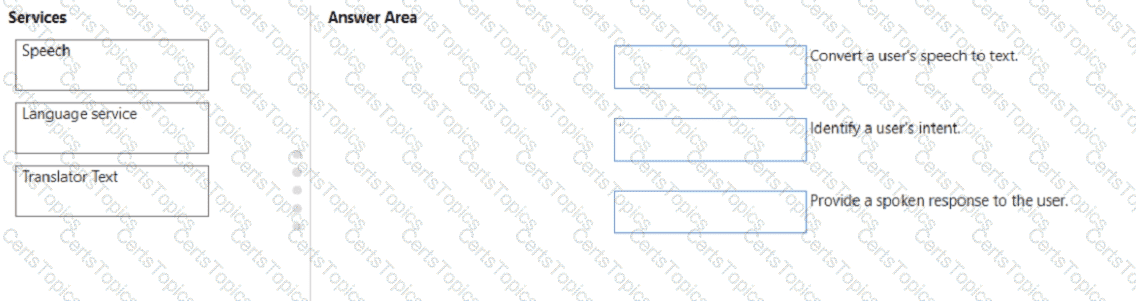
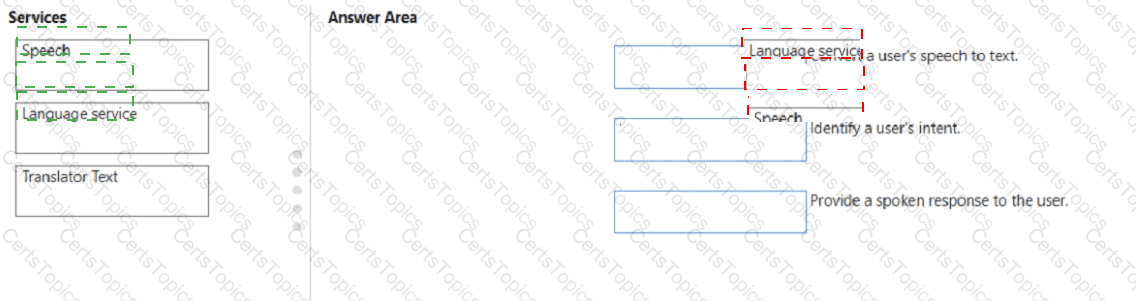
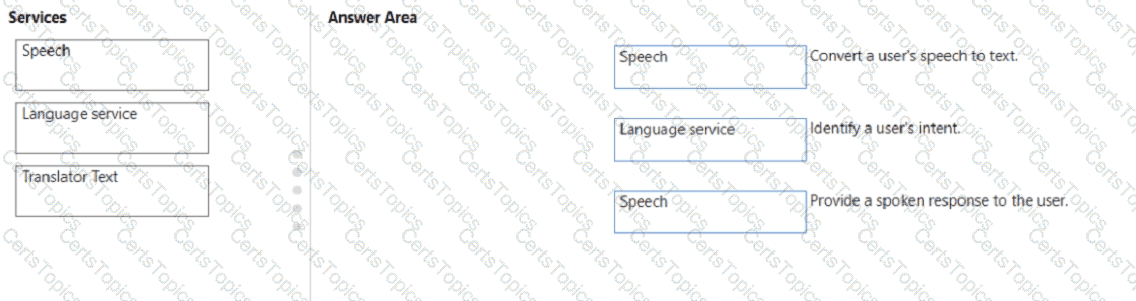
These matches are based on the Microsoft Azure AI Fundamentals (AI-900) Official Study Guide and the Microsoft Learn module “Explore Azure Cognitive Services.”
Microsoft Azure provides Cognitive Services that enable developers to integrate artificial intelligence capabilities—such as vision, speech, language understanding, and decision-making—into applications without requiring in-depth AI expertise.
Convert a user’s speech to text → Speech ServiceThe Azure Speech Service supports speech-to-text (STT) conversion, which transcribes spoken language into written text. This feature is commonly used in voice assistants, transcription systems, and voice-enabled apps. The service uses advanced speech recognition models to handle different accents, languages, and background noises.
Identify a user’s intent → Language ServiceThe Azure AI Language Service (which includes capabilities from LUIS – Language Understanding) is used to interpret what a user means or wants to achieve based on their words. It identifies intents (the goal or action behind the input) and entities (key pieces of information) from natural language text. This is a key component in conversational AI applications, allowing chatbots and virtual assistants to respond intelligently.
Provide a spoken response to the user → Speech ServiceThe Speech Service also supports text-to-speech (TTS) functionality, which converts textual responses into natural-sounding speech. This enables applications to communicate audibly with users, completing the conversational loop.
Translator Text is not used here because it’s primarily designed for language translation between different languages, not for speech recognition or intent understanding.
Select the answer that correctly completes the sentence.
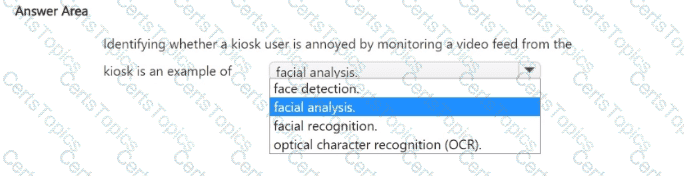
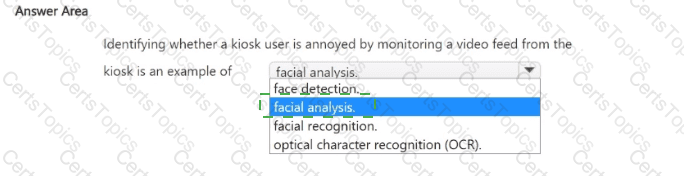

This question refers to a system that monitors a user’s emotions or expressions—in this case, identifying whether a kiosk user is annoyed—through a video feed. According to the Microsoft Azure AI Fundamentals (AI-900) official study guide and Microsoft Learn module “Identify Azure services for computer vision,” this scenario falls under facial analysis, which is a capability of Azure AI Vision or the Face API.
Facial analysis involves detecting human faces in images or video and analyzing facial features to interpret emotions, expressions, age, gender, or facial landmarks. The AI model does not try to identify who the person is but rather interprets how they appear or feel. For example, facial analysis can detect emotions such as happiness, anger, sadness, or surprise, which allows applications to infer a user’s engagement or frustration level while interacting with a system.
Option review:
Face detection: Identifies the presence and location of a face in an image but does not interpret expressions or emotions.
Facial recognition: Matches a detected face to a known individual’s identity (for authentication or security), not for emotion detection.
Optical character recognition (OCR): Extracts text from images or scanned documents and has no relation to human emotion or facial features.
Therefore, determining whether a kiosk user is annoyed, happy, or frustrated involves emotion detection within facial analysis, making Facial analysis the correct answer.
This aligns with AI-900’s definition of computer vision workloads, where facial analysis provides insights into emotions and expressions, supporting user experience optimization and customer behavior analytics.
Select the answer that correctly completes the sentence.
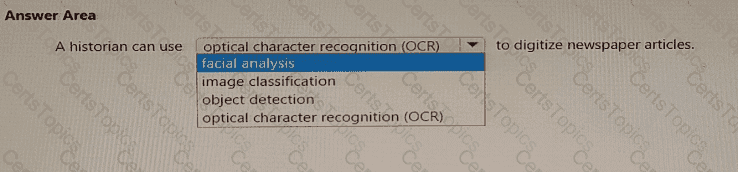
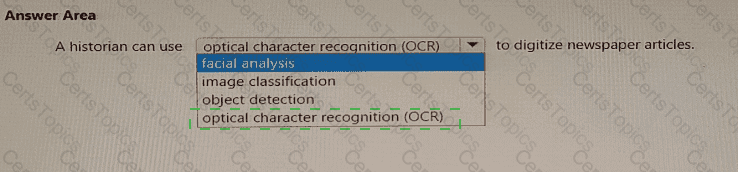

According to the Microsoft Azure AI Fundamentals (AI-900) Official Study Guide and the Microsoft Learn module “Explore computer vision in Microsoft Azure,” Optical Character Recognition (OCR) is a computer vision capability that detects and extracts printed or handwritten text from images or scanned documents and converts it into machine-readable digital text.
In this scenario, a historian wants to digitize newspaper articles — which means converting physical or scanned images of printed text into digital text for easier searching, archiving, and analysis. This is exactly the function of OCR. By using OCR, the historian can take photos or scans of old newspapers and extract the words into editable digital documents, preserving valuable historical information.
OCR is a key feature of the Azure Computer Vision service, which provides capabilities such as:
Extracting text from images or PDFs.
Reading both printed and handwritten text in multiple languages.
Converting physical documents into searchable digital files.
Let’s examine the incorrect options:
Facial analysis: Detects facial features, age, gender, and emotions — unrelated to text extraction.
Image classification: Identifies what an image contains (e.g., “dog,” “car,” or “building”) but doesn’t extract text.
Object detection: Identifies and locates objects within an image using bounding boxes, not suitable for text recognition.
Therefore, to digitize newspaper articles and convert printed words into editable digital text, the correct technology to use is Optical Character Recognition (OCR), provided by the Azure Computer Vision API.
✅ Final Answer: optical character recognition (OCR)
Providing contextual information to improve the responses quality of a generative Al solution is an example of which prompt engineering technique?
providing examples
fine-tuning
grounding data
system messages
In Microsoft Azure OpenAI Service and the AI-900/AI-102 study materials, grounding data is the correct term used to describe the process of providing contextual or external information to improve the accuracy, relevance, and quality of responses generated by a generative AI model such as GPT-3.5 or GPT-4.
Grounding is a prompt engineering technique where the AI model is supplemented with relevant background data, such as company documents, knowledge bases, or user context, that helps the model generate factually correct and context-aware responses. Microsoft Learn defines grounding as a way to connect the model’s general knowledge to specific, real-world information. For example, if you ask a GPT-3.5 model about your organization’s HR policies, the base model will not know them unless that policy information is provided (grounded) in the prompt. By embedding this contextual data, the AI becomes “grounded” in the facts it needs to respond reliably.
This technique differs from other prompt engineering concepts:
A. Providing examples (few-shot prompting) shows the model sample inputs and outputs to guide formatting or style, not factual context.
B. Fine-tuning involves retraining the model with labeled data to permanently adjust its behavior — it’s not a prompt-based technique.
D. System messages define the model’s role, tone, or style (for example, “You are a helpful assistant”) but do not add factual context.
Therefore, when you provide contextual information (like product details, policy documents, or reference text) within a prompt to enhance the quality and factual reliability of the model’s responses, you are applying the grounding data technique.
When you design an AI system to assess whether loans should be approved, the factors used to make the decision should be explainable.
This is an example of which Microsoft guiding principle for responsible AI?
transparency
inclusiveness
fairness
privacy and security
Microsoft’s Responsible AI Principles, as outlined in the AI-900 certification materials and official Microsoft documentation, emphasize six guiding principles: fairness, reliability and safety, privacy and security, inclusiveness, transparency, and accountability. The principle of transparency means that AI systems should be designed so their decisions and processes are understandable and explainable to users and stakeholders.
In this scenario, the AI system is being developed to decide whether a loan should be approved. Such a decision directly affects people’s lives and finances, so it is essential that the system can explain which factors influenced its decision—for example, credit score, income, or payment history. Microsoft’s Responsible AI framework stresses that transparency helps ensure trust between humans and AI systems. When decisions are explainable, users can understand and contest the reasoning if necessary.
The other options do not align precisely with this scenario:
B. Inclusiveness focuses on making AI accessible to all people, regardless of ability or background.
C. Fairness ensures that AI systems treat all individuals equally and do not discriminate. While fairness is important for loan assessment, the question specifically highlights the need for explainability, not equality.
D. Privacy and Security deals with safeguarding user data, which is separate from explaining decisions.
Therefore, the principle demonstrated here is transparency, as it ensures decision-making processes are clear, explainable, and traceable—directly aligning with Microsoft’s responsible AI guidance.
You are creating an app to help employees write emails and reports based on user prompts. What should you use?
Azure Al Speech
Azure OpenAI in Foundry Models
Azure Al Vision
Azure Machine Learning studio
For an app that helps employees write emails and reports based on user prompts, you need a text generation model capable of understanding natural language instructions and producing coherent, contextually appropriate output. Azure OpenAI GPT models—available through Azure AI Foundry (formerly Azure OpenAI Studio)—are specifically designed for such generative tasks.
By integrating GPT-3.5 or GPT-4, the app can analyze prompts like “Write a professional email to a client about project updates” and automatically generate polished text in seconds.
The other options do not fit:
A. Azure AI Speech: Converts spoken language to text or text to speech; not suitable for generating written content.
C. Azure AI Vision: Processes and analyzes images or video content.
D. Azure Machine Learning Studio: Used for training, testing, and deploying custom ML models, not directly for content generation.
Therefore, to create a writing-assistance app for emails and reports, the correct solution is B. Azure OpenAI in Foundry Models using GPT-based language generation.
You are evaluating whether to use a basic workspace or an enterprise workspace in Azure Machine Learning.
What are two tasks that require an enterprise workspace? Each correct answer presents a complete solution.
NOTE: Each correct selection is worth one point.
Use a graphical user interface (GUI) to run automated machine learning experiments.
Create a compute instance to use as a workstation.
Use a graphical user interface (GUI) to define and run machine learning experiments from Azure Machine Learning designer.
Create a dataset from a comma-separated value (CSV) file.
The correct answers are A. Use a graphical user interface (GUI) to run automated machine learning experiments and C. Use a graphical user interface (GUI) to define and run machine learning experiments from Azure Machine Learning designer.
According to the Microsoft Azure AI Fundamentals (AI-900) official documentation and Microsoft Learn module “Create and manage Azure Machine Learning workspaces”, there are two workspace tiers: Basic and Enterprise. The Enterprise workspace provides advanced capabilities for automation, visualization, and collaboration that are not available in the Basic tier.
Specifically:
Automated machine learning (AutoML) using a GUI is only available in the Enterprise tier. AutoML automatically selects algorithms and tunes hyperparameters through the Azure Machine Learning studio interface.
Azure Machine Learning designer, which allows users to visually drag and drop datasets and modules to create machine learning pipelines, also requires the Enterprise workspace.
In contrast:
B. Create a compute instance and D. Create a dataset from a CSV file are fundamental actions supported in both Basic and Enterprise workspaces. These do not require the advanced licensing features of the Enterprise edition.
Therefore, tasks involving the graphical, no-code tools—Automated ML (AutoML) and the Designer—require the Enterprise workspace, aligning with AI-900’s learning objectives.
Select the answer that correctly completes the sentence.
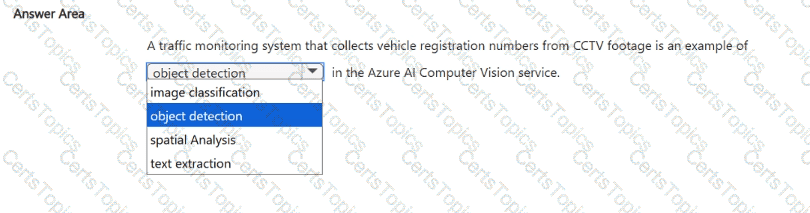

Text extraction.
According to the Microsoft Azure AI Fundamentals (AI-900) study guide and Microsoft Learn documentation for Azure AI Vision (formerly Computer Vision), text extraction—also known as Optical Character Recognition (OCR)—is the computer vision capability that detects and extracts printed or handwritten text from images and video frames.
In this scenario, a traffic monitoring system collects vehicle registration numbers (license plates) from CCTV footage. These registration numbers are alphanumeric text that must be read and converted into digital form for processing, storage, or analysis. The Azure AI Vision service’s OCR (text extraction) feature performs this function. It analyzes each frame from the video feed, detects text regions (the license plates), and converts the visual text into machine-readable text data.
This process is widely used in Automatic Number Plate Recognition (ANPR) systems that support law enforcement, toll booths, and parking management solutions. The OCR model can handle variations in font, lighting, and angle to accurately extract license plate numbers.
The other options describe different vision capabilities:
Image classification assigns an image to a general category (e.g., “car,” “truck,” or “bike”), not text extraction.
Object detection identifies and locates objects in images using bounding boxes (e.g., detecting the car itself), but not the text written on the car.
Spatial analysis tracks people or objects in a defined physical space (e.g., counting individuals entering a building), not reading text.
Therefore, for a traffic monitoring system that identifies vehicle registration numbers from CCTV footage, the most accurate Azure AI Vision capability is Text extraction (OCR).
In which scenario should you use key phrase extraction?
translating a set of documents from English to German
generating captions for a video based on the audio track
identifying whether reviews of a restaurant are positive or negative
identifying which documents provide information about the same topics
According to the Microsoft Azure AI Fundamentals (AI-900) official study guide and Microsoft Learn module “Extract insights from text with the Text Analytics service”, key phrase extraction is a feature of the Text Analytics service that identifies the most important words or phrases in a given document. It helps summarize the main ideas by isolating significant concepts or terms that describe what the text is about.
In this scenario, the goal is to determine which documents share similar topics or themes. By extracting key phrases from each document (for example, “policy renewal,” “coverage limits,” “claim process”), you can compare and categorize documents based on overlapping keywords. This is exactly how key phrase extraction is used—to summarize and group text content by topic relevance.
The other options do not fit this use case:
A. Translation uses the Translator service, not key phrase extraction.
B. Generating video captions involves speech recognition and computer vision.
C. Identifying sentiment relates to sentiment analysis, not key phrase extraction.
Which AI service can you use to interpret the meaning of a user input such as “Call me back later?”
Translator Text
Text Analytics
Speech
Language Understanding (LUIS)
According to the Microsoft Azure AI Fundamentals (AI-900) learning content, Language Understanding Intelligent Service (LUIS) is part of Azure Cognitive Services used to interpret the meaning or intent behind a user’s input in natural language. When a user says, “Call me back later,” the system must recognize that the user intends for a call to be scheduled or delayed—this is not just about translating or analyzing text but understanding intent and relevant entities.
LUIS allows developers to train models to identify intents (such as ScheduleCall, CancelMeeting, etc.) and extract key entities (like names, times, or actions) from text inputs. It is typically integrated with conversational agents such as Azure Bot Service, enabling more natural, human-like interactions.
Other options do not fit the scenario:
Translator Text (A) translates text between languages but does not interpret meaning.
Text Analytics (B) performs sentiment analysis, key phrase extraction, and named entity recognition, but it doesn’t identify intent.
Speech (C) converts spoken language to text or text to speech but doesn’t interpret what the words mean.
Therefore, for understanding user intent such as “Call me back later,” the correct AI service is D. Language Understanding (LUIS).
Select the answer that correctly completes the sentence.



According to the Microsoft Azure AI Fundamentals (AI-900) official study guide and the Microsoft Learn module “Identify features of common machine learning types”, a regression model is a type of supervised machine learning model that is used to predict continuous numeric values based on one or more input variables (features).
In supervised learning, models are trained using labeled data, where each input record has a known target value (label). For regression specifically, the label represents a numeric quantity — such as price, age, temperature, or sales figures. The model learns to approximate a function that maps input variables to numeric outputs.
For example:
Predicting house prices based on size, location, and number of rooms.
Predicting monthly sales revenue from marketing spend and seasonality.
Forecasting temperature based on historical weather data.
In Azure Machine Learning Designer and AutoML, when building a regression model, the label column must therefore be of numeric data type (integer or float). If the label were categorical (for example, “yes/no” or “approved/denied”), the appropriate model type would be classification, not regression.
To contrast with other options:
Boolean – used in binary classification problems (true/false outcomes).
Datetime – used for time series forecasting, not standard regression labels.
Text – used as input features for NLP models, not as regression targets.
Hence, when configuring a regression task in Azure, ensuring the target variable (label) is numeric is a fundamental requirement. The model’s performance metrics—such as Mean Absolute Error (MAE), Root Mean Squared Error (RMSE), and R²—also rely on numeric computations.
Which type of machine learning should you use to identify groups of people who have similar purchasing habits?
classification
regression
clustering
According to the Microsoft Azure AI Fundamentals (AI-900) official study guide and the Microsoft Learn module “Describe features of common AI workloads”, clustering is a type of unsupervised machine learning used to group data points that share similar characteristics. In unsupervised learning, the data provided to the model does not have predefined labels or outcomes. Instead, the algorithm identifies inherent patterns or groupings within the dataset based on similarities in input features.
In this scenario, the task is to identify groups of people who have similar purchasing habits. There is no predefined label such as “buyer type” or “purchase category.” The goal is to discover hidden patterns—such as grouping customers by spending behavior, preferred products, or frequency of purchases. This is precisely what clustering algorithms are designed to do.
Clustering is commonly used in:
Customer segmentation for marketing analytics.
Market basket analysis to find associations in purchasing patterns.
Recommender systems to identify similar user profiles.
Anomaly detection when outliers deviate from natural clusters.
Typical algorithms for clustering include K-means, Hierarchical clustering, and DBSCAN. These models analyze multidimensional data to form clusters that maximize intra-group similarity and minimize inter-group similarity.
By contrast:
Classification (A) is a supervised learning method that predicts a categorical label (e.g., whether a customer will churn or not). It requires labeled training data.
Regression (B) is used to predict continuous numeric values (e.g., sales revenue, temperature).
Since the question focuses on discovering groups of similar customers without prior labels, the correct type of machine learning is Clustering.
For each of the following statements, select Yes If the statement is true. Otherwise, select No.
NOTE: Each correct selection is worth one point.


Location of a damaged product → Yes
Multiple instances of the same product → Yes
Multiple types of damaged products → Yes
All three statements are Yes, because they correctly describe the capabilities of object detection, one of the major workloads in computer vision, as defined in the Microsoft Azure AI Fundamentals (AI-900) study guide and Microsoft Learn module: “Describe features of computer vision workloads on Azure.”
Object detection is an advanced computer vision technique that allows AI systems not only to classify objects within an image but also to locate them by drawing bounding boxes around each detected object. This differentiates it from simple image classification, which only identifies what objects exist in an image without specifying their locations.
Identifying the location of a damaged product – YesAccording to Microsoft Learn, object detection can return the coordinates or bounding boxes for recognized objects. Therefore, if the model is trained to detect damaged products, it can pinpoint exactly where those defects appear within an image.
Identifying multiple instances of a damaged product – YesObject detection models can detect multiple objects of the same class in one image. For instance, if an image contains several damaged products, each will be identified and marked individually. This feature supports tasks such as automated quality inspection in manufacturing, where several defective units may appear simultaneously.
Identifying multiple types of damaged products – YesObject detection can also distinguish different classes of objects. When trained on multiple labels (e.g., cracked, scratched, or broken items), the model can detect and classify each type of damage in one image.
In Microsoft’s AI-900 framework, object detection is presented as a critical part of computer vision workloads capable of locating and classifying multiple objects and categories within visual content.
You are building an AI system.
Which task should you include to ensure that the service meets the Microsoft transparency principle for responsible AI?
Ensure that all visuals have an associated text that can be read by a screen reader.
Enable autoscaling to ensure that a service scales based on demand.
Provide documentation to help developers debug code.
Ensure that a training dataset is representative of the population.
According to the Microsoft Azure AI Fundamentals (AI-900) Official Study Guide and Microsoft Learn module “Describe principles of responsible AI”, the transparency principle ensures that AI systems are understandable, explainable, and well-documented so that users, developers, and stakeholders can know how the system operates and makes decisions. Transparency involves clear communication, documentation, and interpretability.
Microsoft defines transparency as the responsibility to make sure that people understand how AI systems function, their limitations, and how decisions are made. For developers, this means providing detailed documentation and model interpretability tools so others can inspect, debug, and understand the AI model’s behavior. For users, it means ensuring that the purpose, capabilities, and limitations of the AI system are clearly explained.
Providing documentation to help developers debug and understand how a service works directly aligns with this transparency principle. It ensures that the system’s logic and behavior are open to inspection and that any unintended consequences can be identified and corrected. Transparency also builds trust in AI solutions by enabling accountability and oversight.
Let’s analyze the other options:
A. Ensure that all visuals have an associated text that can be read by a screen reader – This supports inclusiveness, not transparency, as it focuses on accessibility for all users.
B. Enable autoscaling to ensure that a service scales based on demand – This is related to system performance and scalability, not responsible AI.
D. Ensure that a training dataset is representative of the population – This supports fairness, as it prevents bias and ensures equitable outcomes.
Therefore, based on the official AI-900 training content and Microsoft’s Responsible AI framework (which includes fairness, reliability, privacy, inclusiveness, transparency, and accountability), the correct answer is C. Provide documentation to help developers debug code, because this directly promotes transparency in how the AI system operates and communicates its inner workings
A company employs a team of customer service agents to provide telephone and email support to customers.
The company develops a webchat bot to provide automated answers to common customer queries.
Which business benefit should the company expect as a result of creating the webchat bot solution?
increased sales
a reduced workload for the customer service agents
improved product reliability
Question number: 1
Answer: B
Full Detailed Explanation with exact Extract from your Official Study guide and Trained Data at least 250 to 300 words in Explanation:
The correct answer is B. a reduced workload for the customer service agents.
According to the Microsoft Azure AI Fundamentals (AI-900) official study guide and Microsoft Learn module “Describe features of common AI workloads”, conversational AI solutions such as chatbots are primarily designed to automate repetitive and routine customer interactions. The key business value emphasized in these materials is operational efficiency—chatbots allow organizations to respond to a high volume of customer queries without relying solely on human agents. This results in reduced workload, lower operational costs, and faster response times.
Microsoft’s AI-900 learning objectives highlight that AI can be applied to automate tasks that previously required human interaction. In the context of customer support, a webchat bot powered by Azure AI services (such as Azure Bot Service or Azure Cognitive Services for Language) can handle frequently asked questions like order status, password resets, or basic troubleshooting. This allows human agents to focus their time and skills on more complex issues that require empathy, reasoning, or decision-making—tasks that AI cannot yet handle as effectively.
Additionally, the AI-900 course materials explain that one of the measurable business benefits of deploying AI-driven chatbots is improved efficiency and scalability. Chatbots can handle thousands of simultaneous interactions, something that human teams cannot easily do. As a result, the organization experiences reduced operational pressure on support staff, improved customer satisfaction due to quicker responses, and optimized resource utilization.
Options A and C are incorrect because chatbots do not directly influence sales growth or product reliability. While increased customer satisfaction might indirectly support sales, it is not the primary or guaranteed outcome of implementing a chatbot. Similarly, product reliability is tied to engineering quality, not customer service automation.
Therefore, based on the official AI-900 study materials and Microsoft Learn concepts, the best and verified answer is B. a reduced workload for the customer service agents.
To complete the sentence, select the appropriate option in the answer area.
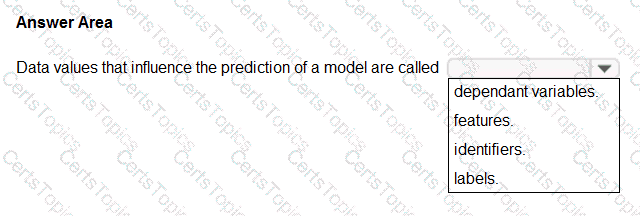
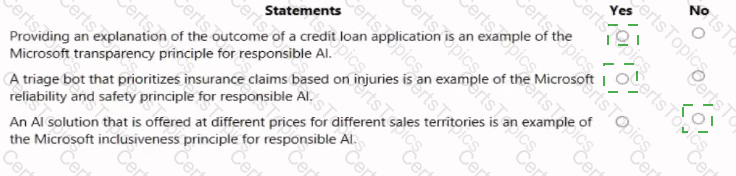
Features
According to the Microsoft Azure AI Fundamentals (AI-900) official study guide and the Microsoft Learn module “Explore fundamental principles of machine learning,” data values that influence the prediction of a model are called features. In the context of machine learning, a feature is an individual measurable property, attribute, or input variable used by the model to make predictions.
Features are the independent variables that describe the characteristics of the data. For example, in a housing price prediction model, features might include square footage, location, number of bedrooms, and year built. These inputs help the model understand relationships in the data so it can predict the target outcome (the house price).
Microsoft Learn explains that features are the input variables that the algorithm uses to identify patterns and relationships in the training data. During training, the model learns how changes in these features influence the label (also known as the dependent variable or target variable). The label is the value the model tries to predict—such as “price,” “category,” or “yes/no.”
Here’s how the other options differ:
Dependent variables (labels): These are the outcomes or target values the model predicts, not the inputs.
Identifiers: These are unique keys (like customer ID or transaction ID) used to distinguish records but not to influence predictions.
Labels: As mentioned, labels are the results the model tries to predict.
Therefore, based on the AI-900 learning objectives and Microsoft’s official explanation, the data values that influence the prediction of a model—that is, the input variables that guide the model’s learning—are called features. These features form the foundation of the model’s predictive capabilities and directly impact its accuracy and performance.
For each of the following statements, select Yes if the statement is true. Otherwise, select No.
NOTE: Each correct selection is worth one point.
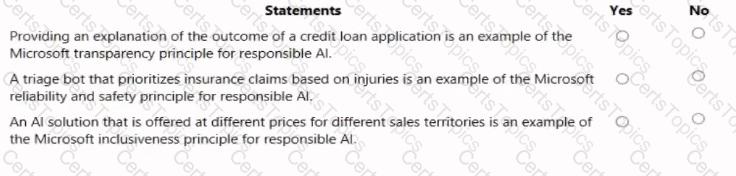

Statement
Yes / No
Providing an explanation of the outcome of a credit loan application is an example of the Microsoft transparency principle for responsible AI.
Yes
A triage bot that prioritizes insurance claims based on injuries is an example of the Microsoft reliability and safety principle for responsible AI.
Yes
An AI solution that is offered at different prices for different sales territories is an example of the Microsoft inclusiveness principle for responsible AI.
No
This question is based on the Responsible AI principles defined by Microsoft, a major topic in the AI-900: Microsoft Azure AI Fundamentals certification. The goal of Responsible AI is to ensure that artificial intelligence is developed and used ethically, safely, and transparently to benefit people and society. Microsoft’s framework defines six core principles: Fairness, Reliability and Safety, Privacy and Security, Inclusiveness, Transparency, and Accountability.
Transparency Principle – YesProviding an explanation for a loan application decision clearly reflects transparency. According to Microsoft’s Responsible AI guidelines, transparency involves ensuring that users and stakeholders understand how AI systems make decisions. When a financial AI model explains why a loan was approved or denied, it promotes user trust and confidence in automated decision-making. Transparency helps individuals understand influencing factors (like income or credit score), thereby fostering ethical AI deployment.
Reliability and Safety Principle – YesA triage bot that prioritizes insurance claims based on injury severity demonstrates reliability and safety. This principle ensures that AI systems consistently operate as intended, handle data accurately, and do not cause unintended harm. For a triage bot, safety means it must correctly interpret medical or claim information and consistently provide appropriate prioritization. Microsoft emphasizes that reliable AI systems must be tested rigorously, function correctly in various scenarios, and maintain user safety at all times.
Inclusiveness Principle – NoAn AI solution priced differently for various sales territories is unrelated to inclusiveness. Inclusiveness focuses on designing AI systems that are accessible and fair to all users, including those with disabilities or from different demographic backgrounds. Price variation across territories is a business strategy, not an ethical AI inclusion concern. Hence, this statement does not align with any Responsible AI principle.
You need to create a model that labels a collection of your personal digital photographs.
Which Azure Al service should you use?
Azure Al Language
Azure Al Computer Vision
Azure Al Document Intelligence
Azure Al Custom Vision
According to the Microsoft Azure AI Fundamentals (AI-900) official study materials and Microsoft Learn module “Describe features of Computer Vision workloads on Azure”, the Azure AI Custom Vision service allows users to build, train, and deploy custom image classification or object detection models. It is specifically designed for scenarios where you need a model tailored to your unique image dataset — in this case, personal digital photographs.
Custom Vision lets you upload and label your own images (for example, “family,” “friends,” “vacations,” or “pets”) and then train a model that learns to recognize those categories. The system automatically extracts relevant features from the training images and creates a model capable of classifying new images into the predefined labels. You can iteratively refine your model by adding more images or re-training to improve accuracy.
The other options do not fit this requirement:
A. Azure AI Language deals with text-based tasks such as language understanding, sentiment analysis, and key phrase extraction — not image processing.
B. Azure AI Computer Vision provides prebuilt image analysis models (e.g., object detection, tag generation, scene description), but it cannot learn custom categories unique to your dataset. It’s great for general image recognition but not for specialized labeling tasks.
C. Azure AI Document Intelligence (Form Recognizer) is used to extract information from structured or semi-structured documents such as forms, invoices, or receipts — not photographs.
Therefore, when you need to label or categorize personal photos with custom-defined tags, the right service is Azure AI Custom Vision, because it allows you to build a model trained specifically on your own collection of images.
Select the answer that correctly completes the sentence.



According to the Microsoft Azure AI Fundamentals (AI-900) curriculum and Microsoft Learn’s modules on Computer Vision, object detection is the AI technique used to identify and locate multiple objects within an image. Unlike simple image classification, which only labels an entire image with a single category (for example, “This is a product”), object detection not only identifies the type of object but also pinpoints its exact position by providing bounding boxes and coordinates within the image.
In the scenario described — identifying the location of products on a conveyor belt — the system must be able to detect multiple items simultaneously and determine their spatial positions. Object detection algorithms (such as YOLO, Faster R-CNN, or SSD) are specifically designed for this purpose. This allows automation systems, like robotic arms or quality inspection systems, to track product locations in real time for sorting, packaging, or defect detection.
Let’s evaluate the other options:
Image classification only determines what is in the image, not where it is located. It cannot handle multiple objects or their positions.
Image processing involves operations like resizing, filtering, or adjusting contrast, not understanding object placement.
Optical character recognition (OCR) extracts text from images and documents, unrelated to locating physical items.
Thus, per Microsoft Learn’s AI-900 guidance, object detection is the correct computer vision capability when a task requires both identification and spatial localization of items in an image or video stream.
✅ Final Answer: Object detection
You have the process shown in the following exhibit.
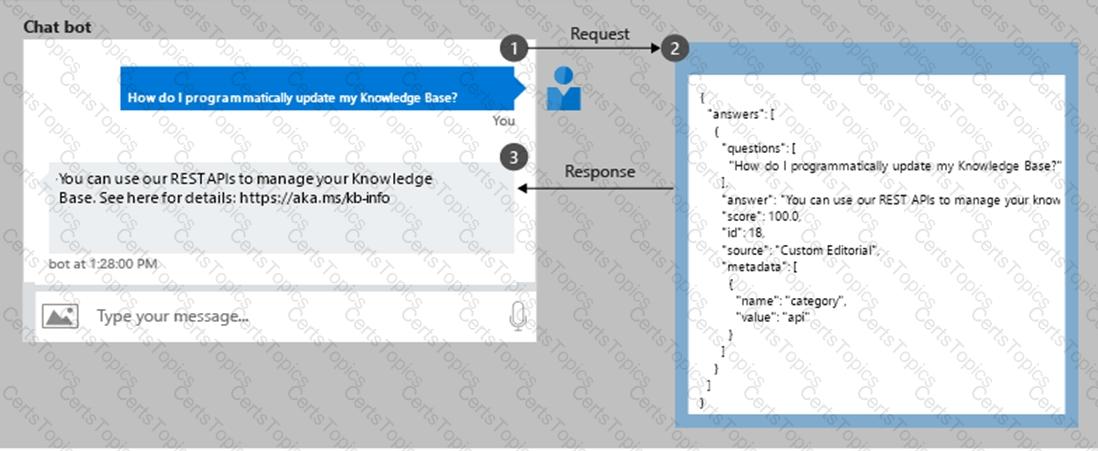
Which type AI solution is shown in the diagram?
a sentiment analysis solution
a chatbot
a machine learning model
a computer vision application
To complete the sentence, select the appropriate option in the answer area.



According to the Microsoft Azure AI Fundamentals (AI-900) official study materials, object detection is a type of computer vision workload that not only identifies objects within an image but also determines their location by drawing bounding boxes around them. This functionality is clearly described in the Microsoft Learn module “Identify features of computer vision workloads.”
In this scenario, the AI system analyzes an image to find a vehicle and then returns a bounding box showing where that vehicle is located within the image frame. That ability — to detect, classify, and localize multiple objects — perfectly defines object detection.
Microsoft’s study content contrasts object detection with other computer vision workloads as follows:
Image classification: Determines what object or scene is present in an image as a whole but does not locate it (e.g., “this is a car”).
Object detection: Identifies what objects are present and where they are, usually returning coordinates for bounding boxes (e.g., “car detected at position X, Y”).
Optical Character Recognition (OCR): Extracts text content from images or scanned documents.
Facial detection: Specifically locates human faces within an image or video feed, often as part of face recognition systems.
In Azure, object detection capabilities are available through services such as Azure Computer Vision, Custom Vision, and Azure Cognitive Services for Vision, which can be trained to detect vehicles, products, or other objects in various image datasets.
Therefore, based on the AI-900 study guide and Microsoft Learn materials, the verified and correct answer is Object detection, as it accurately describes the process of returning a bounding box indicating an object’s position in an image.
To complete the sentence, select the appropriate option in the answer area.



According to the Microsoft Azure AI Fundamentals (AI-900) official study guide and Microsoft Learn module “Identify features of common machine learning types”, the term features refers to the input variables or independent variables used by a machine learning model to make predictions. These are the measurable properties or attributes of the data that influence the output (target) value.
In a supervised learning process, data is typically divided into two parts:
Features → The input variables used by the model to learn patterns (e.g., customer age, income, credit score).
Label (Target) → The outcome or value the model is trying to predict (e.g., whether a loan will be approved or the amount of a house price).
During training, the model uses the features to understand how input data correlates with the target output. Once trained, the model applies the same learned relationships to predict outcomes for new, unseen data using only the features.
For example:
In a regression model predicting house prices, features might include square footage, number of bedrooms, and location.
In a classification model predicting loan approval, features might include applicant income, credit score, and debt ratio.
To contrast with other options:
Dependent variables (or labels) are the outcomes the model predicts.
Identifiers (like customer IDs) are unique values that do not help the model learn relationships and are typically excluded from features.
Labels are the target outputs, not the inputs.
Therefore, in Azure Machine Learning and AI-900 terminology, data values used to make a prediction are called “features.”
To complete the sentence, select the appropriate option in the answer area.
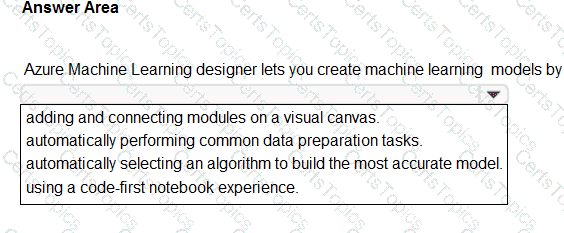

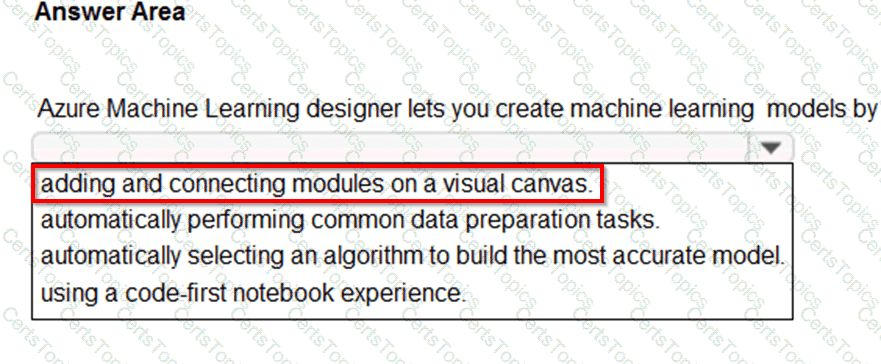
The correct answer is “adding and connecting modules on a visual canvas.”
According to the Microsoft Azure AI Fundamentals (AI-900) Official Study Guide and the Microsoft Learn module “Explore automated machine learning in Azure Machine Learning,” the Azure Machine Learning designer is a drag-and-drop, no-code environment that allows users to create, train, and deploy machine learning models visually. It is specifically designed for users who prefer an intuitive graphical interface rather than writing extensive code.
Microsoft Learn defines Azure Machine Learning designer as a tool that allows you to “build, test, and deploy machine learning models by dragging and connecting pre-built modules on a visual canvas.” These modules can represent data inputs, transformations, training algorithms, and evaluation processes. By linking them together, users can create an end-to-end machine learning pipeline.
The designer simplifies the machine learning workflow by allowing data scientists, analysts, and even non-developers to:
Import and prepare datasets visually.
Choose and connect algorithm modules (e.g., classification, regression, clustering).
Train and evaluate models interactively.
Publish inference pipelines as web services for prediction.
Let’s analyze the other options:
Automatically performing common data preparation tasks – This describes Automated ML (AutoML), not the Designer.
Automatically selecting an algorithm to build the most accurate model – Also a characteristic of AutoML, where the system tests multiple algorithms automatically.
Using a code-first notebook experience – This describes the Azure Machine Learning notebooks environment, which uses Python and SDKs, not the Designer interface.
Therefore, based on the official AI-900 learning objectives and Microsoft Learn documentation, the Azure Machine Learning designer allows you to create models by adding and connecting modules on a visual canvas, providing a no-code, interactive experience ideal for users building custom machine learning workflows visually.
In which two scenarios can you use the Form Recognizer service? Each correct answer presents a complete solution.
NOTE: Each correct selection is worth one point.
Extract the invoice number from an invoice.
Translate a form from French to English.
Find image of product in a catalog.
Identity the retailer from a receipt.
The correct answers are A and D because both scenarios involve extracting structured information from documents, which is exactly what Azure Form Recognizer is designed to do.
According to the Microsoft Azure AI Fundamentals (AI-900) official study guide and Microsoft Learn module “Explore computer vision”, Form Recognizer is an Azure Cognitive Service that uses advanced Optical Character Recognition (OCR) and machine learning to extract key-value pairs, tables, and text from structured and semi-structured documents such as receipts, invoices, business cards, and forms. It allows organizations to automate data entry and digitize document processing.
A. Extract the invoice number from an invoice → CorrectForm Recognizer can identify fields such as invoice number, total amount, date, vendor name, and billing address directly from invoices. It uses prebuilt models for invoices and receipts that automatically detect and extract relevant information without requiring extensive manual labeling. As stated in Microsoft Learn, “Form Recognizer extracts information from documents like receipts and invoices and returns structured data including key-value pairs.”
D. Identify the retailer from a receipt → CorrectThe prebuilt receipt model in Form Recognizer can read printed or scanned receipts and extract data points such as retailer name, transaction date, total amount, and tax information. This makes it ideal for expense reporting, auditing, or financial reconciliation.
The following options are incorrect:
B. Translate a form from French to English → This task involves language translation, which is performed by Azure Translator, not Form Recognizer.
C. Find an image of a product in a catalog → This requires object detection or image classification, which are part of Computer Vision, not Form Recognizer.
Therefore, based on Microsoft’s AI-900 learning objectives and documentation, the two correct scenarios are:
✅ A. Extract the invoice number from an invoice
✅ D. Identify the retailer from a receipt
Select the answer that correctly completes the sentence.



The correct completion of the sentence is:
“The Form Recognizer service can be used to extract information from a driver’s license to populate a database.”
According to the Microsoft Azure AI Fundamentals (AI-900) official study guide and the Microsoft Learn module “Identify features of computer vision workloads,” Azure Form Recognizer (part of Azure AI Document Intelligence) is a document processing service that uses machine learning and optical character recognition (OCR) to extract structured data, key-value pairs, and text from documents such as invoices, receipts, identity cards, and driver’s licenses.
This service allows businesses to automate data entry and document processing workflows by converting physical or scanned documents into machine-readable formats. For example, with a driver’s license, Form Recognizer can extract structured data fields such as Name, Date of Birth, License Number, and Expiration Date, and automatically populate those values into a database or CRM system.
The AI-900 study materials emphasize that Form Recognizer is designed to handle both structured and unstructured document layouts. It includes prebuilt models for common document types (like invoices, receipts, and identity documents) and supports custom models for domain-specific forms.
By comparison:
Computer Vision extracts general text or image content but doesn’t structure or label extracted fields.
Custom Vision is used for training image classification or object detection models.
Conversational Language Understanding is for processing text or speech to determine intent, not extracting document data.
Therefore, based on the Microsoft Learn AI-900 official study content, the Form Recognizer service is the correct choice, as it is explicitly designed to extract and structure data from documents like driver’s licenses, forms, and receipts — making it ideal for automatically populating a database.
You are processing photos of runners in a race.
You need to read the numbers on the runners’ shirts to identity the runners in the photos.
Which type of computer vision should you use?
facial recognition
optical character recognition (OCR)
semantic segmentation
object detection
According to the Microsoft Azure AI Fundamentals (AI-900) official study guide and the Microsoft Learn module “Identify features of computer vision workloads”, Optical Character Recognition (OCR) is a core capability within the computer vision domain that enables systems to detect and extract text from images or documents. OCR technology can identify printed or handwritten characters in photographs, scanned documents, or camera feeds, and convert them into machine-readable text.
In this scenario, the task is to read the numbers on runners’ shirts in race photos. These numbers are textual or numeric characters embedded within images. OCR is specifically designed for this purpose — to locate and recognize characters within visual data and convert them into usable text. Once extracted, those numbers can be cross-referenced with a database to identify each runner.
Let’s analyze why the other options are incorrect:
A. Facial recognition focuses on identifying individuals based on unique facial features, not reading text or numbers.
C. Semantic segmentation classifies each pixel of an image into categories (for example, separating road, sky, and people), but it doesn’t read text.
D. Object detection identifies and locates objects within an image (such as detecting people or vehicles) but does not extract readable text or numbers.
Therefore, since the task involves reading textual or numeric content from an image, the appropriate type of computer vision to use is Optical Character Recognition (OCR).
You plan to use Azure Cognitive Services to develop a voice controlled personal assistant app.
Match the Azure Cognitive Services to the appropriate tasks.
To answer, drag the appropriate service from the column on the left to its description on the right Each service may be used once, more than once, or not at all.
NOTE: Each correct selection is worth one point.
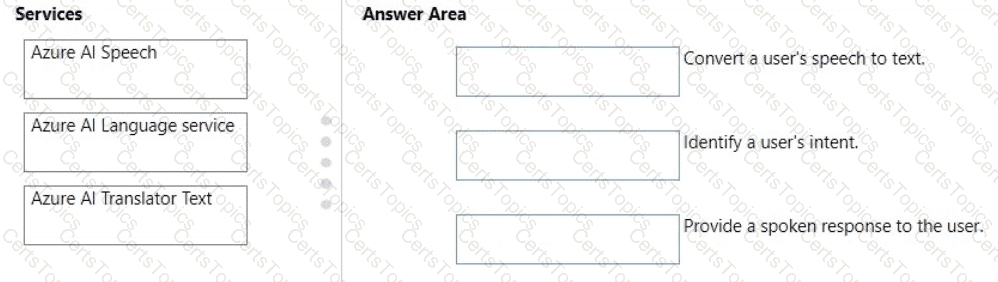

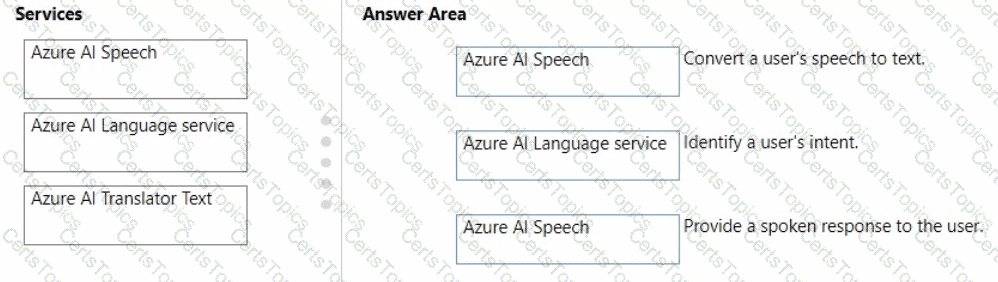
According to the Microsoft Azure AI Fundamentals (AI-900) official study guide and Microsoft Learn Cognitive Services documentation, developing a voice-controlled personal assistant app involves integrating multiple Azure AI services that specialize in different aspects of language and speech processing. The three services in focus—Azure AI Speech, Azure AI Language Service, and Azure AI Translator Text—perform unique but complementary roles in conversational AI systems.
Convert a user’s speech to text → Azure AI SpeechThe Azure AI Speech service provides speech-to-text (STT) capabilities. It enables applications to recognize spoken language and convert it into written text in real time. This is often the first step in voice-enabled applications, transforming audio input into a machine-readable format that can be analyzed further.
Identify a user’s intent → Azure AI Language serviceOnce speech has been transcribed, the Azure AI Language service (which includes capabilities like Conversational Language Understanding and Text Analytics) interprets the meaning of the text. It detects the user’s intent (what the user wants to accomplish) and extracts entities (key data points) from the input. This service helps the assistant understand commands like “Book a flight” or “Set a reminder.”
Provide a spoken response to the user → Azure AI SpeechAfter determining an appropriate response, the system uses the text-to-speech (TTS) feature of Azure AI Speech to convert the assistant’s text-based reply back into natural-sounding spoken language, allowing the user to hear the response.
Together, these services form the backbone of a conversational AI system: Speech-to-Text → Language Understanding → Text-to-Speech, aligning precisely with the AI-900 curriculum’s explanation of how Azure Cognitive Services enable intelligent voice-based interactions.
Your company is exploring the use of voice recognition technologies in its smart home devices. The company wants to identify any barriers that might unintentionally leave out specific user groups.
This an example of which Microsoft guiding principle for responsible AI?
accountability
fairness
inclusiveness
privacy and security
According to the Microsoft Azure AI Fundamentals (AI-900) Official Study Guide and the Microsoft Responsible AI Framework, Inclusiveness is one of the six guiding principles for responsible AI. The principle of inclusiveness ensures that AI systems are designed to empower everyone and engage people of all abilities. Microsoft emphasizes that inclusive AI systems must be developed with awareness of potential barriers that could unintentionally exclude certain user groups. This directly aligns with the scenario described—where the company is examining voice recognition technologies in smart home devices to identify barriers that might leave out users, such as those with speech impairments, accents, or language differences.
The official Microsoft Learn module “Identify guiding principles for responsible AI” explains that inclusiveness focuses on creating systems that can understand and serve users with diverse needs. For example, voice recognition models should account for variations in dialect, tone, accent, and speech patterns to ensure equitable access for all. A lack of inclusiveness could cause bias or misrecognition for underrepresented groups, leading to unintentional exclusion.
Microsoft’s guidance further stresses that designing for inclusiveness involves involving diverse users in the data collection and testing phases, conducting accessibility assessments, and continuously improving model performance across different demographic groups. In this way, inclusiveness promotes fairness, accessibility, and usability across cultural and physical differences.
In contrast:
A. Accountability is about ensuring humans are responsible for AI outcomes.
B. Fairness focuses on preventing bias and discrimination in data or algorithms.
D. Privacy and security ensure protection of personal data and secure handling of information.
Thus, evaluating potential barriers that could exclude specific user groups exemplifies Inclusiveness, as it demonstrates a proactive approach to making AI accessible and beneficial for all users.
Match the services to the appropriate descriptions.
To answer, drag the appropriate service from the column on the left to its description on the right. Each service may be used once, more than once, or not at all.
NOTE: Each correct match is worth one point


Description
Correct Service
Enables the use of natural language to query a knowledge base.
QnA Maker
Enables the real-time transcription of speech-to-text.
Speech
This question tests understanding of Azure Cognitive Services and their use cases as outlined in the Microsoft Azure AI Fundamentals (AI-900) study guide.
“Enables the use of natural language to query a knowledge base.” → QnA MakerAccording to Microsoft Learn’s AI-900 module “Identify features of Natural Language Processing (NLP) workloads and services,” QnA Maker is a cloud-based service that allows developers to build a question-and-answer layer over structured or unstructured content. It enables users to ask questions in natural language, and the service retrieves the most relevant answer from a knowledge base (such as FAQs, manuals, or documents).QnA Maker uses Natural Language Processing (NLP) techniques to interpret user intent and return an appropriate response. It is often integrated into chatbots built with Azure Bot Service to make them capable of conversational question-answering. In the newer Azure Cognitive Services lineup, QnA Maker capabilities are merged into Azure Cognitive Service for Language (Question Answering).
“Enables the real-time transcription of speech-to-text.” → SpeechThe Azure Speech service (part of Azure Cognitive Services) provides the ability to convert spoken language into written text in real time. This feature, called Speech-to-Text, uses deep neural network models to recognize and transcribe human speech with high accuracy.Microsoft’s AI-900 documentation specifies that Speech service capabilities also include text-to-speech, speech translation, and speaker recognition. Real-time transcription is widely used in applications such as voice assistants, captioning systems, call analytics, and accessibility tools.
Other listed services such as Azure Storage and Language Understanding (LUIS) serve different purposes:
Azure Storage handles data storage, not AI workloads.
LUIS identifies user intent from natural language but does not query knowledge bases directly.
Which term is used to describe uploading your own data to customize an Azure OpenAI model?
completion
grounding
fine -tuning
prompt engineering
In Azure OpenAI Service, fine-tuning refers to the process of uploading your own labeled dataset to customize or adapt a pretrained model (such as GPT-3.5 or Curie) for a specific use case. According to the Microsoft Learn documentation and AI-900 official study guide, fine-tuning allows organizations to improve a model’s performance on domain-specific tasks or to align responses with brand tone and context.
Fine-tuning differs from simple prompting because it requires providing structured training data (usually in JSONL format) that contains pairs of input prompts and ideal completions. The model uses this data to adjust its internal weights, thereby “learning” your organization’s language patterns, terminology, or industry context.
Option review:
A. Completion: Refers to the text generated by a model in response to a prompt. It’s the output, not the customization process.
B. Grounding: Integrates external, up-to-date data sources (like search results or databases) during inference but doesn’t alter the model’s parameters.
C. Fine-tuning: ✅ Correct — this is the process of uploading and training with your own data.
D. Prompt engineering: Involves designing effective prompts but does not change the underlying model.
Thus, fine-tuning is the term used for customizing an Azure OpenAI model using your own uploaded data.
For each of the following statements, select Yes if the statement is true. Otherwise, select No.
NOTE: Each correct selection is worth one point.
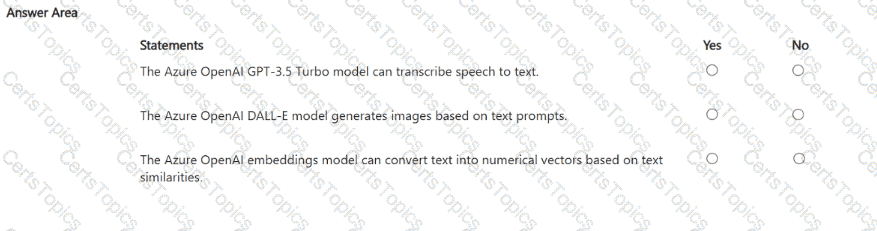

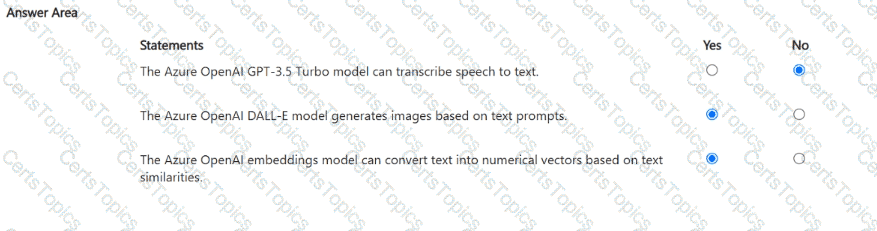
“The Azure OpenAI GPT-3.5 Turbo model can transcribe speech to text.” — NOThis statement is false. The GPT-3.5 Turbo model is a text-based large language model (LLM) designed for natural language understanding and generation, such as answering questions, summarizing text, or writing content. It does not process or transcribe audio input. Speech-to-text capabilities belong to Azure AI Speech Services, specifically the Speech-to-Text API, not Azure OpenAI.
“The Azure OpenAI DALL-E model generates images based on text prompts.” — YESThis statement is true. The DALL-E model, available within Azure OpenAI Service, is a generative AI model that creates original images from natural language descriptions (text prompts). For example, given a prompt like “a futuristic city at sunset,” DALL-E generates a unique, high-quality image representing that concept. This aligns with generative AI workloads in the AI-900 study guide, where DALL-E is specifically mentioned as an image-generation model.
“The Azure OpenAI embeddings model can convert text into numerical vectors based on text similarities.” — YESThis statement is also true. The embeddings model in Azure OpenAI converts text into multi-dimensional numeric vectors that represent semantic meaning. These embeddings enable tasks such as semantic search, recommendations, and text clustering by comparing similarity scores between vectors. Words or phrases with similar meanings have vectors close together in the embedding space.
In summary:
GPT-3.5 Turbo → Text generation (not speech-to-text)
DALL-E → Image generation from text prompts
Embeddings → Convert text into numerical semantic representations
Correct selections: No, Yes, Yes.
You need to scan the news for articles about your customers and alert employees when there is a negative article. Positive articles must be added to a press book.
Which natural language processing tasks should you use to complete the process? To answer, drag the appropriate tasks to the correct locations. Each task may be used once, more than once, or not at all. You may need to drag the split bar between panes or scroll to view content.
NOTE: Each correct selection is worth one point.
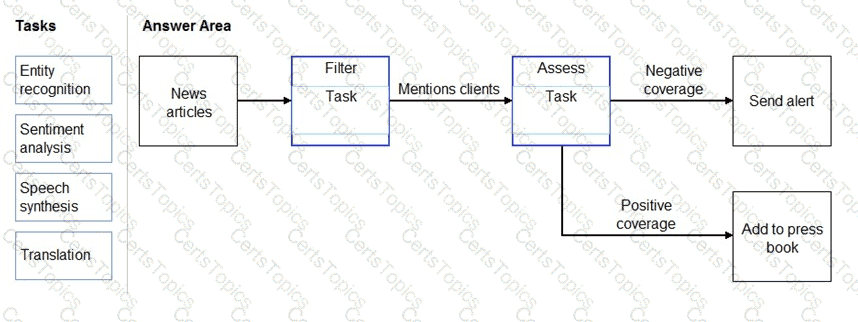

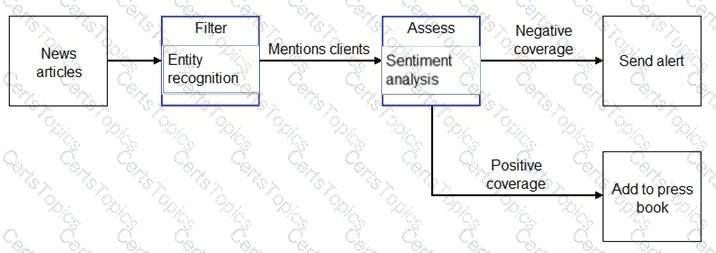
Box 1: Entity recognition
the Named Entity Recognition module in Machine Learning Studio (classic), to identify the names of things, such as people, companies, or locations in a column of text.
Named entity recognition is an important area of research in machine learning and natural language processing (NLP), because it can be used to answer many real-world questions, such as:
Which companies were mentioned in a news article?
Does a tweet contain the name of a person? Does the tweet also provide his current location?
Were specified products mentioned in complaints or reviews?
Box 2: Sentiment Analysis
The Text Analytics API ' s Sentiment Analysis feature provides two ways for detecting positive and negative sentiment. If you send a Sentiment Analysis request, the API will return sentiment labels (such as " negative " , " neutral " and " positive " ) and confidence scores at the sentence and document-level.
What are two metrics that you can use to evaluate a regression model? Each correct answer presents a complete solution.
NOTE: Each correct selection is worth one point.
coefficient of determination (R2)
F1 score
root mean squared error (RMSE)
area under curve (AUC)
balanced accuracy
A: R-squared (R2), or Coefficient of determination represents the predictive power of the model as a value between -inf and 1.00. 1.00 means there is a perfect fit, and the fit can be arbitrarily poor so the scores can be negative.
C: RMS-loss or Root Mean Squared Error (RMSE) (also called Root Mean Square Deviation, RMSD), measures the difference between values predicted by a model and the values observed from the environment that is being modeled.
What ate two common use cases for generative Al solutions? Each correct answer presents a complete solution.
NOTE: Each correct selection is worth one point.
generating draft responses for customer service agents
creating original artwork from textual descriptions
predicting sales revenue based on historical data
classifying email messages as spam or non-spam
Generative AI focuses on creating new content rather than just analyzing existing data. As per Microsoft’s AI-900 curriculum and Azure OpenAI documentation, typical use cases include generating text, images, code, or other creative outputs based on input prompts.
A. Generating draft responses for customer service agents — ✅ Correct. GPT-based models can automatically generate draft replies to customer queries, enabling agents to refine responses and increase efficiency.
B. Creating original artwork from textual descriptions — ✅ Correct. DALL-E, available through Azure OpenAI, can produce unique images based on natural language prompts.
Options C and D are incorrect because they involve predictive or classification models, not generative ones:
C. Predicting sales revenue → Regression (machine learning).
D. Classifying email messages → Classification (machine learning).
Correct answers: A and B.
Select the answer that correctly completes the sentence.



The correct completion of the sentence “_____ is an example of speech recognition.” is A voice-activated security key system.
According to the Microsoft Azure AI Fundamentals (AI-900) official study guide and Microsoft Learn module “Describe features of common AI workloads”, speech recognition refers to the ability of a system or application to convert spoken language into text or actionable commands. It allows computers to interpret and respond to human speech inputs, bridging human-computer interaction through natural language.
Microsoft Learn clearly explains that speech recognition is used in applications such as voice assistants, dictation software, and voice-activated security systems, where the spoken input from a user is captured, analyzed, and translated into commands or text. For example, when a user says “Unlock door” or “Open session,” the speech recognition system interprets that sound input, converts it into text or a command, and then performs the appropriate action. This is a direct implementation of speech-to-text processing combined with command execution logic.
Let’s analyze the other options:
Creating an audio commentary for a video recording is related to speech synthesis (text-to-speech), not recognition.
Creating captions for a video recording involves speech-to-text transcription, which is a subset of speech recognition, but the question emphasizes a system that responds to voice commands, making the first option more accurate.
Identifying key phrases in a video transcript involves natural language processing (NLP) techniques rather than speech recognition.
Therefore, the voice-activated security key system best represents the use of speech recognition technology because it interprets spoken commands and takes a corresponding action based on recognized speech patterns. This aligns directly with the AI-900 learning objectives where speech recognition is defined as a process that enables applications to interpret and respond to human voice input.
What should you use to explore pretrained generative Al models available from Microsoft and third-party providers?
Azure Synapse Analytics
Azure Machine Learning designer
Azure Al Foundry
Language Studio
To complete the sentence, select the appropriate option in the answer area.
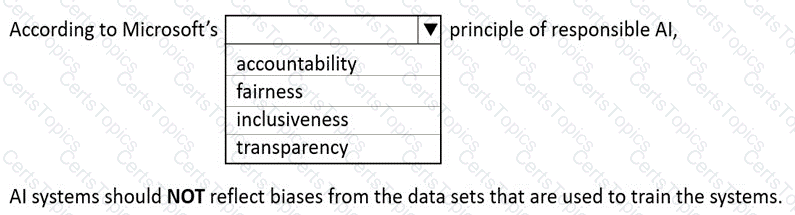

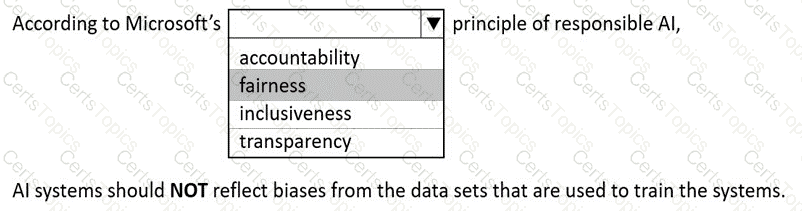
According to Microsoft’s Responsible AI principles, one of the six core principles is fairness, which ensures that AI systems treat all individuals equitably and that their outcomes are not influenced by biases present in the training data or algorithms. The official Microsoft Learn module “Identify the guiding principles for responsible AI” clearly defines fairness as the requirement that AI systems should not amplify or perpetuate existing societal biases.
In this scenario, the statement emphasizes that AI systems should NOT reflect biases from the datasets used to train them, which directly aligns with the fairness principle. Bias in AI models can arise when the data used for training is unbalanced or not representative of the real-world population. For instance, if a facial recognition model is trained mostly on images of one demographic group, it may perform poorly on others—an example of unfair bias. Microsoft advocates building and testing AI systems with diverse, high-quality datasets to ensure fair performance across all groups.
The other principles listed—accountability, inclusiveness, and transparency—are also important but do not directly address bias mitigation:
Accountability ensures that people remain responsible for AI systems and their decisions.
Inclusiveness promotes accessibility and usability for all people, including those with disabilities.
Transparency focuses on explaining how AI systems make decisions.
However, Fairness explicitly deals with avoiding discrimination and bias in AI outcomes and training data.
Thus, in Microsoft’s Responsible AI framework, ensuring that systems do not reflect biases from datasets is part of the Fairness principle, which promotes equitable and unbiased treatment for all individuals in AI-driven decisions.
In which two scenarios can you use the Azure Al Document Intelligence service (formerly Form Recognizer)? Each correct answer presents a complete solution.
NOTE: Each correct selection is worth one point.
Extract the invoice number from an invoice.
Identify the retailer from a receipt.
Find images of products in a catalog.
Translate a form from French to English.
The Azure AI Document Intelligence service (formerly Form Recognizer) is designed to analyze, extract, and structure data from scanned or digital documents such as invoices, receipts, contracts, and forms. According to the Microsoft Learn module “Extract data from documents with Azure AI Document Intelligence”, the service uses optical character recognition (OCR) and pretrained machine learning models to automatically extract key information.
A. Extract the invoice number from an invoice – YESThe prebuilt invoice model in Document Intelligence can detect and extract key fields such as invoice number, date, total amount, tax, and vendor details from scanned or digital invoices.
B. Identify the retailer from a receipt – YESThe prebuilt receipt model can recognize fields like merchant name (retailer), transaction date, total spent, and tax amount, making this option correct as well.
C. Find images of products in a catalog – NOThis is a computer vision or Custom Vision use case, not a document data extraction task.
D. Translate a form from French to English – NOTranslation involves Azure AI Translator, part of the Language service, not Document Intelligence.
Hence, the correct and Microsoft-verified answers are:
✅ A. Extract the invoice number from an invoice
✅ B. Identify the retailer from a receipt
Select the answer that correctly completes the sentence.


validation.
In the Microsoft Azure AI Fundamentals (AI-900) study materials, a key concept in machine learning model development is splitting data into subsets for training, validation, and testing. A randomly extracted subset of data from a dataset is most commonly used for validation — that is, for evaluating the performance of the model during or after training.
Here’s how this process works:
Training set – This portion of the dataset is used to train the machine learning model. The model learns patterns, relationships, and parameters from this data.
Validation set – This is a randomly selected subset (separate from training data) used to fine-tune model hyperparameters and evaluate how well the model generalizes to unseen data. It helps detect overfitting — when the model performs well on training data but poorly on new data.
Test set – A final, untouched dataset used to measure the model’s real-world performance after all training and tuning are complete.
By reserving a random subset for validation, data scientists ensure that the model’s performance metrics reflect generalization, not memorization of the training data.
Let’s review the incorrect options:
Algorithms – These are the mathematical frameworks or methods used to build models (e.g., decision trees, neural networks). They are not data subsets.
Features – These are input variables (attributes) used by the model, not randomly selected data subsets.
Labels – These are target values or outcomes the model predicts; again, not data subsets.
Therefore, in alignment with Azure AI-900’s machine learning fundamentals, the correct completion is:
✅ “A randomly extracted subset of data from a dataset is commonly used for validation of the model.”
Which machine learning technique can be used for anomaly detection?
A machine learning technique that understands written and spoken language.
A machine learning technique that classifies objects based on user supplied images.
A machine learning technique that analyzes data over time and identifies unusual changes.
A machine learning technique that classifies images based on their contents.
According to the Microsoft Azure AI Fundamentals (AI-900) Official Study Guide and the Microsoft Learn module “Explore fundamental principles of machine learning,” anomaly detection is a specialized machine learning technique used to identify data points, patterns, or events that deviate significantly from normal behavior.
Anomaly detection is widely used for monitoring time-series data and detecting unexpected or rare occurrences that may indicate problems, opportunities, or fraud. For example:
Detecting fraudulent transactions in banking systems.
Identifying equipment malfunctions in industrial IoT applications.
Monitoring network intrusions in cybersecurity.
Detecting unexpected spikes or drops in web traffic or sales.
In Azure, this workload is supported by the Azure AI Anomaly Detector service, which uses statistical and machine learning algorithms to learn from historical data and establish a baseline of normal behavior. When the system detects data points that fall outside expected patterns, it flags them as anomalies.
Let’s evaluate the incorrect options:
A. A machine learning technique that understands written and spoken language → This describes Natural Language Processing (NLP), not anomaly detection.
B. A machine learning technique that classifies objects based on user-supplied images → This refers to image classification, typically using computer vision.
D. A machine learning technique that classifies images based on their contents → Also describes computer vision, not anomaly detection.
Therefore, the correct answer is C, since anomaly detection specifically refers to analyzing data over time and identifying unusual or abnormal patterns that differ from the expected trend.
Select the answer that correctly completes the sentence.



According to the Microsoft Azure AI Fundamentals (AI-900) official study guide and Microsoft Learn module “Identify features of common machine learning types”, regression is a supervised machine learning technique used to predict continuous numerical values based on one or more input features. In this scenario, the task is to predict a vehicle’s miles per gallon (MPG)—a continuous numeric value—based on several measurable factors such as weight, engine power, and other specifications.
Regression models learn the mathematical relationship between input variables (independent features) and a numeric target variable (dependent outcome). Common regression algorithms include linear regression, decision tree regression, and support vector regression. In the example, the model would analyze historical data of vehicles and learn patterns that map characteristics (like engine size, horsepower, and weight) to fuel efficiency. Once trained, it can predict the MPG for a new vehicle configuration.
The other options describe different problem types:
Classification predicts discrete categories (for example, whether a car is “fuel efficient” or “not fuel efficient”), not continuous values.
Clustering is an unsupervised learning method that groups data points based on similarities without predefined labels, not predictive modeling.
Anomaly detection identifies data points that significantly deviate from normal patterns, such as detecting engine sensor failures or fraudulent transactions.
Since predicting MPG involves estimating a numeric value within a continuous range, regression is the most appropriate model type.
In summary, per AI-900 training content, regression models are used when the output variable is numeric, classification for categorical outputs, and clustering for pattern discovery. Therefore, predicting miles per gallon based on vehicle features is a textbook example of a regression problem in Azure Machine Learning.
You need to reduce the load on telephone operators by implementing a Chabot to answer simple questions with predefined answers.
Which two Al services should you use to achieve the goal? Each correct answer presents part of the solution.
NOTE: Each correct selection is worth one point.
Azure 8ol Service
Azure Machine Learning
Translator
Language Service
According to the Microsoft Azure AI Fundamentals (AI-900) Official Study Guide and the Microsoft Learn module “Explore conversational AI in Microsoft Azure,” to create a chatbot that can automatically answer simple, predefined user questions, you need two main Azure AI components — one to handle the conversation interface and another to manage the knowledge and language understanding aspect.
Azure Bot Service (A)This service is used to create, manage, and deploy chatbots that interact with users through text or voice. The Bot Service provides the framework for conversation management, user interaction, and channel integration (e.g., webchat, Microsoft Teams, Skype). It serves as the backbone of conversational AI applications and supports integration with other cognitive services like the Language Service.
Language Service (D)The Azure AI Language Service (which now includes Question Answering, formerly QnA Maker) is used to build and manage the knowledge base of predefined questions and answers. This service enables the chatbot to understand user queries and return appropriate responses automatically. The QnA capability allows you to import documents, FAQs, or structured data to create a searchable database of responses for the bot.
Why the other options are incorrect:
B. Azure Machine Learning: This service is used for building, training, and deploying custom machine learning models, not for chatbot Q & A automation.
C. Translator: This service performs language translation, which is not required for answering predefined questions unless multilingual support is specifically needed.
Therefore, to implement a chatbot that can answer simple, repetitive user questions and reduce the load on human operators, you combine Azure Bot Service (for interaction) with the Language Service (for question-answering intelligence).
To complete the sentence, select the appropriate option in the answer area.


Confidence.
According to the Microsoft Azure AI Fundamentals (AI-900) Official Study Guide and the Microsoft Learn module “Explore computer vision in Microsoft Azure,” the confidence score represents the calculated probability that a model’s prediction is correct. In image classification, when an AI model analyzes an image and assigns it to a specific category, it also produces a confidence value—a numerical probability (usually between 0 and 1) indicating how certain the model is about its prediction.
For example, if an image classification model identifies an image as a “cat” with a confidence of 0.92, it means the model is 92% certain that the image depicts a cat. The confidence value helps developers and users understand the model’s certainty level about its classification output.
Microsoft Learn emphasizes that in Azure Cognitive Services—such as the Custom Vision Service—each prediction result includes both the predicted label (class) and a confidence score. These confidence scores are essential for evaluating model performance and determining thresholds for automated decisions (e.g., accepting predictions only above a 0.8 probability).
Let’s evaluate the other options:
Accuracy: This is an overall performance metric measuring the percentage of correct predictions across the dataset, not a probability for a single prediction.
Root Mean Square Error (RMSE): This is a metric for regression models, not classification tasks. It measures average error magnitude between predicted and actual values.
Sentiment: This is a type of prediction (positive, negative, neutral) in text analysis, not a probability metric.
Therefore, based on Microsoft’s AI-900 training materials and Azure Cognitive Services documentation, the calculated probability of a correct image classification is called Confidence, which expresses how sure the model is about its prediction for a specific input.
Select the answer that correctly completes the sentence.
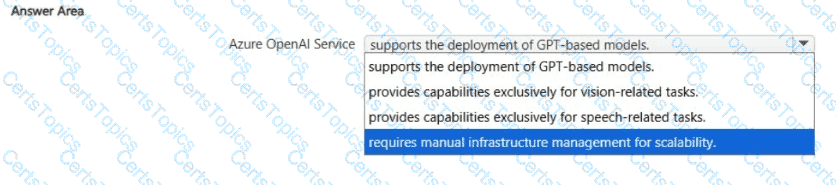


The Azure OpenAI Service provides access to advanced Generative Pre-trained Transformer (GPT) models developed by OpenAI, such as GPT-3, GPT-3.5, and GPT-4. These models are capable of performing a wide range of natural language processing (NLP) and generative AI tasks — including text completion, summarization, translation, question answering, content creation, and code generation.
According to the Microsoft Azure AI Fundamentals (AI-900) study guide and Microsoft Learn documentation for Azure OpenAI, this managed service allows developers to deploy and integrate GPT-based models within their own applications using REST APIs or the Azure SDK. The service handles scalability, performance, and infrastructure automatically, meaning users do not need to manage servers or computational resources manually.
Option review:
Supports the deployment of GPT-based models — ✅ Correct. Azure OpenAI is specifically designed for deploying and operationalizing GPT models and similar transformer-based architectures.
Provides capabilities exclusively for vision-related tasks — ❌ Incorrect. Vision tasks (like image classification or object detection) are part of Azure AI Vision.
Provides capabilities exclusively for speech-related tasks — ❌ Incorrect. Speech processing (speech-to-text, text-to-speech, translation) belongs to Azure AI Speech Services, not Azure OpenAI.
Requires manual infrastructure management for scalability — ❌ Incorrect. Azure OpenAI is a fully managed service; scalability and performance are handled automatically by Azure.
Therefore, the correct completion of the sentence is:
“Azure OpenAI Service supports the deployment of GPT-based models.”
You have a database that contains a list of employees and their photos.
You are tagging new photos of the employees.
For each of the following statements select Yes if the statement is true. Otherwise, select No.
NOTE: Each correct selection is worth one point.
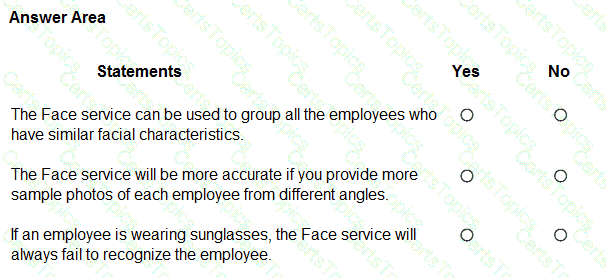

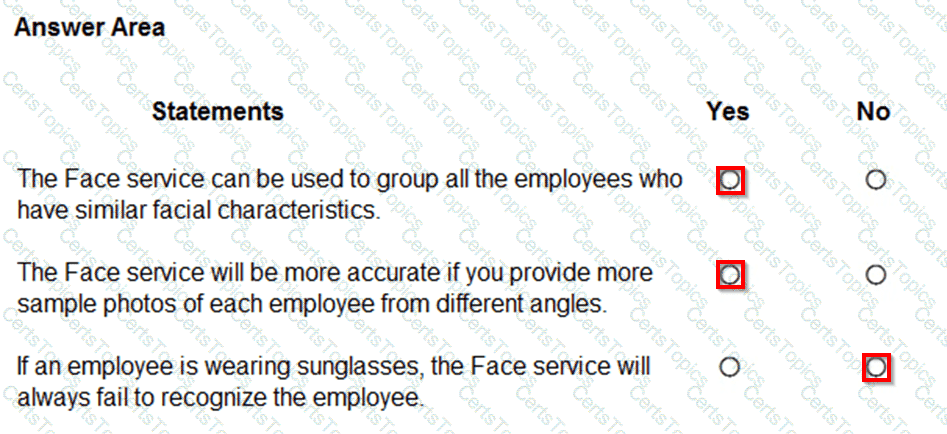
These answers are derived from the Microsoft Azure AI Fundamentals (AI-900) Official Study Guide and the Microsoft Learn module “Explore computer vision in Microsoft Azure.” The Azure Face service, part of Azure Cognitive Services, provides advanced facial recognition capabilities including detection, verification, identification, grouping, and similarity analysis.
Let’s analyze each statement:
“The Face service can be used to group all the employees who have similar facial characteristics.” → YesThe Face service supports a grouping function that automatically organizes a collection of unknown faces into groups based on visual similarity. It doesn’t require labeled data; instead, it identifies clusters of similar-looking faces. This is particularly useful when building or validating datasets of people.
“The Face service will be more accurate if you provide more sample photos of each employee from different angles.” → YesAccording to Microsoft documentation, model accuracy improves when you provide multiple high-quality images of each person under different conditions—such as varying lighting, poses, and angles. This diversity allows the service to better learn unique facial characteristics and improves recognition reliability, especially for identification and verification tasks.
“If an employee is wearing sunglasses, the Face service will always fail to recognize the employee.” → NoThis is incorrect. While occlusions (like sunglasses or hats) can reduce accuracy, the service may still recognize the person depending on how much of the face remains visible. Microsoft Learn explicitly notes that partial occlusion affects recognition confidence but does not guarantee failure.
In conclusion, the Face service can group similar faces (Yes), become more accurate with diverse samples (Yes), and still recognize partially covered faces though with lower confidence (No). These principles align directly with the Face API’s core functions and AI-900 learning objectives regarding computer vision and responsible AI-based facial recognition.
To complete the sentence, select the appropriate option in the answer area.
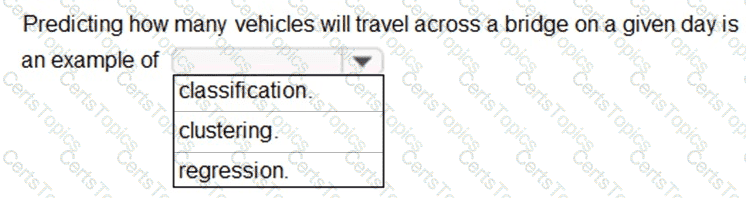

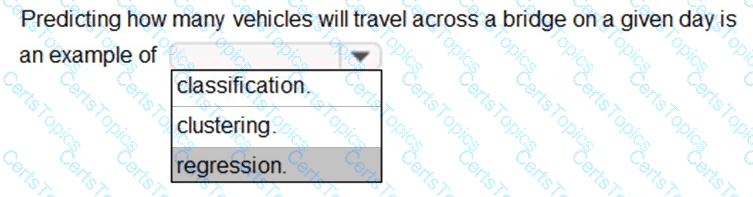
In the context of Microsoft Azure AI Fundamentals (AI-900) and general machine learning principles, regression refers to a type of supervised learning used to predict continuous numerical values based on historical data. The goal of regression is to model the relationship between input variables (features) and a continuous output variable (target).
In this scenario, the task is to predict how many vehicles will travel across a bridge on a given day. The number of vehicles is a numerical value that can vary continuously depending on factors such as time of day, weather, weekday/weekend, or traffic trends. Because the output is numeric and not categorical, this problem type clearly fits into regression analysis.
Microsoft’s official learning content for AI-900, under “Identify features of regression and classification machine learning models,” specifies that regression models are used to predict values such as sales forecasts, demand estimation, temperature prediction, or traffic volume—all of which share the same underlying objective: predicting a quantity.
To clarify other options:
Classification is used when predicting categories or discrete classes, such as determining whether an email is spam or not spam, or if an image contains a cat or a dog.
Clustering is an unsupervised learning technique used to group similar data points without predefined labels (for example, grouping customers by purchasing behavior).
Since predicting the number of vehicles results in a continuous numerical output, it aligns precisely with the regression workload type described in the Microsoft AI-900 study materials.
You have a dataset that contains sales data and has defined labels for types of customers. You need to create a model to categorize customer types based on sales data. Which type of machine learning should you use?
Classification
Clustering
Regression
For each of the following statements, select Yes if the statement is true. Otherwise, select No.
NOTE: Each correct selection is worth one point.
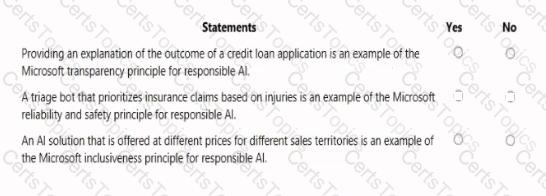

Statement
Yes / No
Providing an explanation of the outcome of a credit loan application is an example of the Microsoft transparency principle for responsible AI.
Yes
A triage bot that prioritizes insurance claims based on injuries is an example of the Microsoft reliability and safety principle for responsible AI.
Yes
An AI solution that is offered at different prices for different sales territories is an example of the Microsoft inclusiveness principle for responsible AI.
No
This question is based on the Responsible AI principles defined by Microsoft, which are part of the AI-900 Microsoft Azure AI Fundamentals curriculum. Microsoft’s Responsible AI framework consists of six key principles: Fairness, Reliability and Safety, Privacy and Security, Inclusiveness, Transparency, and Accountability. Each principle ensures that AI systems are developed and used in a way that benefits people and society responsibly.
Transparency Principle – YesProviding an explanation for a loan decision aligns with the Transparency principle. Microsoft defines transparency as helping users and stakeholders understand how AI systems make decisions. For example, when a credit scoring AI model approves or denies a loan, explaining the factors that influenced that outcome (such as credit history or income level) ensures that customers understand the reasoning process. This builds trust and supports responsible deployment.
Reliability and Safety Principle – YesA triage bot that prioritizes insurance claims based on injury severity relates directly to Reliability and Safety. This principle ensures AI systems operate consistently, perform accurately, and produce dependable outcomes. In the case of the triage bot, it must reliably assess the input data (injury descriptions) and rank claims appropriately to avoid harm or misjudgment, aligning with Microsoft’s emphasis on designing AI systems that are safe and robust.
Inclusiveness Principle – NoAn AI solution priced differently across sales territories is not related to Inclusiveness. Inclusiveness focuses on ensuring accessibility and eliminating bias or exclusion for all users—especially those with disabilities or underrepresented groups. Pricing strategy is a business decision, not an inclusiveness issue. Therefore, this statement is No.
In summary, based on the AI-900 Responsible AI principles, the correct selections are:
Capturing text from images is an example of which type of Al capability?
text analysis
optical character recognition (OCR)
image description
object detection
The correct answer is B. Optical character recognition (OCR).
OCR is a key capability within the Computer Vision and Document Intelligence services in Azure AI that enables systems to detect and extract printed or handwritten text from images and scanned documents.
When capturing text from images, OCR technology analyzes visual patterns (shapes of letters and numbers) and converts them into machine-readable text. For example, a photo of a receipt, street sign, or printed report can be processed to extract textual content programmatically.
A (Text analysis): Applies to NLP tasks such as sentiment detection or key phrase extraction, not image processing.
C (Image description): Generates captions describing the scene or objects in an image.
D (Object detection): Identifies and locates objects but does not extract text.
Stating the source of the data used to train a model is an example of which responsible Al principle?
fairness
transparency
reliability and safety
privacy and security
According to Microsoft’s Responsible AI Principles, Transparency means that AI systems should clearly communicate how they operate, including data sources, limitations, and decision-making processes. Stating the source of data used to train a model helps users understand where the model’s knowledge comes from, enabling informed trust and accountability.
Transparency ensures that organizations disclose relevant details about data collection and model design, especially for compliance, fairness, and reproducibility.
Other options are incorrect:
A. Fairness: Focuses on avoiding bias and ensuring equitable outcomes.
C. Reliability and safety: Ensures AI performs consistently and safely.
D. Privacy and security: Protects user data and maintains confidentiality.
Thus, the principle illustrated by disclosing training data sources is Transparency.
You need to provide content for a business chatbot that will help answer simple user queries.
What are three ways to create question and answer text by using Azure Al Language Service ' s question answering? Each correct answer presents a complete solution.
NOTE: Each correct and ask questions by selection is worth one point.
Connect the bot to the Cortana channel using Cortana.
Import chit-chat content from a predefined data source.
Manually enter the questions and answers.
Use Azure Machine Learning Automated ML to train a model based on a file that contains question and answer pairs.
Generate the questions and answers from an existing webpage.
The correct answers are B. Import chit-chat content from a predefined data source, C. Manually enter the questions and answers, and E. Generate the questions and answers from an existing webpage.
According to Microsoft Learn and the Azure AI Fundamentals (AI-900) study guide, the Question Answering feature of the Azure AI Language Service (formerly part of QnA Maker) allows developers to create a knowledge base (KB) that enables a chatbot to answer common questions automatically. This knowledge base can be built in three main ways:
Import chit-chat content (B):Azure provides predefined chit-chat datasets that can be imported to make a bot more conversational and natural. This includes small talk such as greetings, acknowledgments, and polite responses (for example, “How are you?” → “I’m doing great, thanks!”). Importing this content enriches the bot’s personality and improves user engagement.
Manually enter questions and answers (C):Developers can manually add pairs of questions and answers directly into the question answering knowledge base. This approach is suitable for custom FAQs or domain-specific content. It gives complete control over how each question is phrased and what answer is returned, ensuring high precision and clarity.
Generate questions and answers from an existing webpage (E):Azure AI Language can automatically extract Q & A pairs from a website’s FAQ or support page. This is done by providing the webpage URL to the service, which scans the page and builds a knowledge base from the detected questions and corresponding answers.
The other options are incorrect:
A (Cortana channel) relates to bot deployment, not knowledge creation.
D (Automated ML) is used for predictive modeling, not for building Q & A datasets.
Thus, the verified correct answers are B, C, and E.
What is an example of a regression model in machine learning?
dividing the student data in a dataset based on the age of the students and their educational achievements
identifying subtypes of spam email by examining a large collection of emails that were flagged by users
predicting the sale price of a house based on historical data, the size of the house, and the number of bedrooms in the house
identifying population counts of endangered animals by analyzing images
rrect answer is C. Predicting the sale price of a house based on historical data, the size of the house, and the number of bedrooms.
In machine learning, regression is a supervised learning technique used to predict continuous numeric values. Microsoft’s AI-900 study guide defines regression models as those that estimate relationships between variables—predicting a continuous outcome variable from one or more input features.
In this case, the house sale price is a continuous numeric value, and inputs such as size, location, and number of bedrooms are the features. Common regression algorithms include linear regression, decision tree regression, and boosted regression.
Other options represent different ML workloads:
A involves segmentation by categories (classification or clustering).
B represents clustering, grouping similar items without predefined labels.
D represents computer vision, counting animals in images rather than predicting a numeric value.
Hence, the verified answer is C. Regression.
For which two workloads can you use computer vision? Each correct answer presents a complete solution. NOTE: Each correct selection is worth one point.
creating photorealistic images by using three-dimensional models
assigning the color pixels in an image to object names
describing the contents of an image
detecting inconsistencies and anomalies in a stream of data
creating visual representations of numerical data
The correct answers are B. assigning the color pixels in an image to object names and C. describing the contents of an image.
According to the Microsoft Azure AI Fundamentals (AI-900) official study guide and Microsoft Learn module “Describe features of computer vision workloads on Azure,” computer vision is a branch of AI that enables systems to analyze, interpret, and understand visual data from images and videos. It allows machines to identify objects, people, text, and even describe scenes automatically.
Option B: Assigning color pixels in an image to object names represents image classification or object detection, which are key computer vision workloads. In these tasks, AI analyzes pixel patterns to determine which pixels correspond to specific objects (for example, classifying pixels as “car,” “tree,” or “road”).
Option C: Describing the contents of an image corresponds to image captioning, another computer vision workload. It involves using AI models trained to generate natural language descriptions of what is visible in an image, such as “A group of people sitting at a dining table.” Azure’s Computer Vision service provides this functionality through its “Describe Image” API.
Incorrect options:
A. Creating photorealistic images involves generative AI and 3D modeling, not traditional computer vision.
D. Detecting inconsistencies and anomalies in a data stream relates to anomaly detection, not computer vision.
E. Creating visual representations of numerical data involves data visualization, not AI-driven image analysis.
You have a bot that identifies the brand names of products in images of supermarket shelves.
Which service does the bot use?
Al enrichment for Azure Search capabilities
Computer Vision Image Analysis capabilities
Custom Vision Image Classification capabilities
Language understanding capabilities
According to the Microsoft Azure AI Fundamentals (AI-900) official study guide and Microsoft Learn module “Describe features of computer vision workloads on Azure,” the Custom Vision service is a specialized part of Azure Cognitive Services that allows developers to train image classification and object detection models tailored to their own data. It is particularly useful when prebuilt models, such as those in the standard Computer Vision service, cannot accurately recognize domain-specific objects — such as specific product brands or packaging.
In this scenario, the bot must identify brand names of products in images of supermarket shelves. Since brand logos and packaging designs are unique to each company, a general-purpose image analysis model would not perform accurately. The Custom Vision Image Classification capability allows you to upload labeled images (e.g., various brands) and train a model to distinguish between them. Once trained, the model can classify new images and recognize which brand appears on the shelf.
Let’s analyze the other options:
A. AI enrichment for Azure Search capabilities: Used in knowledge mining to extract information from documents, not image brand identification.
B. Computer Vision Image Analysis capabilities: Provides prebuilt functionality such as detecting objects, describing images, and identifying common items (like “bottle” or “box”) but cannot differentiate custom brand names.
D. Language understanding capabilities: Deals with processing and understanding natural language text, not images.
Therefore, identifying specific brand names from images requires a custom-trained image classification model, making Custom Vision Image Classification capabilities the correct answer.
✅ Final Verified Answer:
C. Custom Vision Image Classification capabilities
You plan to deploy an Azure Machine Learning model by using the Machine Learning designer
Which four actions should you perform in sequence? To answer, move the appropriate actions from the list of actions to the answer area and arrange them in the correct order.

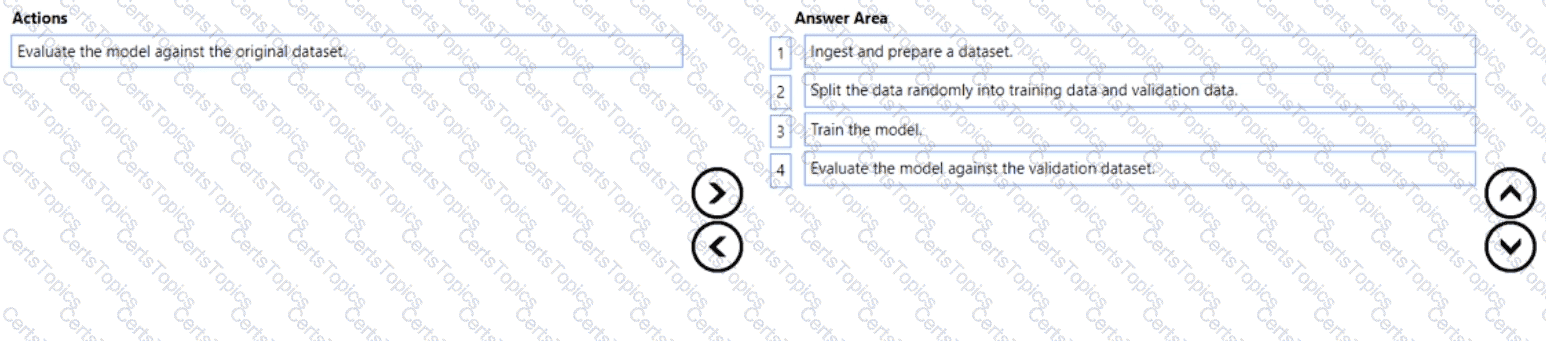
According to the Microsoft Azure AI Fundamentals (AI-900) official study guide and the Microsoft Learn module “Identify features of common machine learning types”, the standard workflow for creating and deploying a machine learning model — especially within Azure Machine Learning Designer — follows a structured sequence of steps to ensure that the model is trained effectively and evaluated correctly.
Here’s the detailed breakdown of the correct order:
Import and prepare a dataset:This is always the first step in the machine learning lifecycle. The dataset is imported into Azure Machine Learning and cleaned or preprocessed. Preparation might include handling missing values, normalizing data, removing outliers, and encoding categorical variables. This ensures the dataset is ready for modeling.
Split the data randomly into training data and validation data:The dataset is then divided into two parts — the training set and the validation (or testing) set. Typically, around 70–80% of the data is used for training and 20–30% for validation. This step ensures that the model can be evaluated on unseen data later, preventing overfitting.
Train the model:During this stage, the machine learning algorithm learns patterns from the training data. Azure Machine Learning Designer provides multiple algorithms (classification, regression, clustering, etc.) that can be applied using “Train Model” components.
Evaluate the model against the validation dataset:Finally, the trained model’s performance is tested using the validation dataset. Evaluation metrics such as accuracy, precision, recall, or RMSE (depending on the model type) are calculated to assess how well the model generalizes to new data.
The incorrect option — “Evaluate the model against the original dataset” — is not used in proper ML workflows, because evaluating on the same data used for training would give misleadingly high accuracy due to overfitting.
TION NO: 81
Which AI service should you use to create a bot from a frequently asked questions (FAQ) document?
QnA Maker
Language Understanding (LUIS)
Text Analytics
Speech
According to the Microsoft Azure AI Fundamentals (AI-900) official study guide and Microsoft Learn modules under the topic “Describe features of common AI workloads” and “Identify capabilities of Azure AI services”, QnA Maker is the service designed specifically to create a knowledge base (KB) or question-and-answer bot from existing content such as FAQ documents, product manuals, support pages, or structured knowledge sources.
QnA Maker enables developers to take semi-structured text (for example, an FAQ document or webpage) and automatically generate a knowledge base of pairs of questions and corresponding answers. This knowledge base can then be connected to a chatbot, typically through the Azure Bot Service, so that users can interact with it conversationally. The key advantage is that the process does not require deep machine learning or programming expertise. The service uses natural language processing (NLP) to match user queries with the most relevant pre-defined answers in the knowledge base.
In the AI-900 curriculum, this falls under the Conversational AI workload—creating intelligent bots that can respond naturally to user questions. Microsoft’s training content explains that “QnA Maker extracts pairs of question and answer from your content and builds a knowledge base that can be queried by bots and other applications.” The output, as shown in the example diagram, demonstrates how user input (the question) triggers a request to the QnA Maker API, which returns a JSON response containing the best-matched answer.
The other options are not correct because:
B. Language Understanding (LUIS) is used to interpret user intent and extract entities, not to create FAQs.
C. Text Analytics performs text extraction, sentiment analysis, and key-phrase detection but does not build a Q & A knowledge base.
D. Speech handles speech-to-text or text-to-speech, not Q & A matching.
Therefore, per the AI-900 study guide and Microsoft Learn, the verified and correct answer is A. QnA Maker.
To complete the sentence, select the appropriate option in the answer area.
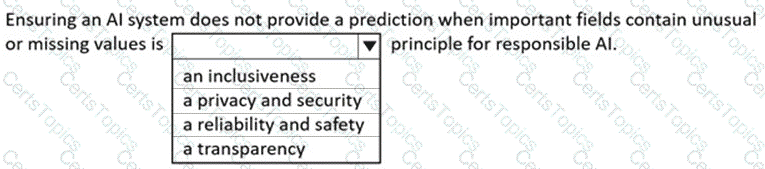

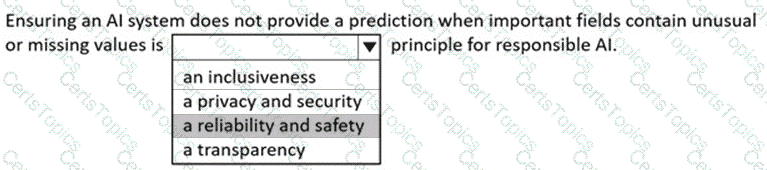
According to Microsoft’s Responsible AI principles, one of the key guiding values is Reliability and Safety, which ensures that AI systems operate consistently, accurately, and safely under all intended conditions. The AI-900 study materials and Microsoft Learn modules explain that an AI system must be trustworthy and dependable, meaning it should not produce results when the input data is incomplete, corrupted, or significantly outside the expected range.
In the given scenario, the AI system avoids providing predictions when important fields contain unusual or missing values. This behavior demonstrates reliability and safety because it prevents the system from making unreliable or potentially harmful decisions based on bad or insufficient data. Microsoft emphasizes that AI systems must undergo extensive validation, testing, and monitoring to ensure stable performance and predictable outcomes, even when data conditions vary.
The other options do not fit this scenario:
Inclusiveness ensures that AI systems are accessible to and usable by all people, regardless of abilities or backgrounds.
Privacy and Security focuses on protecting user data and ensuring it is used responsibly.
Transparency involves making AI decisions explainable and understandable to humans.
Only Reliability and Safety directly address the concept of an AI system refusing to act or returning an error when it cannot make a trustworthy prediction. This principle helps prevent inaccurate or unsafe outputs, maintaining confidence in the system’s integrity.
Therefore, ensuring an AI system does not produce predictions when input data is incomplete or unusual aligns directly with Microsoft’s Reliability and Safety principle for responsible AI.
You are authoring a Language Understanding (LUIS) application to support a music festival.
You want users to be able to ask questions about scheduled shows, such as: “Which act is playing on the main stage?”
The question “Which act is playing on the main stage?” is an example of which type of element?
an intent
an utterance
a domain
an entity
In a Language Understanding (LUIS) application, an utterance represents an example of what a user might say to the bot. According to Microsoft Learn – “Build a Language Understanding app”, an utterance is a sample phrase that helps train the LUIS model to recognize user intent.
In the given example — “Which act is playing on the main stage?” — the statement is an utterance that a user might say to find out about show schedules. LUIS uses utterances like this to identify the intent (the user’s goal, e.g., GetShowInfo) and to extract any entities (e.g., main stage) that provide additional details for fulfilling the request.
To clarify the other elements:
Intent: The overall purpose or action (e.g., “FindShowDetails”).
Entity: Specific information in the utterance (e.g., “main stage”).
Domain: A general subject area (e.g., entertainment, events).
Thus, “Which act is playing on the main stage?” is an utterance used to train the LUIS model to understand natural language input.
Which OpenAI model does GitHub Copilot use to make suggestions for client-side JavaScript?
GPT-4
Codex
DALL-E
GPT-3
According to the Microsoft Azure AI Fundamentals (AI-900) learning path and Microsoft Learn documentation on GitHub Copilot, GitHub Copilot is powered by OpenAI Codex, a specialized language model derived from the GPT-3 family but fine-tuned specifically on programming languages and code data.
OpenAI Codex was designed to translate natural language prompts into executable code in multiple programming languages, including JavaScript, Python, C#, TypeScript, and Go. It can understand comments, function names, and code structure to generate relevant code suggestions in real time.
When a developer writes client-side JavaScript, GitHub Copilot uses Codex to analyze the context of the file and generate intelligent suggestions, such as completing functions, writing boilerplate code, or suggesting improvements. Codex can also explain what specific code does and provide inline documentation, which enhances developer productivity.
Option A (GPT-4): While some newer versions of GitHub Copilot (Copilot X) may integrate GPT-4 for conversational explanations, the core code completion engine remains based on Codex, as per the AI-900-level content.
Option C (DALL-E): Used for image generation, not for programming tasks.
Option D (GPT-3): Codex was fine-tuned from GPT-3 but has been further trained specifically for code generation tasks.
Therefore, the verified and official answer from Microsoft’s AI-900 curriculum is B. Codex — the OpenAI model used by GitHub Copilot to make suggestions for client-side JavaScript and other programming languages.
What should you do to ensure that an Azure OpenAI model generates accurate responses that include recent events?
Modify the system message.
Add grounding data.
Add few-shot learning.
Add training data.
In Azure OpenAI, grounding refers to the process of connecting the model to external data sources (for example, a database, search index, or API) so that it can retrieve accurate and up-to-date information before generating a response. This is particularly important for scenarios requiring current facts or events, since OpenAI models like GPT-3.5 and GPT-4 are trained on data available only up to a certain cutoff date.
By adding grounding data, the model’s responses are “anchored” to factual sources retrieved at runtime, improving reliability and factual accuracy. Grounding is commonly implemented in Azure OpenAI + Azure Cognitive Search solutions (Retrieval-Augmented Generation or RAG).
Option review:
A. Modify the system message: Changes model tone or behavior but doesn’t supply real-time data.
B. Add grounding data: ✅ Correct — allows access to recent and domain-specific information.
C. Add few-shot learning: Provides examples in the prompt to improve context understanding but not factual accuracy.
D. Add training data: Refers to fine-tuning; this requires retraining and doesn’t update the model’s awareness of current events.
Hence, the best method to ensure accurate and current responses from an Azure OpenAI model is to add grounding data, enabling the model to reference real, updated sources dynamically.
What should you use to extract details from scanned images of contracts?
Azure Al Document Intelligence
Azure Al Immersive Reader
Azure OpenAI
Azure Al Search
The correct answer is A. Azure AI Document Intelligence (previously known as Form Recognizer). This Azure Cognitive Service is specifically designed to extract structured data and key information from scanned documents, forms, and contracts using advanced Optical Character Recognition (OCR) combined with machine learning models.
According to the Microsoft Learn module “Extract data from documents with Azure AI Document Intelligence”, this service enables automated data extraction from unstructured or semi-structured documents such as contracts, invoices, receipts, and purchase orders. It identifies key-value pairs, tables, and fields such as names, dates, amounts, and signatures. This makes it ideal for digitizing legal and business documents like contracts into structured formats that can be easily searched or stored in databases.
Azure AI Document Intelligence offers several model types:
Prebuilt models for common documents (invoices, receipts, business cards, etc.).
Custom models trained on your specific contract layouts.
Layout model for extracting raw text, tables, and structures.
The other options are incorrect:
B. Azure AI Immersive Reader enhances reading comprehension and accessibility but does not extract data from documents.
C. Azure OpenAI provides natural language generation and understanding but is not used for scanning or data extraction.
D. Azure AI Search indexes and searches textual or document content but relies on other services (like Document Intelligence) to extract the data first.
Therefore, to automatically extract details such as contract terms, names, dates, and signatures from scanned contract images, the best Microsoft AI service is A. Azure AI Document Intelligence
Which two resources can you use to analyze code and generate explanations of code function and code comments? Each correct answer presents a complete solution.
NOTE: Each correct answer is worth one point.
the Azure OpenAI DALL-E model
the Azure OpenAI Whisper model
the Azure OpenAI GPT-4 model
the GitHub Copilot service
The correct answers are C. the Azure OpenAI GPT-4 model and D. the GitHub Copilot service.
According to the Microsoft Azure AI Fundamentals (AI-900) curriculum and Microsoft Learn documentation on Azure OpenAI and GitHub Copilot, both GPT-4 and GitHub Copilot can be used to analyze and generate explanations for code functionality, as well as produce or refine code comments.
Azure OpenAI GPT-4 model (C):The GPT-4 model is a large language model (LLM) developed by OpenAI and available through the Azure OpenAI Service. It is trained on vast amounts of text, including programming languages, documentation, and natural language instructions. This enables it to interpret source code, explain what it does, suggest optimizations, and automatically generate detailed code comments. When prompted with code snippets, GPT-4 can provide structured natural language explanations describing the logic and intent of the code. In enterprise scenarios, developers use Azure OpenAI GPT models for code understanding, review automation, and documentation generation.
GitHub Copilot service (D):GitHub Copilot, powered by OpenAI Codex, is an AI coding assistant integrated into IDEs such as Visual Studio Code. It can analyze code context and generate inline comments and explanations in real time. GitHub Copilot understands the syntax and intent of numerous programming languages and provides intelligent suggestions or explanations directly in the developer’s environment.
The other options are not suitable:
A. DALL-E is a generative image model for creating visual content, not text or code analysis.
B. Whisper is an automatic speech recognition (ASR) model used for converting speech to text, unrelated to code interpretation.
Therefore, based on the official Azure AI and GitHub documentation, the correct and verified answers are C. Azure OpenAI GPT-4 model and D. GitHub Copilot service.
Select the answer that correctly completes the sentence.



This question is drawn from the Microsoft Azure AI Fundamentals (AI-900) syllabus section “Describe features of natural language processing (NLP) workloads on Azure.” According to the Microsoft Learn materials, Natural Language Processing (NLP) is a branch of artificial intelligence that allows computers to analyze, understand, and generate human language. NLP enables machines to work with text or speech data in a way that extracts meaning, sentiment, and intent.
Microsoft defines NLP as enabling scenarios such as language detection, text classification, key phrase extraction, sentiment analysis, and named entity recognition. The example given—classifying emails as “work-related” or “personal”—is a text classification task, which falls under NLP capabilities. The AI model processes the textual content of emails, identifies linguistic patterns, and categorizes them based on the detected topic or context.
Let’s analyze the other options:
Predict the number of future car rentals → This is a forecasting task, handled by machine learning regression models, not NLP.
Predict which website visitors will make a transaction → This is a classification or prediction problem in machine learning, not NLP, since it deals with behavioral or numerical data rather than language.
Stop a process in a factory when extremely high temperatures are registered → This is an IoT or anomaly detection scenario, focusing on sensor data, not language understanding.
Therefore, only classifying email messages as work-related or personal correctly represents an NLP use case. It illustrates how NLP can analyze written text and make intelligent categorizations—a key capability covered in AI-900’s natural language workloads section.
You are building a chatbot that will use natural language processing (NLP) to perform the following actions based on the text input of a user:
• Accept customer orders.
• Retrieve support documents.
• Retrieve order status updates.
Which type of NLP should you use?
sentiment analysis
translation
language modeling
named entity recognition
In the Microsoft Azure AI Fundamentals (AI-900) curriculum, language modeling is described as a core component of Natural Language Processing (NLP) that enables an AI system to understand, interpret, and generate human language in context. The AI-900 Microsoft Learn module “Identify features of Natural Language Processing workloads” explains that language modeling is used to analyze user input and determine intent — essential for conversational systems like chatbots.
In this question, the chatbot must:
Accept customer orders.
Retrieve support documents.
Retrieve order status updates.
All these tasks require the bot to understand user intent and context from text input. This understanding process is driven by language modeling, which predicts meaning and structure within sentences, enabling the system to decide what action to take next.
Microsoft Learn distinguishes between various NLP techniques:
Sentiment analysis detects emotional tone (positive/negative/neutral).
Translation converts text between languages.
Named Entity Recognition (NER) identifies specific entities like names or dates.However, none of these individually allow a system to process commands, requests, or user intents — that capability is part of language modeling, which powers LUIS (Language Understanding Intelligent Service) or the modern Azure Cognitive Service for Language.
Therefore, to build a chatbot that can interpret commands and respond contextually — such as processing orders or retrieving documents — you must use language modeling.
What is an example of the Microsoft responsible Al principle of transparency?
helping users understand the decisions made by an Al system
ensuring that developers are accountable for the solutions they create
ensuring that opportunities are allocated equally to all applicants
ensuring that the privileged data of users is stored in a secure manner
The correct answer is A. Helping users understand the decisions made by an AI system.
According to the Microsoft Responsible AI principles described in the AI-900 study guide and Microsoft Learn Responsible AI documentation, transparency focuses on ensuring that users and stakeholders clearly understand how an AI system functions, makes decisions, and what data it relies on. This includes communicating limitations, assumptions, and levels of confidence in AI-driven outcomes.
For instance, if an AI model recommends loan approvals, transparency means explaining which factors influenced the decision and how much weight each factor carried. This helps build trust and accountability while allowing users to make informed judgments about the AI’s reliability.
Option review:
A. Helping users understand decisions made by an AI system — ✅ Correct.
B. Accountability: Refers to ensuring developers or organizations are responsible for AI outcomes.
C. Fairness: Ensures equal opportunities and mitigates bias.
D. Privacy and security: Focuses on protecting user data.
Hence, Transparency = clarity and explainability about AI processes.
Which parameter should you configure to produce a more diverse range of tokens in the responses from a chat solution that uses the Azure OpenAI GPT-3.5 model?
Max response
Past messages included
Presence penalty
Stop sequence
In Azure OpenAI Service, model behavior during text or chat generation is controlled by several parameters, such as temperature, max tokens, top_p, presence penalty, and frequency penalty. According to Microsoft Learn’s documentation for Azure OpenAI GPT models, the presence penalty influences how likely the model is to introduce new or diverse tokens in its responses.
Specifically, the presence penalty discourages the model from repeating previously used tokens, encouraging it to explore new topics or ideas instead of sticking to existing ones. Increasing the presence penalty value typically results in more diverse and creative outputs, while lowering it makes responses more repetitive or focused.
Option analysis:
A. Max response (Max tokens): Controls the maximum length of the generated response, not its diversity.
B. Past messages included: Defines how much chat history the model considers for context; it doesn’t affect diversity directly.
C. Presence penalty: Encourages novelty and introduces new tokens—this is correct for increasing response variety.
D. Stop sequence: Specifies a sequence of characters or tokens where the model should stop generating output.
You have an Al solution that provides users with the ability to control smart devices by using verbal commands.
Which two types of natural language processing (NLP) workloads does the solution use? Each correct answer presents part of the solution.
NOTE: Each correct selection is worth one point.
text-to-speech
translation
language modeling
key phrase extraction
speech-to-text
According to the Microsoft Azure AI Fundamentals (AI-900) official study materials and the Microsoft Learn module “Describe features of Natural Language Processing (NLP) workloads on Azure”, this scenario combines two major capabilities of AI: speech recognition and natural language understanding.
Speech-to-Text (E) – This is the first step in processing verbal commands. The Azure Speech service converts the spoken words of a user into textual data that can be understood and processed by downstream components. This workload is commonly referred to as speech recognition, and it falls under the speech capabilities of Azure Cognitive Services. Without this transcription process, the system could not interpret the user’s voice input.
Language Modeling (C) – After the speech input is converted into text, the next step is to interpret the meaning of the text so the system can take appropriate action. Language modeling, also known as language understanding, is responsible for identifying the user’s intent (for example, “turn on the lights” or “set the thermostat to 72 degrees”) and extracting entities (such as device name or temperature value). In Azure, this function is handled by Language Understanding (LUIS) or Conversational Language Understanding (CLU). These models allow smart systems to process commands and map them to defined actions.
Other options are not correct:
A. Text-to-speech converts text output into spoken language, which is not mentioned as a requirement.
B. Translation converts text from one language to another, irrelevant to this scenario.
D. Key phrase extraction identifies important terms in text but doesn’t interpret or execute commands.
Therefore, the solution uses speech-to-text to transcribe verbal commands and language modeling to understand and act upon them — the two key NLP workloads enabling voice-controlled smart devices.
You need to analyze images of vehicles on a highway and measure the distance between the vehicles. Which type of computer vision model should you use?
object detection
image classification
facial recognition
optical character recognition (OCR)
In this scenario, analyzing vehicle images and measuring the distance between them requires first detecting each vehicle’s position in the image. Object detection models can locate and identify multiple objects (such as cars, trucks, or motorcycles) by assigning bounding boxes. Once detected, their coordinates can be used to calculate distances or spacing.
Image classification only assigns a single label per image, not per object. Facial recognition is human-focused, and OCR deals with text extraction. Thus, object detection is the correct model type for this task.
You deploy the Azure OpenAI service to generate images.
You need to ensure that the service provides the highest level of protection against harmful content.
What should you do?
Configure the Content filters settings.
Customize a large language model (LLM).
Configure the system prompt
Change the model used by the Azure OpenAI service.
The correct answer is A. Configure the Content filters settings.
When using the Azure OpenAI Service for text or image generation, Microsoft provides built-in content filtering to help detect and block potentially harmful or unsafe outputs. These filters are part of Microsoft’s Responsible AI framework and are designed to prevent the generation of offensive, violent, sexual, or otherwise restricted content.
To ensure the highest level of protection, you can configure content filter settings within the Azure OpenAI deployment. This allows you to define stricter policies based on your organization’s safety requirements. For image generation models such as DALL·E, enabling or strengthening these filters ensures that inappropriate or unsafe images are not generated or returned.
B (Customize an LLM): Customization affects behavior but not safety filtering.
C (Configure the system prompt): Adjusts response style but doesn’t guarantee content safety.
D (Change the model): Different models have similar filter systems; protection level depends on filter configuration, not the model itself.
For each of the following statements, select Yes if the statement is true. Otherwise, select No.
NOTE: Each correct selection is worth one point.
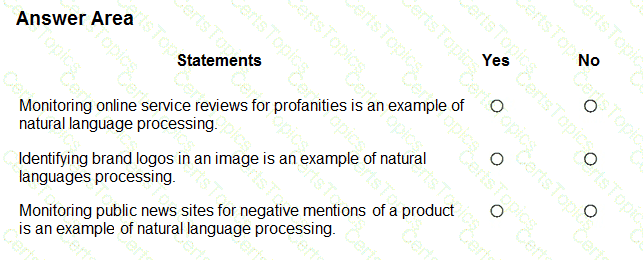
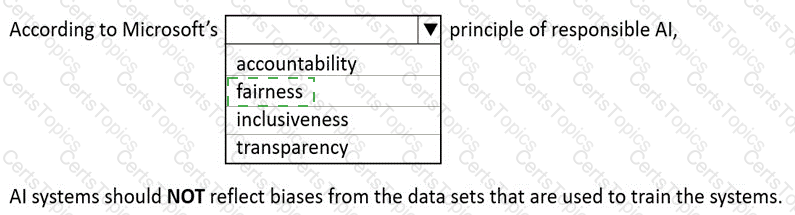
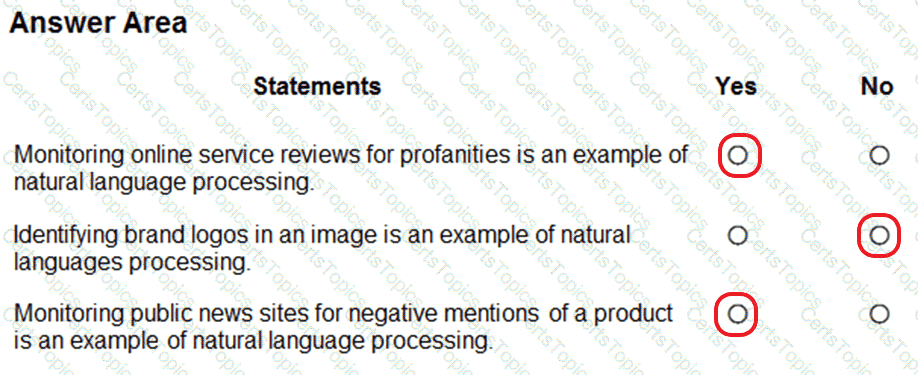
This question examines your understanding of Natural Language Processing (NLP) as described in the Microsoft Azure AI Fundamentals (AI-900) official study guide and Microsoft Learn module “Explore natural language processing.” NLP is a branch of artificial intelligence that enables computers to analyze, understand, and generate human language — both written and spoken. Typical NLP tasks include text analytics, language understanding, sentiment analysis, key phrase extraction, and profanity detection.
Monitoring online service reviews for profanities → YesThis is a classic example of NLP. Detecting profane or inappropriate words in customer reviews requires analyzing text content. Azure Cognitive Services offers Content Moderator and Text Analytics APIs that can detect and filter profanity, sentiment, and offensive language automatically. Microsoft Learn states: “Natural language processing is used to process and analyze text to detect sentiment, key phrases, and inappropriate content.” Hence, this task is correctly classified as NLP.
Identifying brand logos in an image → NoThis task belongs to Computer Vision, not NLP. The Computer Vision API and Custom Vision service in Azure are designed to detect and classify visual elements like logos, objects, or scenes. Since it involves images, not text, it is unrelated to natural language processing.
Monitoring public news sites for negative mentions of a product → YesThis is another valid example of NLP. The process involves analyzing the sentiment of text from online articles to determine whether mentions of a product are positive, neutral, or negative. Azure Text Analytics provides prebuilt sentiment analysis and entity recognition capabilities that help automate such monitoring.
Select the answer that correctly completes the sentence.



In Azure OpenAI Service, the temperature parameter directly controls the creativity and determinism of responses generated by models such as GPT-3.5. According to the Microsoft Learn documentation for Azure OpenAI models, temperature is a numeric value (typically between 0.0 and 2.0) that determines how “random” or “deterministic” the output should be.
A lower temperature value (for example, 0 or 0.2) makes the model’s responses more deterministic, meaning the same prompt consistently produces nearly identical outputs.
A higher temperature value (for example, 0.8 or 1.0) encourages creativity and variety, causing the model to generate different phrasing or interpretations each time it responds.
When a question specifies the need for more deterministic responses, Microsoft’s guidance is to decrease the temperature parameter. This adjustment makes the model focus on the most probable tokens (words) rather than exploring less likely options, improving reliability and consistency—ideal for business or technical applications where consistent answers are essential.
The other parameters serve different purposes:
Frequency penalty reduces repetition of the same phrases but does not control randomness.
Max response (max tokens) limits the maximum length of the generated output.
Stop sequence defines specific tokens that tell the model when to stop generating text.
Thus, the correct and Microsoft-verified completion is:
“You can modify the Temperature parameter to produce more deterministic responses from a chat solution that uses the Azure OpenAI GPT-3.5 model.”
For each of the following statements, select Yes if the statement is true. Otherwise, select No.
NOTE: Each correct selection is worth one point.
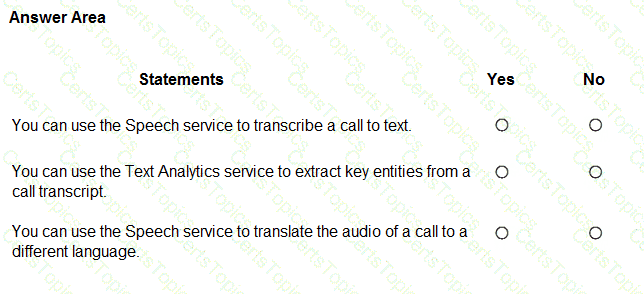
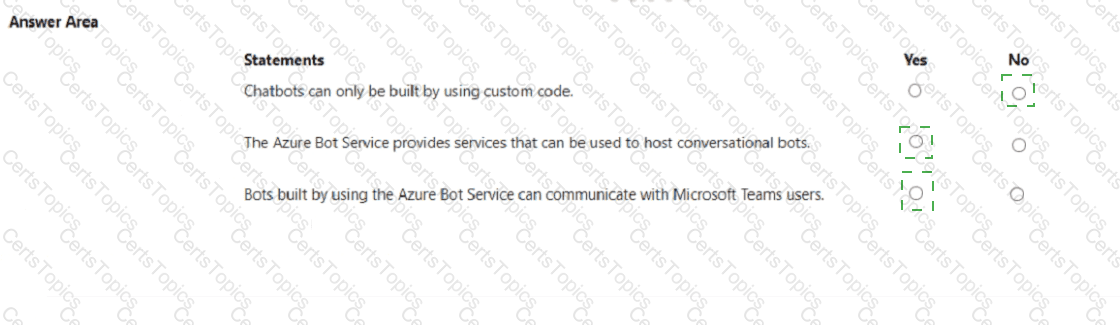
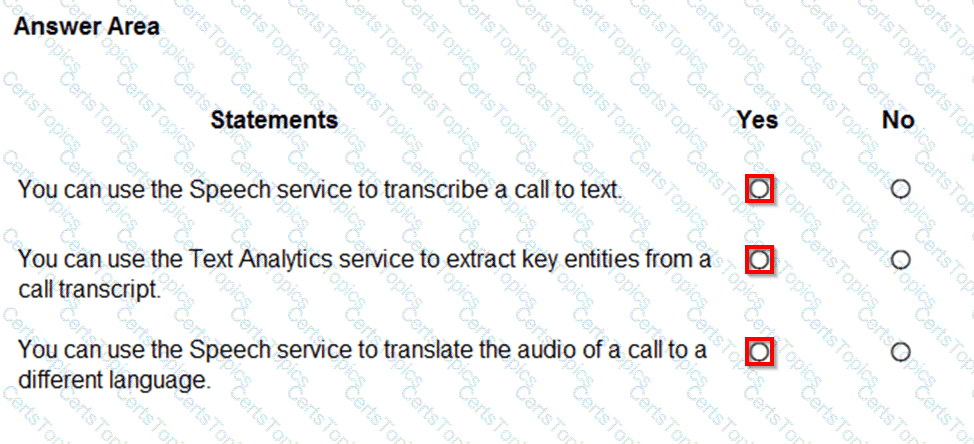
This question assesses knowledge of the Azure Cognitive Services Speech and Text Analytics capabilities, as described in the Microsoft Azure AI Fundamentals (AI-900) official study guide and Microsoft Learn modules “Explore natural language processing” and “Explore speech capabilities.” These services are part of Azure Cognitive Services, which provide prebuilt AI capabilities for speech, language, and text understanding.
You can use the Speech service to transcribe a call to text → YesThe Speech-to-Text feature in the Azure Speech service automatically converts spoken words into written text. Microsoft Learn explains: “The Speech-to-Text capability enables applications to transcribe spoken audio to text in real time or from recorded files.” This makes it ideal for call transcription, voice assistants, and meeting captioning.
You can use the Text Analytics service to extract key entities from a call transcript → YesOnce a call has been transcribed into text, the Text Analytics service (part of Azure Cognitive Services for Language) can process that text to extract key entities, key phrases, and sentiment. For example, it can identify names, organizations, locations, and product mentions. Microsoft Learn notes: “Text Analytics can extract key phrases and named entities from text to derive insights and structure from unstructured data.”
You can use the Speech service to translate the audio of a call to a different language → YesThe Azure Speech service also includes Speech Translation, which can translate spoken language in real time. It converts audio input from one language into translated text or speech output in another language. Microsoft Learn describes this as: “Speech Translation combines speech recognition and translation to translate spoken audio to another language.”
Which format should you use to send requests to a REST API endpoint for Azure OpenAI?
CSV
JSON
XML
YAML
When interacting with the Azure OpenAI REST API, requests and responses are structured using the JSON format. According to the Microsoft Learn documentation on the Azure OpenAI REST API, JSON is the required format for sending prompts, configuration parameters (such as temperature, max_tokens, or top_p), and metadata to the API endpoint.
A typical request to an Azure OpenAI endpoint (for example, /openai/deployments/{model-name}/chat/completions?api-version=2024-02-01) includes a JSON body similar to the following:
{
" messages " : [
{ " role " : " system " , " content " : " You are an assistant. " },
{ " role " : " user " , " content " : " Write a JavaScript function to add two numbers. " }
],
" max_tokens " : 200,
" temperature " : 0.7
}
This JSON format allows for structured data exchange between the client and the server, ensuring that key-value pairs are properly parsed by the API.
Option A (CSV): Used for storing tabular data, not suitable for API communication.
Option C (XML): Though historically used in web services, Microsoft’s modern APIs, including Azure OpenAI, rely on JSON.
Option D (YAML): Common in configuration files but not for REST API payloads.
Therefore, per official Microsoft documentation and the AI-900 study guide, the correct and verified answer is B. JSON, as it is the standard format required when sending requests to the Azure OpenAI REST API endpoint.
For each of the following statements, select Yes if the statement is true. Otherwise, select No.
NOTE: Each correct selection is worth one point.
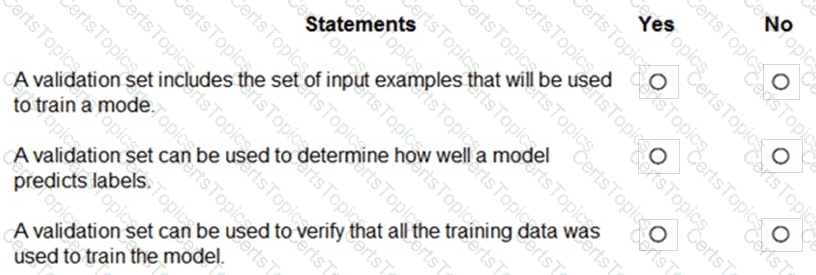

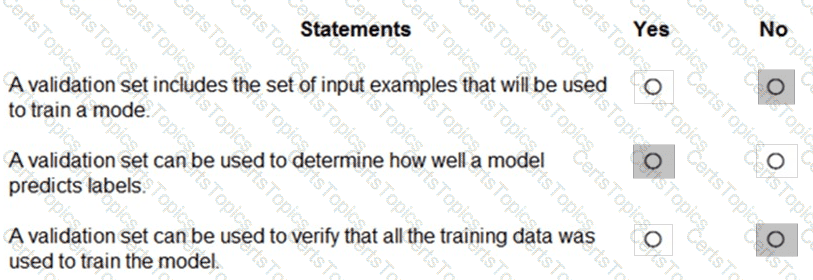
The correct answers are based on the Microsoft Azure AI Fundamentals (AI-900) Official Study Guide and the Microsoft Learn module “Explore fundamental principles of machine learning.”
In supervised machine learning, data is typically divided into three main subsets:
Training set – used to train the model, i.e., to teach the algorithm the patterns and relationships between input features and output labels.
Validation set – used to evaluate the model during training to tune hyperparameters and prevent overfitting.
Test set – used after training to assess the final model’s performance on unseen data.
Let’s analyze each statement in light of these definitions:
“A validation set includes the set of input examples that will be used to train a model.” → NoThis is incorrect because the training set, not the validation set, contains the input examples used for model training. The validation set is separate from the training data to ensure unbiased evaluation.
“A validation set can be used to determine how well a model predicts labels.” → YesThis is correct. The validation set helps assess how effectively the model generalizes during training. It measures performance and helps tune model parameters for optimal results.
“A validation set can be used to verify that all the training data was used to train the model.” → NoThis is false. The validation set is not used to verify the completeness of training data usage. It exists independently to evaluate the model’s performance during training cycles.
According to Microsoft Learn, using a validation set helps ensure that a model generalizes well and avoids overfitting to the training data. It plays a crucial role in refining and optimizing models before final testing.
Match the computer vision service to the appropriate Al workload.
To answer, drag the appropriate service from the column on the left to its workload on the right. Each service may be used once, more than once, or not at all.
NOTE: Each correct match is worth one point.

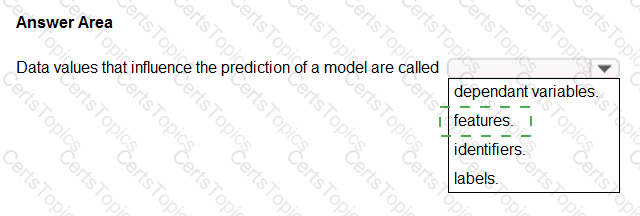
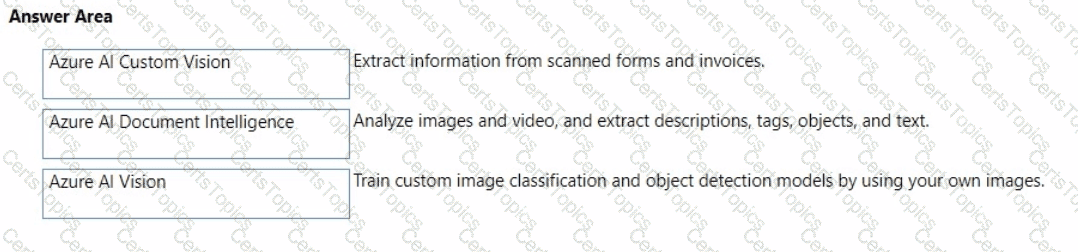
This question evaluates understanding of the different Azure AI Computer Vision services and their distinct functionalities, as covered in the Microsoft AI-900 study guide and Microsoft Learn modules under “Describe features of common AI workloads” and “Identify Azure services for computer vision.”
Azure AI Document Intelligence (formerly known as Form Recognizer):This service is designed to extract structured information from documents, such as forms, receipts, and invoices. It uses optical character recognition (OCR) combined with AI models to detect key-value pairs, tables, and handwritten text. This makes it ideal for automating data entry and digitizing scanned documents. Hence, it matches “Extract information from scanned forms and invoices.”
Azure AI Vision (formerly Computer Vision):This service provides image and video analysis capabilities. It can detect objects, people, text, and scenes; generate image captions; and extract descriptive tags. It also supports OCR for printed and handwritten text within images. Therefore, it matches “Analyze images and video, and extract descriptions, tags, objects, and text.”
Azure AI Custom Vision:Custom Vision allows you to train your own image classification and object detection models using your own labeled images. Unlike the general Vision service, Custom Vision lets you build domain-specific models—for example, detecting your company’s products or identifying manufacturing defects. Hence, it matches “Train custom image classification and object detection models by using your own images.”
These three services complement each other within Azure’s computer vision ecosystem, collectively supporting both general-purpose and specialized AI solutions for visual data analysis.
You plan to develop a bot that will enable users to query a knowledge base by using natural language processing.
Which two services should you include in the solution? Each correct answer presents part of the solution.
NOTE: Each correct selection is worth one point.
Language Service
Azure Bot Service
Form Recognizer
Anomaly Detector
According to the Microsoft Azure AI Fundamentals (AI-900) Official Study Guide and the Microsoft Learn module “Explore conversational AI in Microsoft Azure,” conversational bots are AI applications that can understand and respond to natural language inputs through text or speech. Building such a bot typically involves two key Azure services:
Azure Bot Service (Option B):This service provides the framework and infrastructure needed to create, test, and deploy intelligent chatbots that interact with users across multiple channels (webchat, Teams, email, etc.). It handles conversation flow, integration, and user message management.
Azure Language Service (Option A):This service powers the natural language understanding (NLU) capability of the bot. It enables the bot to interpret user input, extract intent, and query a knowledge base using Question Answering (formerly QnA Maker). This allows the bot to respond intelligently to user questions by finding the most relevant answers.
The other options are incorrect:
C. Form Recognizer is used for extracting structured data from documents like invoices or forms.
D. Anomaly Detector is used for identifying unusual patterns in time-series data.
Hence, to build a bot that understands and answers user questions in natural language, the solution must combine Azure Bot Service for conversation management and Azure Language Service for knowledge-based question answering and natural language understanding.
You need to predict the population size of a specific species of animal in an area.
Which Azure Machine Learning type should you use?
clustering
regression
classification
In Azure Machine Learning, regression is a supervised machine learning technique used to predict continuous numerical values based on input data. According to the Microsoft AI Fundamentals (AI-900) study guide and the Microsoft Learn module “Identify common types of machine learning,” regression models are ideal when the goal is to estimate a quantity — such as price, temperature, or, in this case, population size.
In the scenario, the task is to predict the population size of a specific species within a defined area. Population size is a numerical, continuous value that varies depending on multiple factors (like time, environment, and resources). A regression algorithm, such as linear regression or decision tree regression, can be trained on historical data (e.g., species count, area, temperature, food availability) to forecast future population numbers.
Option analysis:
A. Clustering: Used for unsupervised learning, where the goal is to group similar data points into clusters without predefined labels (e.g., grouping animals by behavior or habitat).
C. Classification: Used to predict discrete categories or labels (e.g., “endangered” vs. “not endangered”), not numerical values.
Therefore, the correct machine learning type for predicting a continuous value such as population size is Regression.
You have the following dataset.

You plan to use the dataset to train a model that will predict the house price categories of houses.
What are Household Income and House Price Category? To answer, select the appropriate option in the answer area.
NOTE: Each correct selection is worth one point.
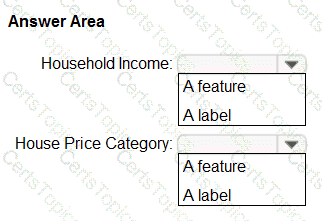

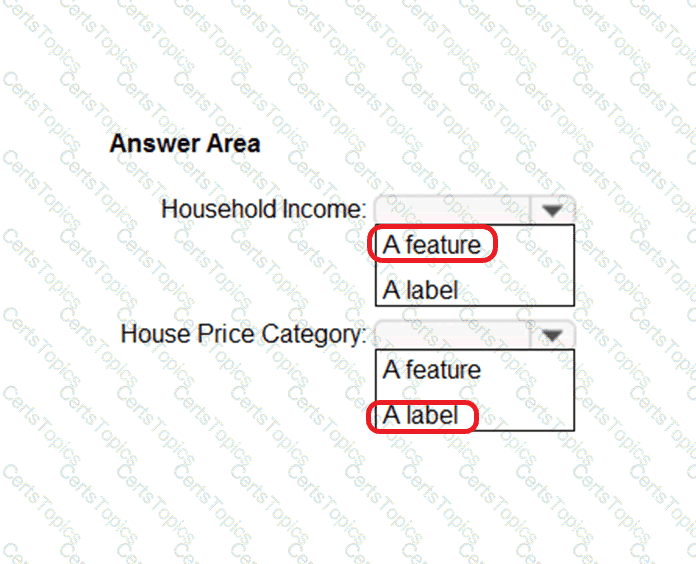
In machine learning, especially within the Microsoft Azure AI Fundamentals (AI-900) framework, datasets used for supervised learning are composed of features (inputs) and labels (outputs). According to the Microsoft Learn module “Explore the machine learning process”, a feature is any measurable property or attribute used by the model to make predictions, whereas a label is the actual value or category the model is trying to predict.
Household Income → FeatureA feature (also known as an independent variable) represents the input data that the machine learning algorithm uses to detect patterns or correlations. In this dataset, Household Income is a numeric value that influences the prediction of house price categories. During training, the model learns how variations in household income correlate with changes in the house price category. Microsoft Learn defines features as “the attributes or measurable inputs that are used to train the model.” Thus, Household Income serves as a predictive input or feature.
House Price Category → LabelThe label (or dependent variable) represents the output the model aims to predict. It is the known result during training that helps the algorithm learn correct mappings between features and outcomes. In this scenario, House Price Category—which can take values such as “Low,” “Middle,” or “High”—is the classification outcome that the model will predict based on household income (and possibly other variables). According to Microsoft Learn, “the label is the variable that contains the known values that the model is trained to predict.”
In summary, the dataset defines a supervised learning classification problem, where Household Income is the feature (input) and House Price Category is the label (output) that the model will learn to predict.
Match the Azure Cognitive Services to the appropriate Al workloads.
To answer, drag the appropriate service from the column on the left to its workload on the right. Each service may be used once, more than once, or not at all.
NOTE: Each correct match is worth one point.



The correct matches are Custom Vision, Form Recognizer, and Face — each corresponding to a distinct capability under Azure Cognitive Services as described in the Microsoft Azure AI Fundamentals (AI-900) official study guide and Microsoft Learn modules on Computer Vision workloads.
Custom Vision → Identify objects in an imageThe Custom Vision service is part of the Azure Cognitive Services suite that enables developers to train custom image classification and object detection models. Unlike the prebuilt Computer Vision API, Custom Vision allows users to upload their own labeled images and teach the model to recognize specific objects relevant to their business context. The AI-900 syllabus explains that Custom Vision is ideal for tasks such as identifying products on a shelf, categorizing images, or detecting defects in manufacturing.
Form Recognizer → Automatically import data from an invoice to a databaseForm Recognizer is a document processing AI service that extracts structured data from forms, receipts, and invoices. It uses optical character recognition (OCR) combined with layout and key-value pair detection to automatically capture information such as invoice numbers, amounts, and vendor names. The AI-900 study materials highlight this service under the Document Intelligence category, emphasizing its ability to streamline data entry and business automation workflows by importing extracted data directly into databases or applications.
Face → Identify people in an imageThe Face service provides advanced facial detection and recognition capabilities. It can locate faces in images, compare similarities between faces, identify known individuals, and even detect facial attributes such as age or emotion. The AI-900 course classifies this under Computer Vision services for person identification and security-related use cases such as access control or identity verification.
Thus, each mapping aligns precisely with the AI-900 official learning outcomes on Cognitive Services capabilities:
Custom Vision → Object recognition
Form Recognizer → Data extraction from forms
Face → People identification
✅ Final verified configuration:
Custom Vision → Identify objects in an image
Form Recognizer → Automatically import data from an invoice to a database
Face → Identify people in an image
Match the types of natural languages processing workloads to the appropriate scenarios.
To answer, drag the appropriate workload type from the column on the left to its scenario on the right. Each workload type may be used once, more than once, or not at all.
NOTE: Each correct selection is worth one point.
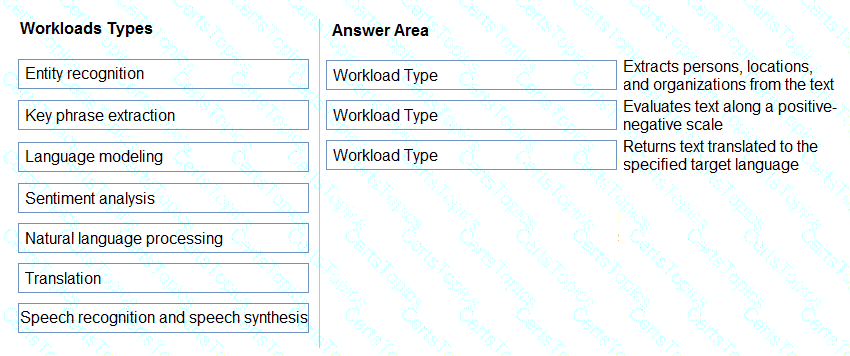

According to the Microsoft Azure AI Fundamentals (AI-900) official study guide and the Microsoft Learn module “Identify features of Natural Language Processing (NLP) workloads on Azure”, Azure Cognitive Services provides several text analytics and language understanding workloads that perform different types of language processing tasks. Each workload extracts specific information or performs distinct analysis operations on text data.
Entity Recognition → Extracts persons, locations, and organizations from the textEntity recognition is a feature of Azure Cognitive Service for Language (formerly Text Analytics). It identifies and categorizes named entities in unstructured text, such as people, organizations, locations, dates, and more. The study guide defines this workload as: “Entity recognition locates and classifies named entities in text into predefined categories.” This allows applications to extract structured information from raw text data—for example, identifying “Microsoft” as an organization and “Seattle” as a location.
Sentiment Analysis → Evaluates text along a positive–negative scaleSentiment analysis determines the emotional tone or opinion expressed in a piece of text. It classifies text as positive, negative, neutral, or mixed, which is widely used for social media monitoring, customer feedback, and product reviews. Microsoft’s official documentation describes it as: “Sentiment analysis evaluates text and returns a sentiment score indicating whether the sentiment is positive, negative, neutral, or mixed.”
Translation → Returns text translated to the specified target languageThe Translator service, part of Azure Cognitive Services, automatically translates text from one language to another. It supports multiple languages and provides near real-time translation. The AI-900 content specifies that “translation workloads are used to automatically translate text between languages using machine translation models.”
In summary:
Entity Recognition → Extracts entities like names and locations.
Sentiment Analysis → Determines emotional tone.
Translation → Converts text between languages.
✅ Final Answers:
Extracts persons, locations, and organizations → Entity recognition
Evaluates text along a positive–negative scale → Sentiment analysis
Returns text translated to the specified target language → Translation
Which Azure service can use the prebuilt receipt model in Azure Al Document Intelligence?
Azure Al Computer Vision
Azure Machine Learning
Azure Al Services
Azure Al Custom Vision
The prebuilt receipt model is part of Azure AI Document Intelligence (formerly Form Recognizer), which belongs to the broader Azure AI Services family. The prebuilt receipt model is designed to automatically extract key information such as merchant names, dates, totals, and tax amounts from receipts without requiring custom training.
Among the given options, C. Azure AI Services is correct because it encompasses all cognitive AI capabilities—vision, language, speech, and document processing. Specifically, Azure AI Document Intelligence is included within Azure AI Services and provides both prebuilt and custom models for processing invoices, receipts, business cards, and identity documents.
Options A (Computer Vision) and D (Custom Vision) are image-based services, not form-processing tools. Option B (Azure Machine Learning) focuses on building custom predictive models, not using prebuilt document models.
Therefore, the correct answer is C. Azure AI Services, which includes the prebuilt receipt model in Document Intelligence.
You have an Internet of Things (loT) device that monitors engine temperature.
The device generates an alert if the engine temperature deviates from expected norms.
Which type of Al workload does the device represent?
natural language processing (NLP)
computer vision
anomaly detection
knowledge mining
According to the Microsoft Azure AI Fundamentals (AI-900) Official Study Guide and the Microsoft Learn module “Explore fundamental principles of machine learning,” anomaly detection is a machine learning workload used to identify data points or patterns that deviate significantly from expected behavior.
In this scenario, the IoT device monitors engine temperature and generates alerts when the readings deviate from normal operating ranges. This directly matches the definition of anomaly detection, where the AI system learns what “normal” looks like and identifies outliers or abnormal conditions that may indicate potential issues.
Common real-world uses of anomaly detection include:
Detecting equipment malfunctions or overheating in IoT systems.
Identifying fraudulent transactions in finance.
Detecting unusual spikes or drops in system metrics (e.g., temperature, traffic, or pressure).
Other options are incorrect:
A. NLP (Natural Language Processing): Focuses on understanding and interpreting human language, not sensor data.
B. Computer Vision: Involves analyzing images or videos, which is unrelated to temperature data.
D. Knowledge Mining: Refers to extracting information from large document stores, not identifying abnormal readings.
Select the answer that correctly completes the sentence

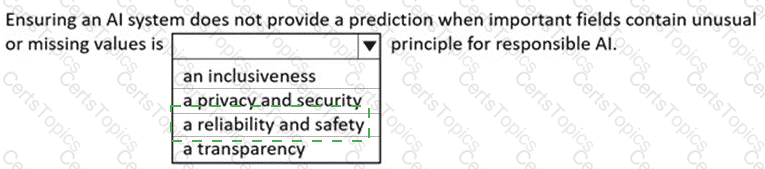

According to the Microsoft Azure AI Fundamentals (AI-900) official study guide and Microsoft Learn module “Identify features of Computer Vision workloads on Azure”, Object Detection is a specific computer vision capability used to identify and locate multiple types of objects within a single image. Unlike image classification, which assigns one label to an entire image, object detection identifies individual objects, their categories, and their positions using bounding boxes or polygons.
In practical terms, Object Detection combines two key outputs:
Classification – recognizing what the object is (for example, “car”, “person”, “dog”).
Localization – determining where the object appears in the image by drawing bounding boxes around it.
This technology is commonly used in scenarios such as traffic monitoring (detecting vehicles and pedestrians), retail shelf analysis (detecting products and inventory levels), and manufacturing quality control (identifying defective parts).
Microsoft’s Azure Cognitive Services – Custom Vision includes a dedicated Object Detection domain, which allows developers to train custom models to recognize multiple object types within a single image. The service uses deep learning techniques, particularly convolutional neural networks (CNNs), to process pixel patterns and spatial relationships for accurate detection.
For contrast:
Image Classification identifies only the overall category of an image (e.g., “This is a cat”).
Image Description generates captions summarizing the visual content (e.g., “A cat sitting on a couch”).
Optical Character Recognition (OCR) detects and extracts text from images, not physical objects.
Therefore, per the official AI-900 learning content and Azure documentation, when the goal is to identify multiple types of items within a single image, the correct AI workload is Object Detection.
What is the maximum image size that can be processed by using the prebuilt receipt model in Azure Al Document Intelligence?
5 MB
10MB
50 MB
100 MB
For each of the following statements, select Yes if the statement is true. Otherwise, select No.
NOTE; Each correct selection is worth one point.
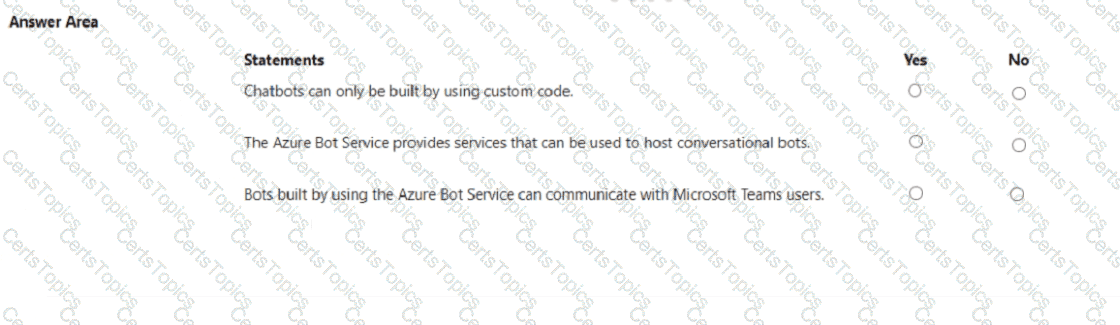

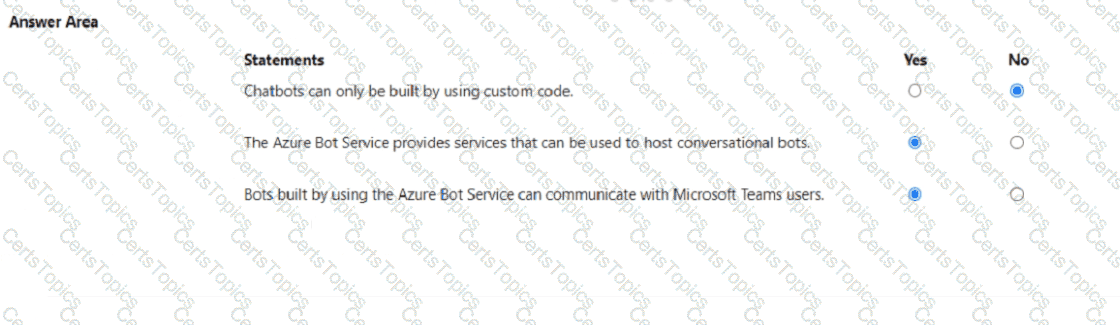
According to the Microsoft Azure AI Fundamentals (AI-900) official study materials and the Microsoft Learn module: “Describe features of common AI workloads”, conversational AI solutions like chatbots can be created using various methods—not only through custom code. Azure provides both no- code/low-code and developer-focused approaches. For instance, users can design chatbots using Power Virtual Agents, which requires no programming knowledge, or they can use Azure Bot Service with the Bot Framework SDK for fully customized scenarios. Hence, the statement “Chatbots can only be built by using custom code” is False (No) because Azure supports multiple levels of technical involvement for building bots.
The second statement is True (Yes) because the Azure Bot Service is designed specifically to host, manage, and connect conversational bots to users across different channels. Microsoft Learn explicitly explains that the service provides integrated hosting, connection management, and telemetry for bots built using the Bot Framework or Power Virtual Agents. It acts as the foundation for deploying, scaling, and managing chatbot workloads in Azure.
The third statement is also True (Yes) because Azure Bot Service supports integration with Microsoft Teams, among many other channels such as Skype, Facebook Messenger, Slack, and web chat. Microsoft documentation states that Azure-hosted bots can communicate directly with Teams users through the Teams channel, enabling intelligent virtual assistants within the Teams environment.
Copyright © 2021-2026 CertsTopics. All Rights Reserved
