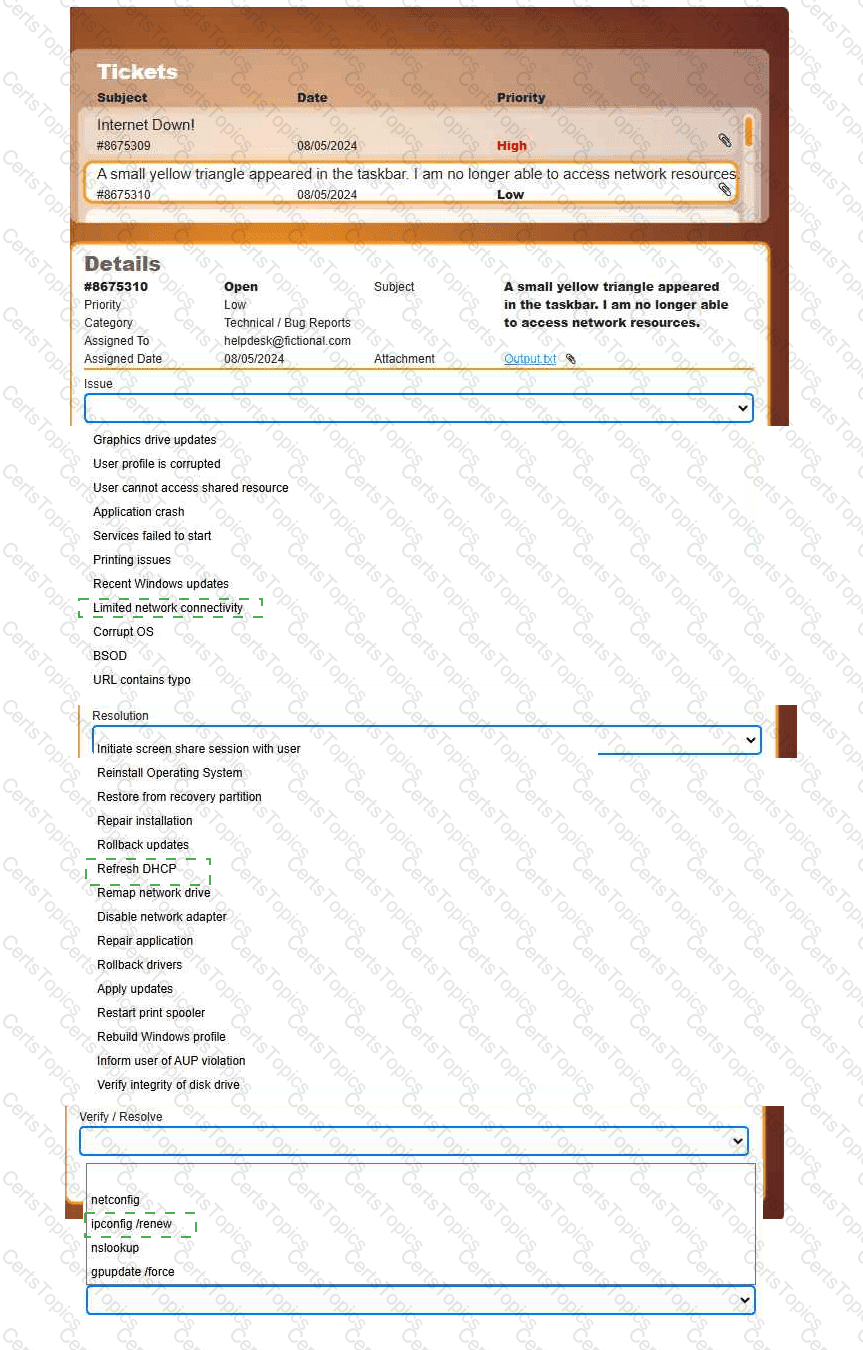
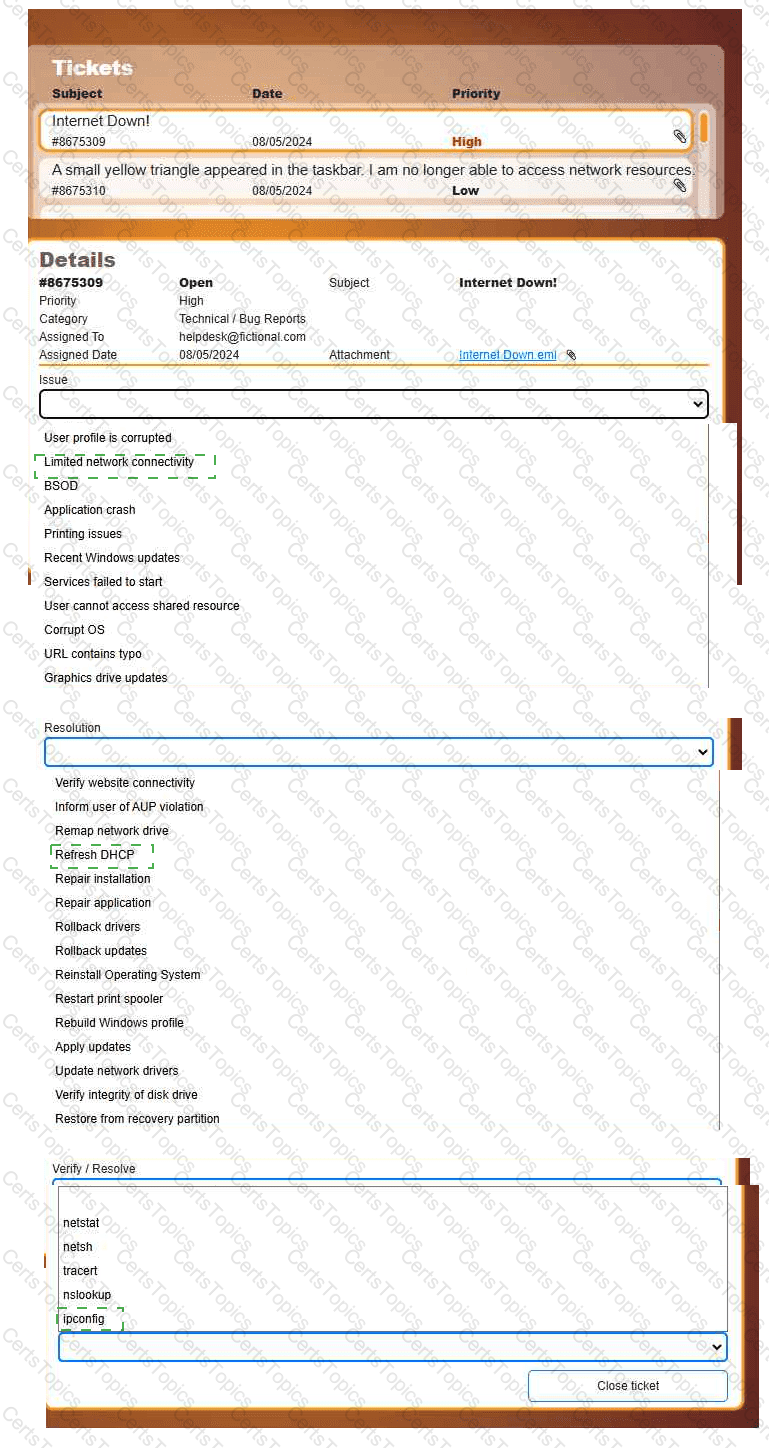
Welcome to your first day as a Fictional Company, LLC helpdesk employee. Please work the tickets in your helpdesk ticket queue.
INSTRUCTIONS
Click on individual tickets to see the ticket details, and view applicable attachments to
determine the problem.
Select the appropriate issue from the ' Issue ' drop-down menu. Then, select the most
efficient resolution from the ' Resolution ' drop-down menu. Finally, select the proper
command or verification to remediate or confirm your fix of the issue from the
' Verify/Resolve ' drop-down menu.

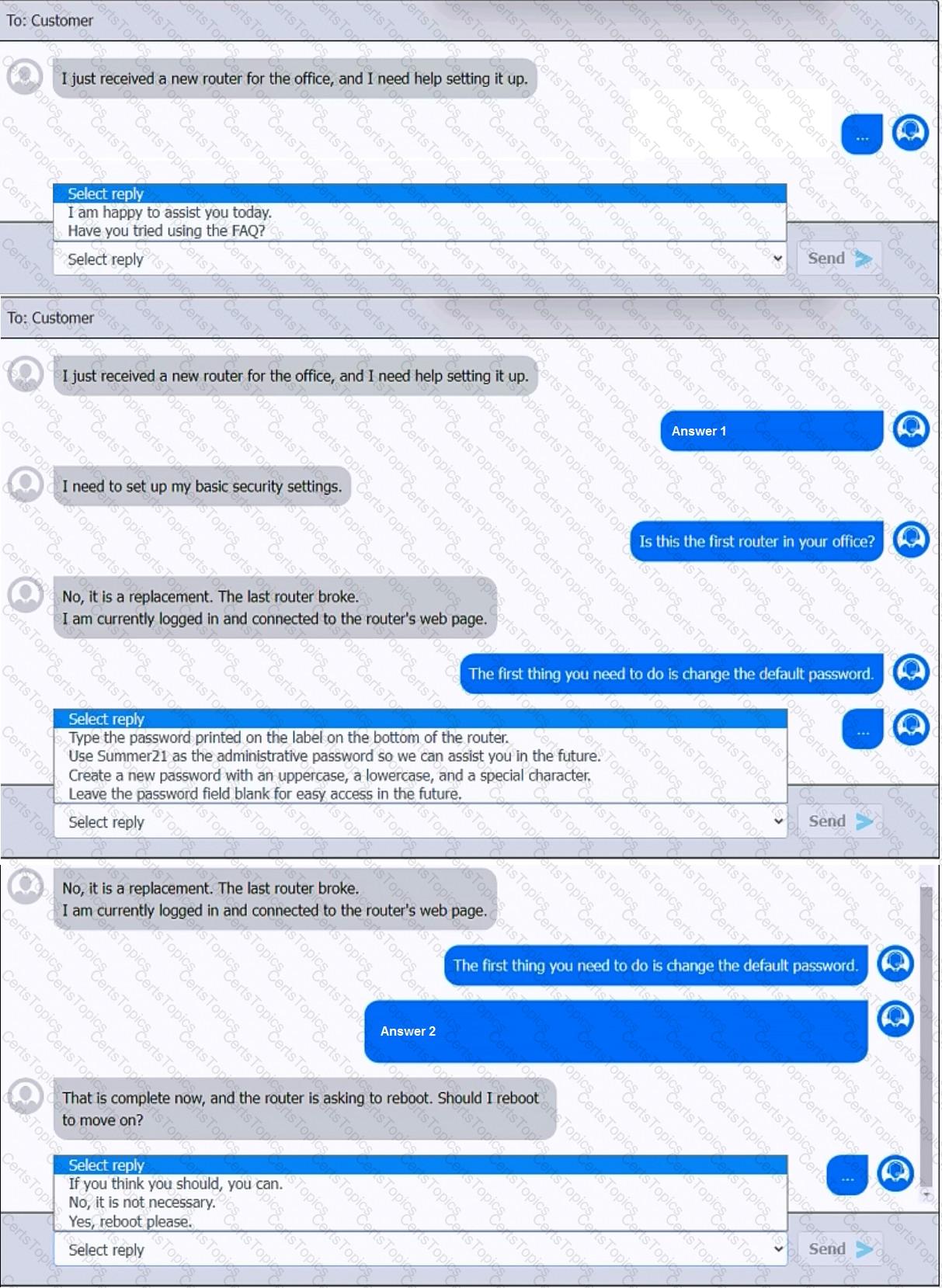
You have been contacted through the help desk chat application. A user is setting up a replacement SOHO router. Assist the user with setting up the router.
INSTRUCTIONS
Select the most appropriate statement for each response. Click the send button after each response to continue the chat.
If at any time you would like to bring back the initial state of the simulation, please click the Reset All button.
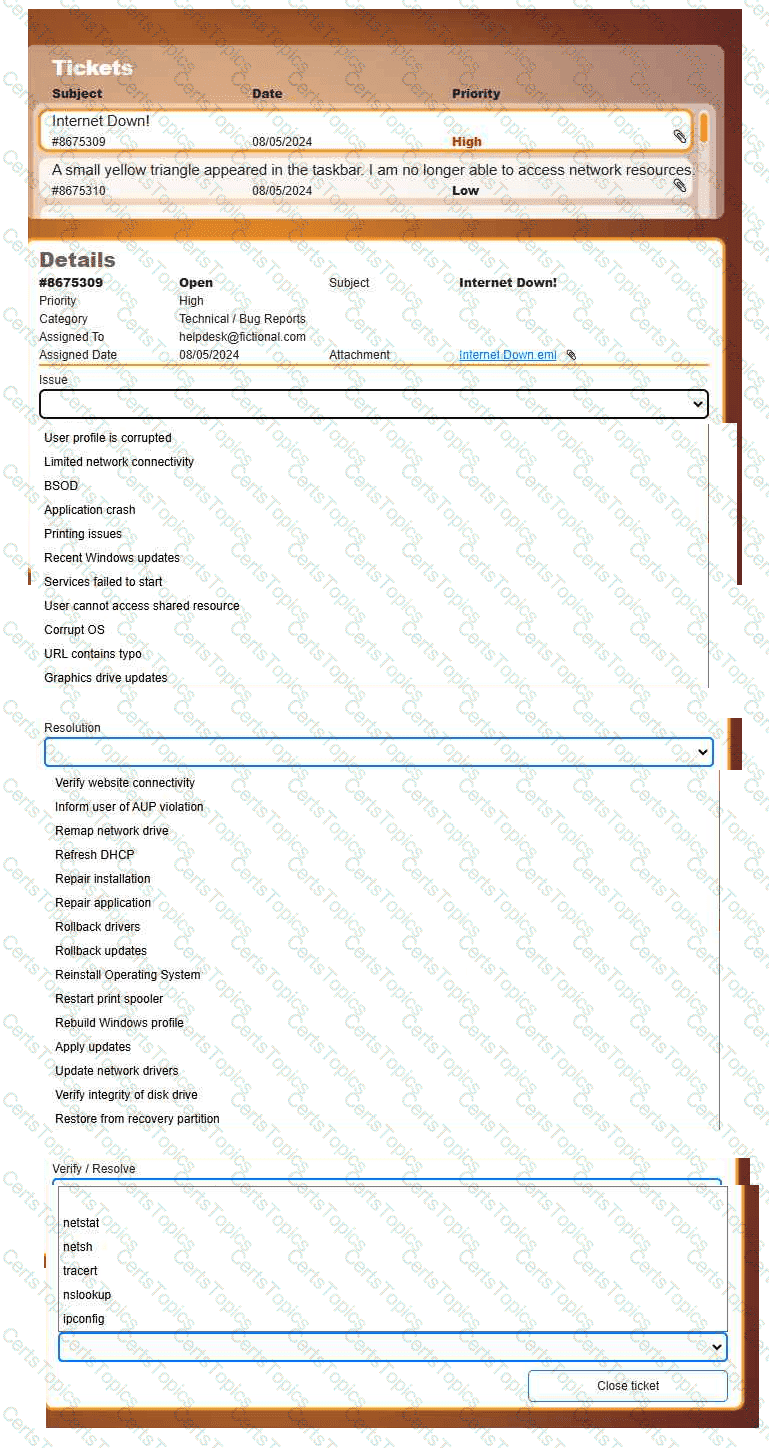
Welcome to your first day as a Fictional Company, LLC helpdesk employee. Please work the tickets in your helpdesk ticket queue.
INSTRUCTIONS
Click on individual tickets to see the ticket details, and view applicable attachments to
determine the problem.
Select the appropriate issue from the ' Issue ' drop-down menu. Then, select the most
efficient resolution from the ' Resolution ' drop-down menu. Finally, select the proper
command or verification to remediate or confirm your fix of the issue from the
' Verify/Resolve ' drop-down menu.
A technician wants to prevent electrical damage while disassembling a device. The technician turns off the device. Which of the following should the technician do next?
Copyright © 2021-2026 CertsTopics. All Rights Reserved