An administrator is presented with the following scenario:
• 20 TB of additional storage is being requested by a VM application owner.
• The application has high CPU/Memory requirements that can only be satisfied by the current cluster the application runs in.
• The application has high IOPS and bandwidth requirements to run properly.
• The existing vSAN cluster only has 10 TB of unused capacity.
• The hosts in the cluster have no additional NVMe slots left.
• The administrator does not have permission to purchase additional hosts or re-assign hosts from other vSAN clusters.
• Other vSAN clusters exist in the environment that can satisfy the requirement.
Which vSAN feature should be used to fulfill this scenario?
An architect is designing a vSAN Original Storage Architecture (OSA) cluster for a VMware Cloud Foundation (VCF) Management Domain. The following details were made available:
• 12 hosts, each host with: 3 x 800 GB NVMe (cache) and 12 x 3.84 TB SAS SSD (capacity).
• Planned configuration: 3 disk groups per host (1 NVMe + 4 SSD each).
• Storage policy: FTT = 2 (RAID-1), Checksum. Deduplication and Compression are Enabled.
• Network: 25 GbE dedicated vSAN network fabric, properly configured for jumbo frames.
After deployment and loading test data to 70% capacity, the operations team reported extended resync times when two hosts are placed into maintenance mode with “Ensure Accessibility” selected and no hardware or network bottlenecks were detected.
How can the administrator explain the observed behavior?
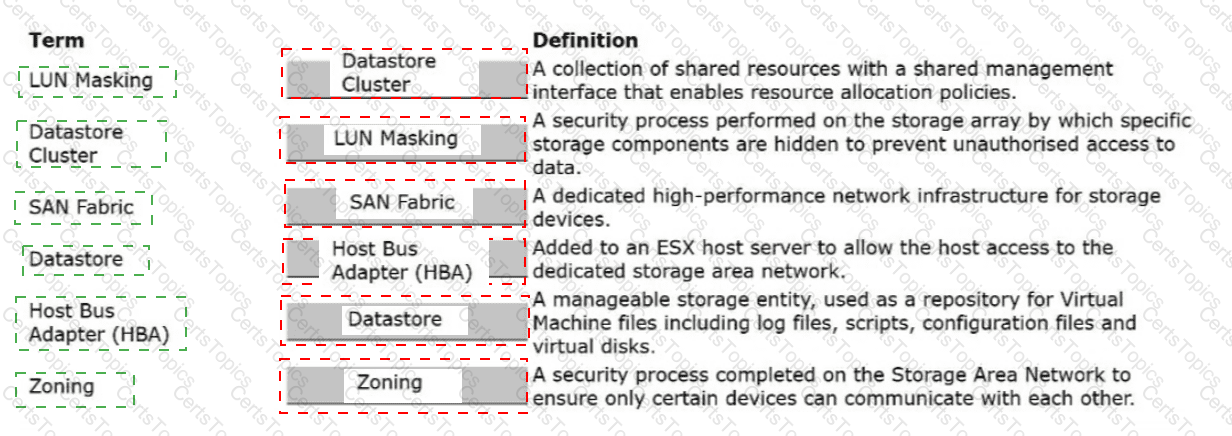
An administrator is responsible for a VMware Cloud Foundation (VCF) Private Cloud and has been tasked with identifying and explaining the different Fibre Channel (FC) Storage Area Network (SAN) components within a VCF Workload Domain cluster.
Drag and drop the correct Term onto its matching Definition.

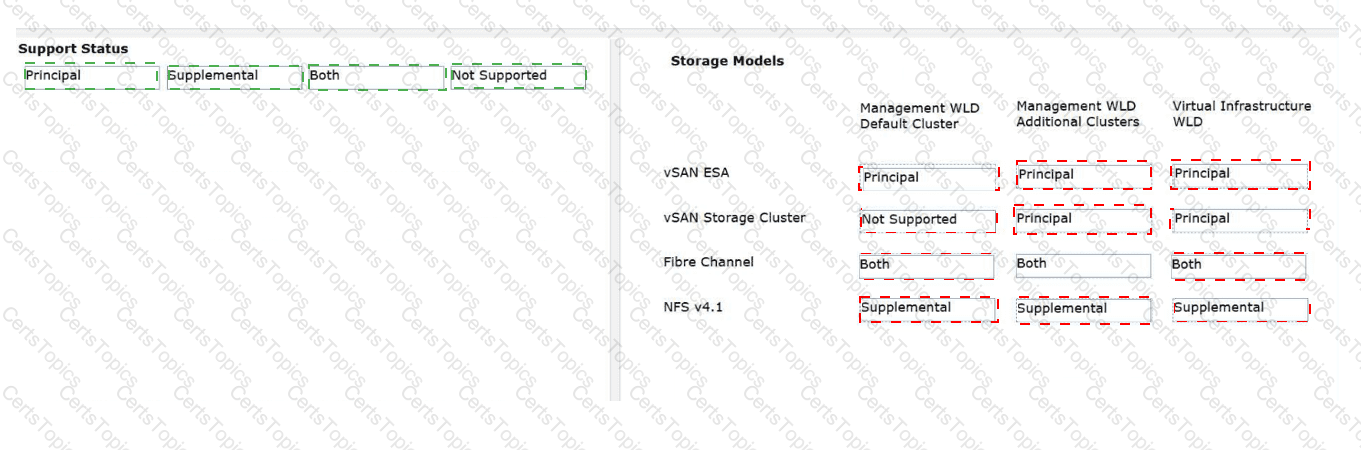
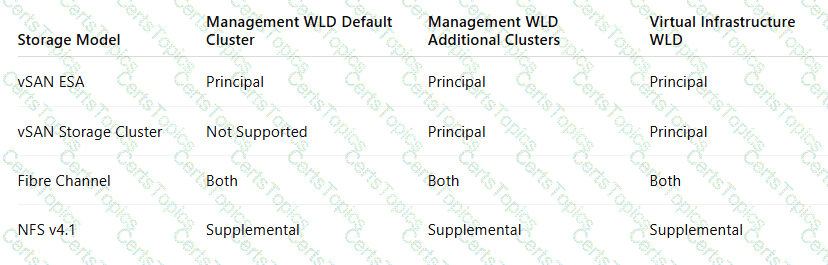
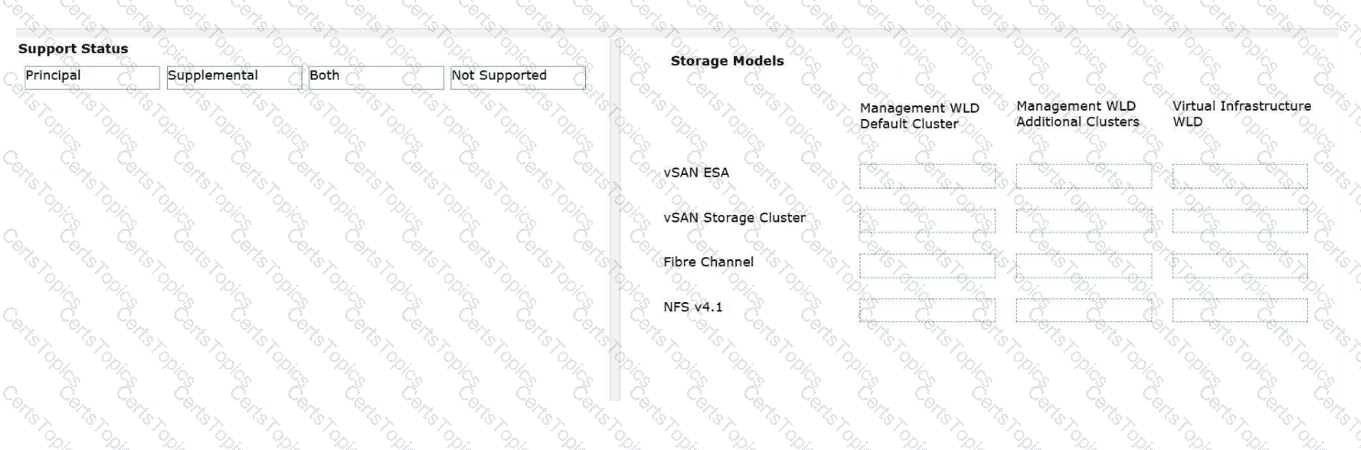
An architect is describing the for a client which storage platforms are supported in which types of Domains for automated installation in VMware Cloud Foundation (VCF) Private Clouds.
Drag and drop the Support Status of each storage model on the left to each type of Workload Domain on the right.
Copyright © 2021-2026 CertsTopics. All Rights Reserved