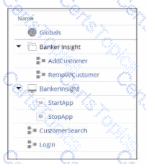
You create a RcboticBanking project containing a Bankerlnsight application, two automations (AddCustomer and RemoveCustomer). and two Bankerlnslght's application methods (CustomerSearch and Login).
Which option shows the Project explorer with the content defined above7
A)
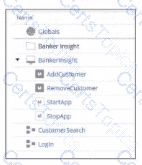
B)
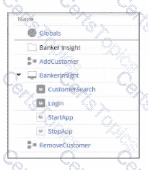
C)
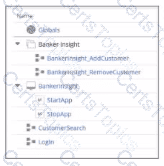
D)
Which two statements about Label/Jump To functionality are true? (Choose Two)
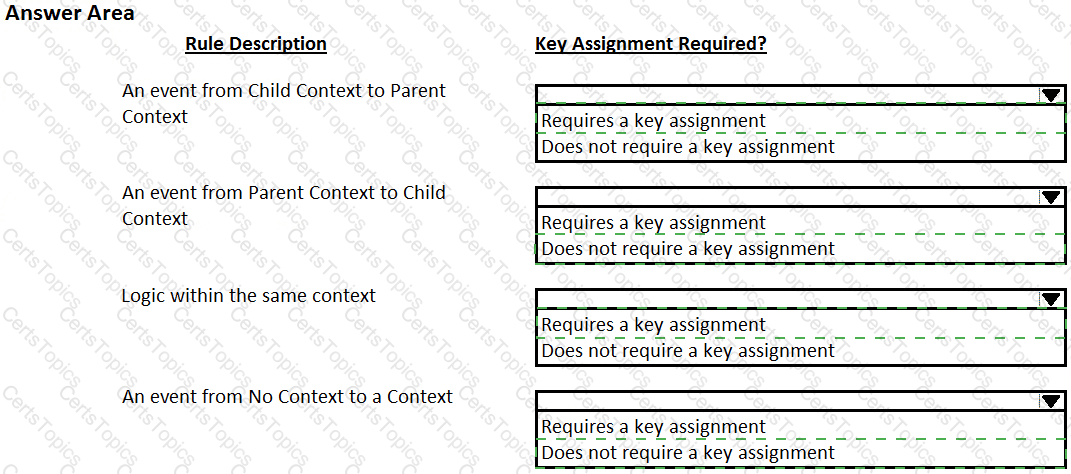
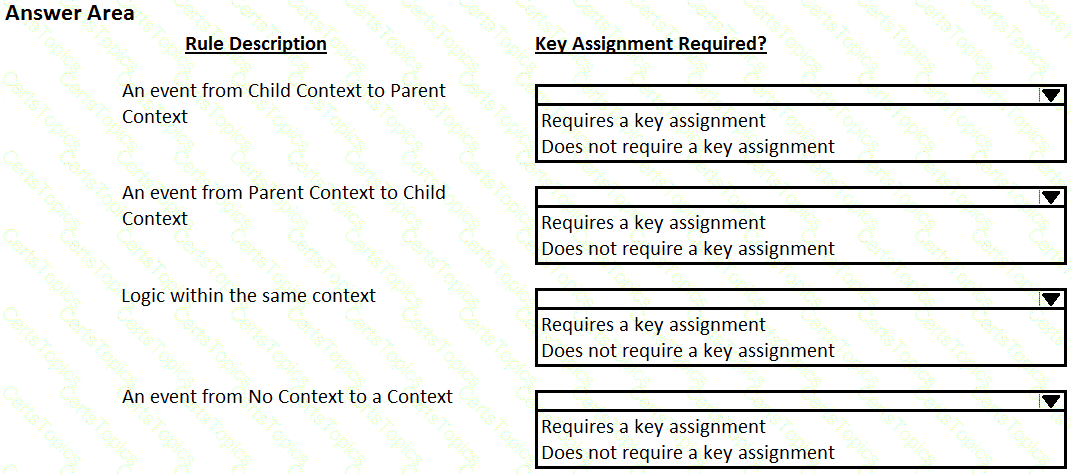
Pega Robot Studio provides five rules on how to differentiate between cloneable application objects when using key assignments in automations. The first rule states that an event creates the instance to set the context of a cloneable object. The remaining four rules state the requirements for a key assignment.
In the Answer Area, determine if each rule description requires a key assignment.
While interrogating a web application, you come across a hidden menu item: AddressType. The AddressType menu item activates when the pointer hovers over the control; the menu displays a drop-down list.
How do you interrogate this hidden drop-down list control?
Copyright © 2021-2026 CertsTopics. All Rights Reserved