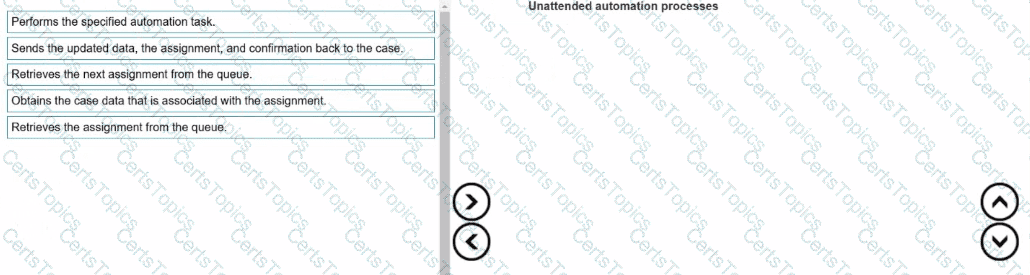
Retrieves the assignment from the queue.
Obtains the case data that is associated with the assignment.
Performs the specified automation task.
Sends the updated data, the assignment, and confirmation back to the case.
Retrieves the next assignment from the queue.
Unattended automations (also known as Robotic Process Automation (RPA)) are designed to work without human intervention. These automations process assignments or cases that are queued by Pega Platform and retrieved by robots through the Pega Robot Manager service.
According to the Pega Robotics System Design and Implementation Guide, in the section “Unattended Automation Workflow and Queue Processing”, the following sequence defines how an unattended robot processes a work item:
“1. The robot retrieves an assignment from the work queue managed by Pega Robot Manager.
2. The robot then requests the case data associated with the assignment, which contains the necessary contextual information.
3. The robot performs the defined automation tasks within the target applications using the case data as input.
4. Upon completion, the robot updates the case, returns the assignment results, and confirms the completion to Pega Platform.
5. The robot then retrieves the next available assignment from the queue to continue processing.”
Detailed Step Reasoning:
Retrieves the assignment from the queue — The robot begins by pulling a new assignment from the Pega Platform work queue through the Robot Manager interface.
Obtains the case data that is associated with the assignment — After assignment retrieval, the robot obtains the case data (for example, customer details or transaction info) from the platform.
Performs the specified automation task — The robot executes the defined automation using the fetched data, interacting with the necessary enterprise applications.
Sends the updated data, the assignment, and confirmation back to the case — Once the task is complete, the robot posts the results and completion confirmation back to Pega Platform.
Retrieves the next assignment from the queue — The cycle repeats as the robot moves to the next queued case or assignment.
This structured loop ensures consistent, unattended case handling by robotic workers, maintaining synchronization between Pega Platform and the robotic runtime environment.
Final Correct Order:
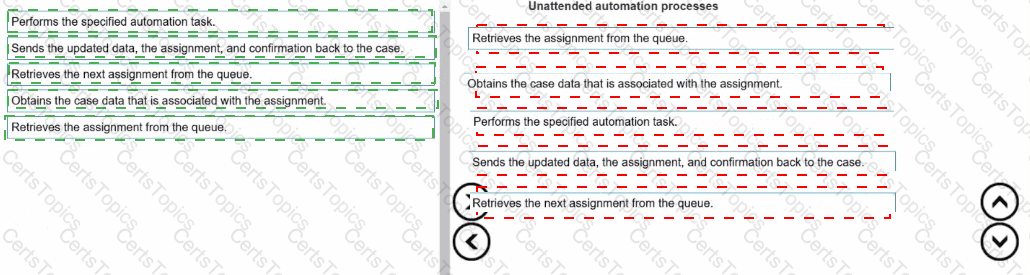
Retrieves the assignment from the queue.
Obtains the case data that is associated with the assignment.
Performs the specified automation task.
Sends the updated data, the assignment, and confirmation back to the case.
Retrieves the next assignment from the queue.
[Reference:Extracted and verified from Pega Robotics System Design and Implementation Guide, Unattended Automations – Queue Processing and Workflow Lifecycle section (Pega Robotics 19.1 and later)., ]