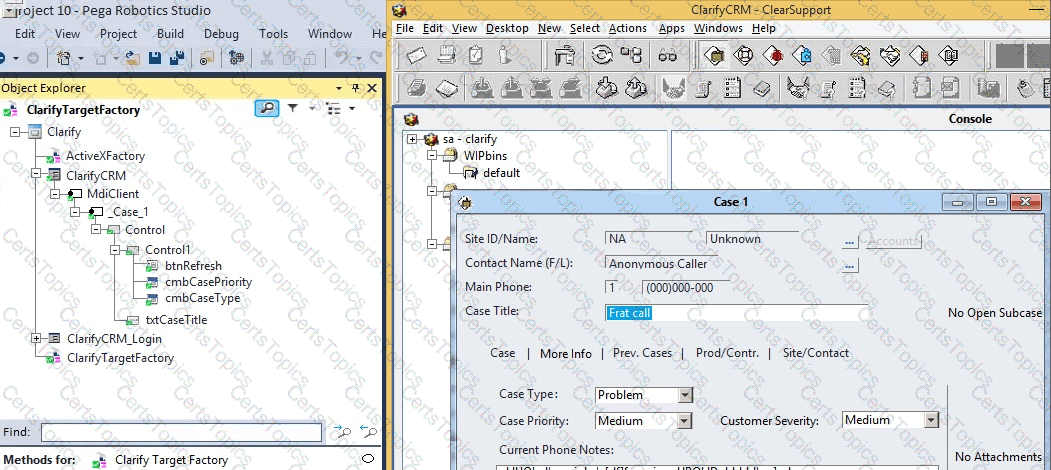
During application discovery of a Clarify application, you determine that the user accesses more than one customer case concurrently within the application, which creates multiple windows of the same type. This requires you to enable the UseKeys property on an application’s object.
Based on the image that shows the application and the matched controls in the Object Explorer, which control’s UseKeys property must be set to True?
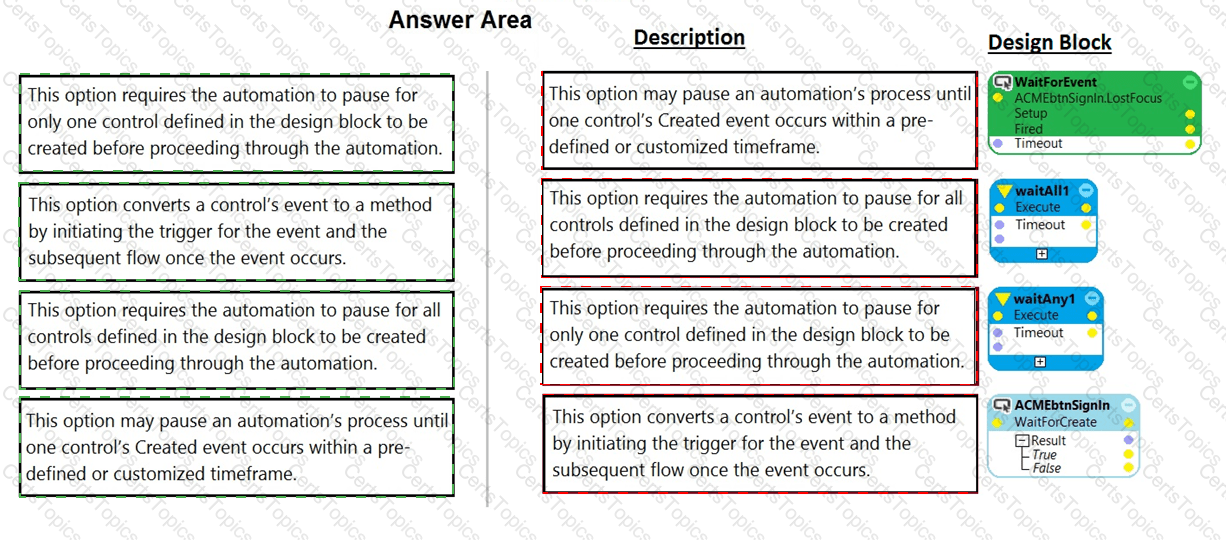
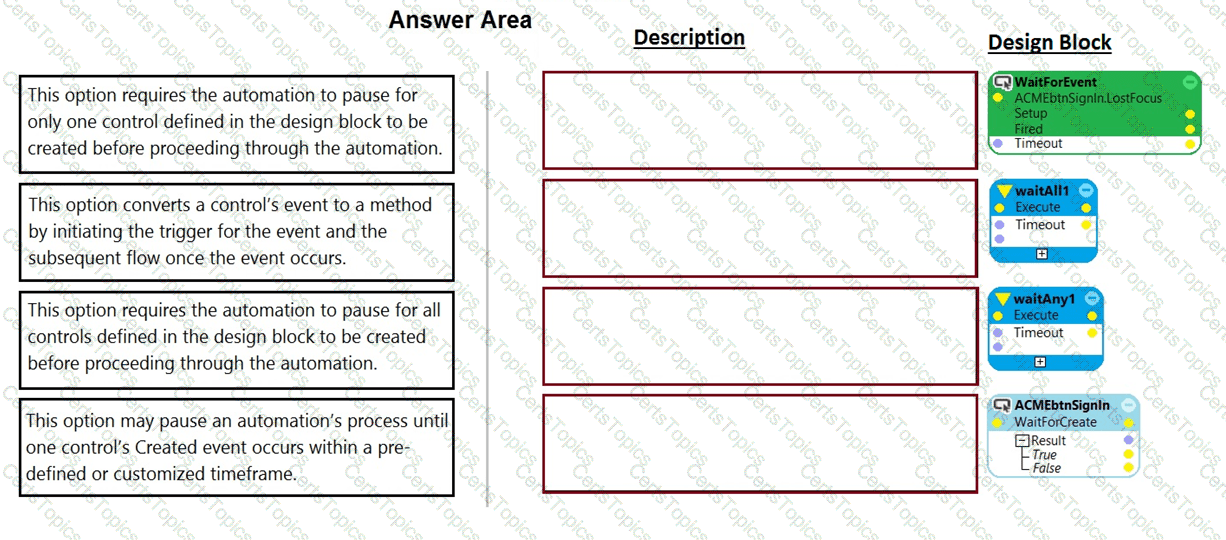
Pega Robot Studio has several methods to manage the flow of an automation depending on when a control is matched.
In the Answer Area, drag the description on the left to its matching Design Block.
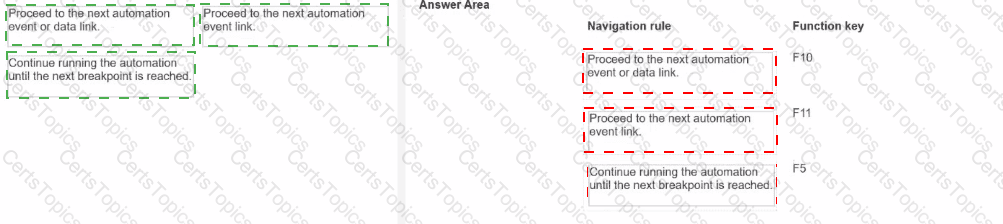
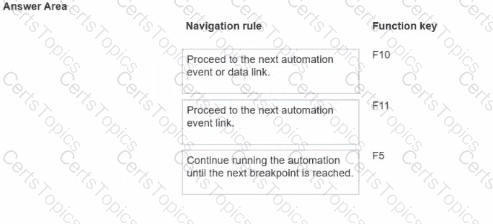
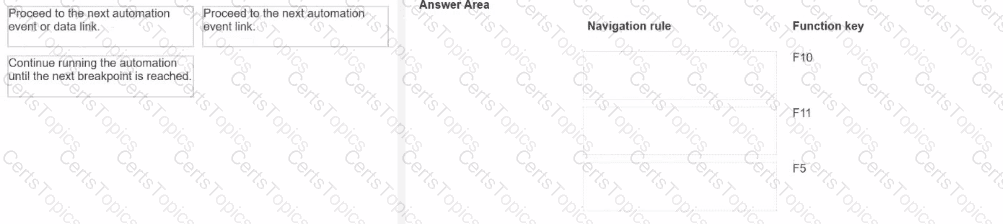
When you debug an automation, you have three function keys to use for navigating the breakpoints. Drag each navigation rule on the left to the box next to the correct function key on the right.
You interrogated a page using Create Global Web Page with the title:
Customer: B Norton| Financial ABC Application
During debugging of an automation using the interrogated web page, you ran the first test using the account B Norton. On the second test, you used S Whitfield. The second debugging failed. After checking the matching of the controls, you recognize the issue.
How do you correct the matching issue?
Copyright © 2021-2026 CertsTopics. All Rights Reserved