
Refer to the exhibits.
You use FortiManager to configure SD-WAN on three branch devices.

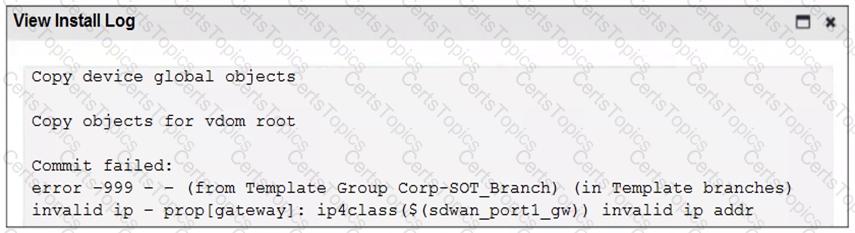
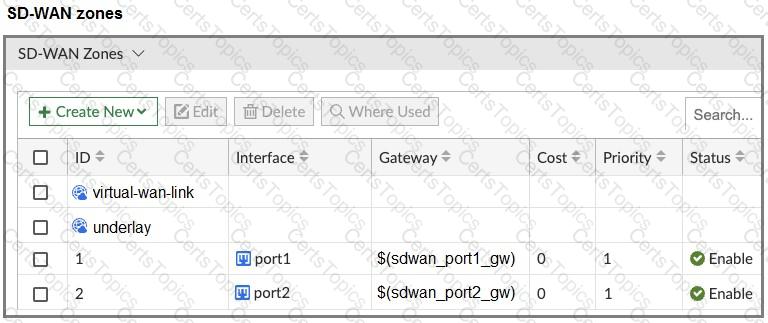
When you install the device settings, FortiManager prompts you with the error “Copy Failed” for the device branch1_fgt. When you click the log button, FortiManager displays the message shown in the exhibit.
There are two different ways to resolve this issue. Based on the exhibits, which methods could you use? (Choose two.)
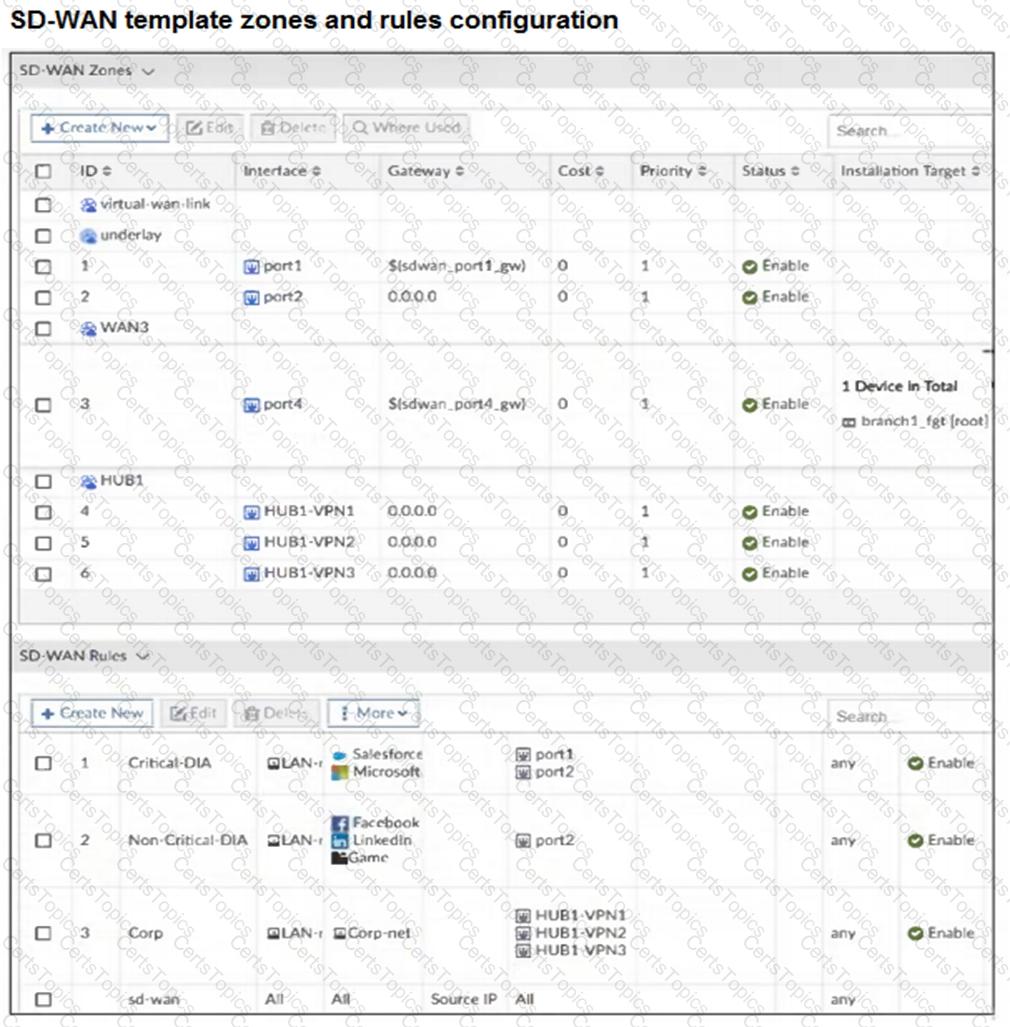
The FortiGate devices are managed by ForliManager, and are configured for direct internet access (DIA). You confirm that DIA is working as expected for each branch, and check the SD-WAN zone configuration and firewall policies shown in the exhibits.


Then, you use the SD-WAN overlay template to configure the IPsec overlay tunnels. You create the associated SD-WAN rules to connect existing branches to the company hub device and apply the changes on the branches.
After those changes, users complain that they lost internet access. DIA is no longer working.
Based on the exhibit, which statement best describes the possible root cause of this issue?
You configured an SD-WAN rule with the best quality strategy and selected the predefined health check, Default_FortiGuard, to check the link performances against FortiGuard servers.
For the quality criteria, you selected Custom-profile-1.
Which factors does FortiGate use, and in which order. to determine the link that it should use to steer the traffic?
(Refer to the exhibits.

Two SD-WAN event logs, the member status, the SD-WAN rule configuration, and the health-check configuration for a FortiGate device are shown.
Immediately after the log messages are displayed, how will the FortiGate steer the traffic based on the information shown in the exhibits? Choose one answer.)
Copyright © 2021-2026 CertsTopics. All Rights Reserved
