Power Up Your Study Prep: Black Friday 75% Discount! Use coupon code below to save! - Ends in 0d 00h 00m 00s - Coupon code: big75certs

Cisco CCST-Networking Exam With Confidence Using Practice Dumps

Exam Code:
CCST-Networking
Exam Name:
Cisco Certified Support Technician (CCST) Networking Exam
Certification:
Vendor:
Questions:
40
Last Updated:
Nov 11, 2026
Exam Status:
Stable
Cisco CCST-Networking

CCST-Networking: CCST Exam 2025 Study Guide Pdf and Test Engine

Are you worried about passing the Cisco CCST-Networking (Cisco Certified Support Technician (CCST) Networking Exam) exam? Download the most recent Cisco CCST-Networking braindumps with answers that are 100% real. After downloading the Cisco CCST-Networking exam dumps training , you can receive 99 days of free updates, making this website one of the best options to save additional money. In order to help you prepare for the Cisco CCST-Networking exam questions and verified answers by IT certified experts, CertsTopics has put together a complete collection of dumps questions and answers. To help you prepare and pass the Cisco CCST-Networking exam on your first attempt, we have compiled actual exam questions and their answers. 

Our (Cisco Certified Support Technician (CCST) Networking Exam) Study Materials are designed to meet the needs of thousands of candidates globally. A free sample of the CompTIA CCST-Networking test is available at CertsTopics. Before purchasing it, you can also see the Cisco CCST-Networking practice exam demo.
Cisco Certified Support Technician (CCST) Networking Exam Questions and Answers

Question 1

Which address is included in the 192.168.200.0/24 network?

Options:

A.

192.168.199.13

B.

192.168.200.13

C.

192.168.201.13

D.

192.168.1.13

Buy Now
Question 2

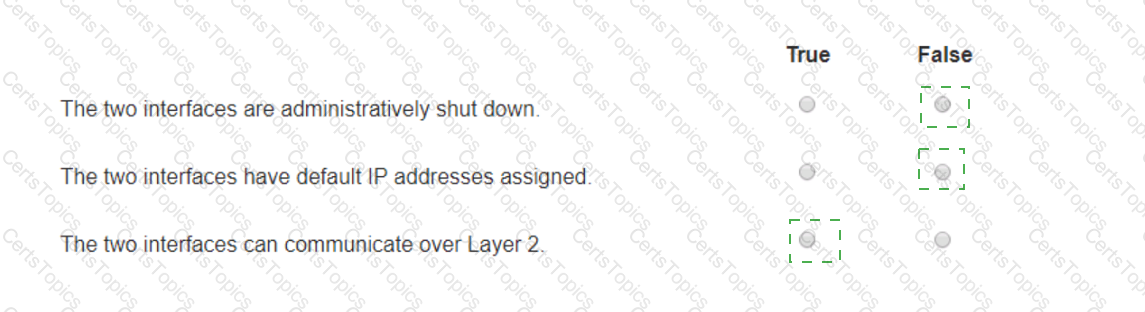
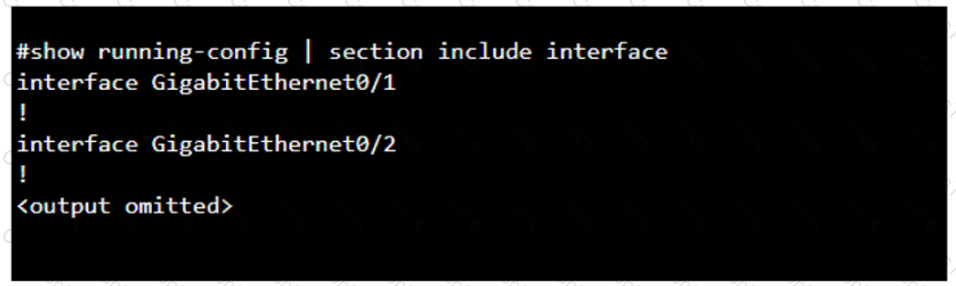
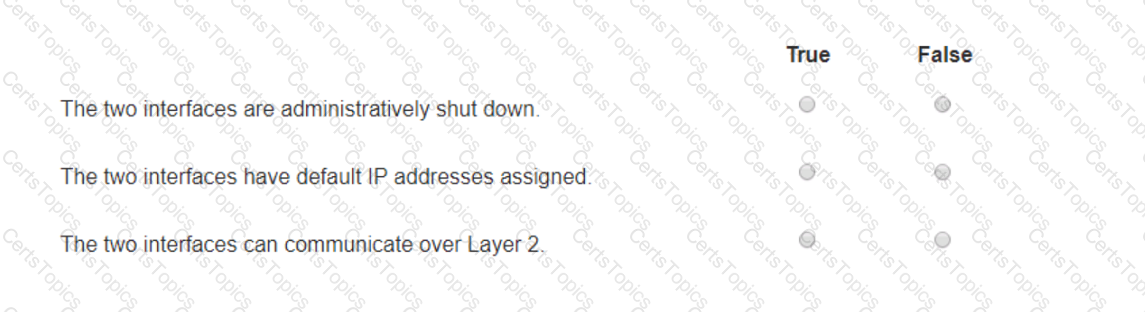
You purchase a new Cisco switch, turn it on, and connect to its console port. You then run the following command:

For each statement about the output, select True or False.

Note: You will receive partial credit for each correct selection.

Options:

Question 3

A support technician examines the front panel of a Cisco switch and sees 4 Ethernet cables connected in the first four ports. Ports 1, 2, and 3 have a green

LED. Port 4 has a blinking green light.

What is the state of the Port 4?

Options:

A.

Link is up with cable malfunctions.

B.

Link is up and not stable.

C.

Link is up and active.

D.

Link is up and there is no activity.