Pre-Summer Sale 70% Discount Offer - Ends in 0d 00h 00m 00s - Coupon code: save70

FCSS_EFW_AD-7.6 Reviews Questions

Fortinet NSE 7 - Enterprise Firewall 7.6 Administrator Questions and Answers

Question 17

Refer to the exhibit.

A physical topology along with a traffic log is shown. You are using FortiAnalyzer to monitor traffic from the device with IP address 10.0.2.51, which is located behind the FortiGate internal segmentation firewall (ISFW) device. Unified threat management (UTM) is not enabled in the firewall policy on the HQ-ISFW device, and you are surprised to see a log with the action Malware, as shown in the exhibit. What are two reasons why FortiAnalyzer would display this log? (Choose two answers)

Options:

A.

HQ-ISFW is not connected to FortiAnalyzer and traffic must go through HQ-NGFW-1.

B.

UTM is enabled in the firewall policy in HQ-NGFW-1.

C.

HQ-ISFW is in a Security Fabric environment.

D.

Security rating is enabled in HQ-ISFW.

Question 18

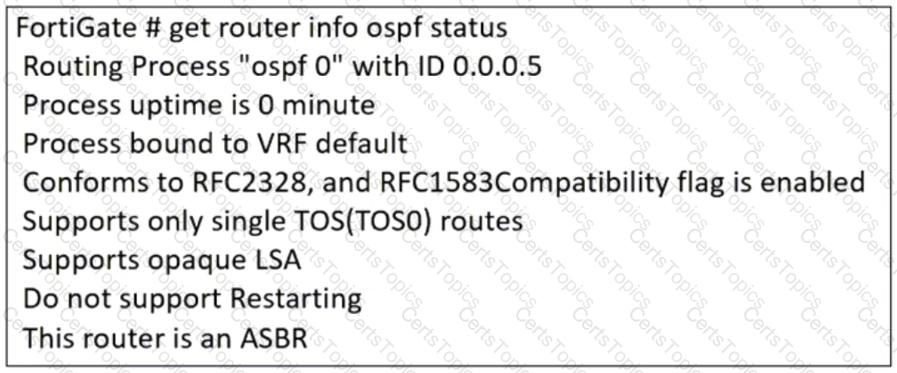
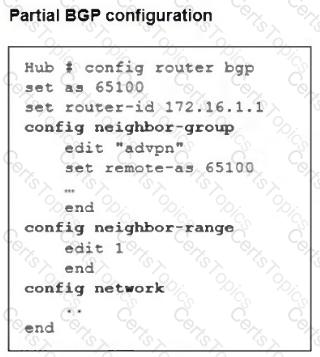
Refer to the exhibit, which contains a partial command output.

The administrator has configured BGP on FortiGate. The status of this new BGP configuration is shown in the exhibit.

What configuration must the administrator consider next?

Options:

A.

Configure a static route to 100.65.4.1.

B.

Configure the local AS to 65300.

C.

Contact the remote peer administrator to enable BGP

D.

Enable ebgp-enforce-multihop.

Question 19

Refer to the exhibit, which shows a command output.

FortiGate_A and FortiGate_B are members of an FGSP cluster in an enterprise network.

While testing the cluster using the ping command, the administrator monitors packet loss and found that the session output on FortiGate_B is as shown in the exhibit.

What could be the cause of this output on FortiGate_B?

Options:

A.

The session synchronization is encrypted.

B.

session-pickup-connectionless is set to disable on FortiGate_B.

C.

FortiGate_B is configured in passive mode.

D.

FortiGate_A and FortiGate_B have the same standalone-group-id value.

Question 20

An organization ' s guest Internet policy, operating in proxy mode, blocks access to artificial intelligence technology sites using FortiGuard. However, a guest user accessed a page in this category using port 8443.

Which configuration change must you make for FortiGate to analyze HTTPS traffic on nonstandard ports like 8443, when full SSL inspection is active in the guest policy?

Options:

A.

Block traffic on nonstandard ports by enabling server certificate SNI check in the SSL/SSH inspection profile.

B.

Enable network protocol enforcement for port 8443 with the protocol HTTPS in FortiGuard application control.

C.

Enter 443, 8443 to analyze both standard (443) and non-standard (8443) HTTPS ports in the protocol port mapping section of the SSL/SSH inspection profile.

D.

Block untrusted SSL certificates in the SSL/SSH inspection profile.