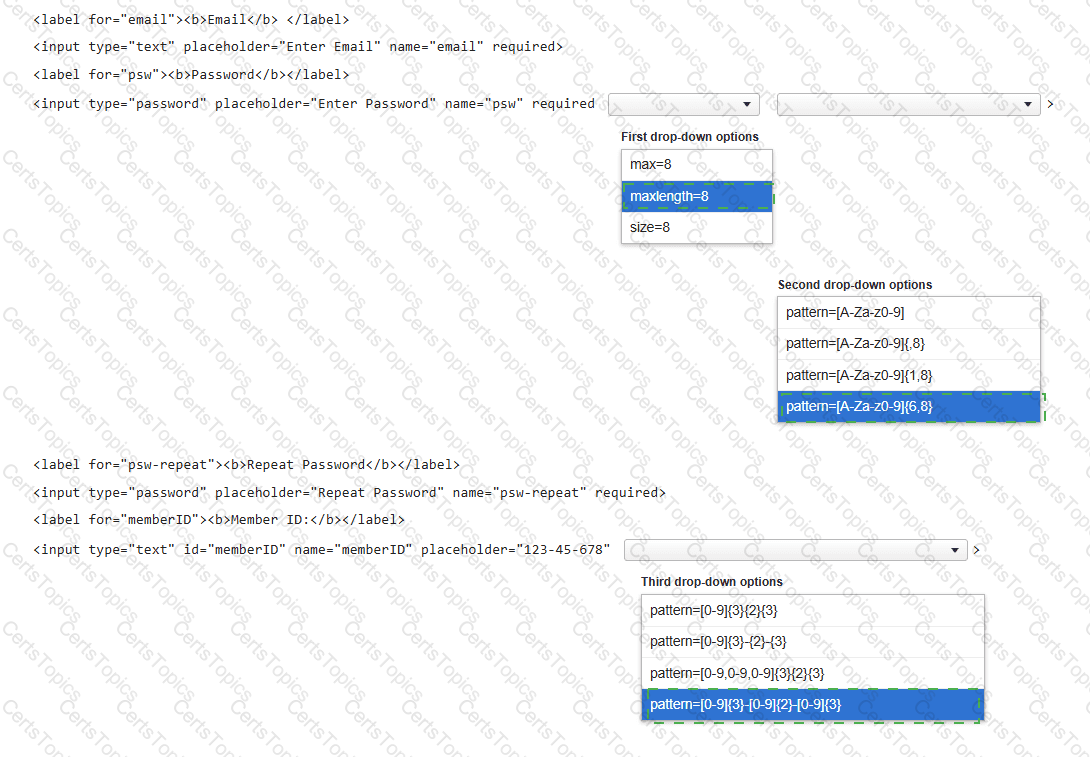
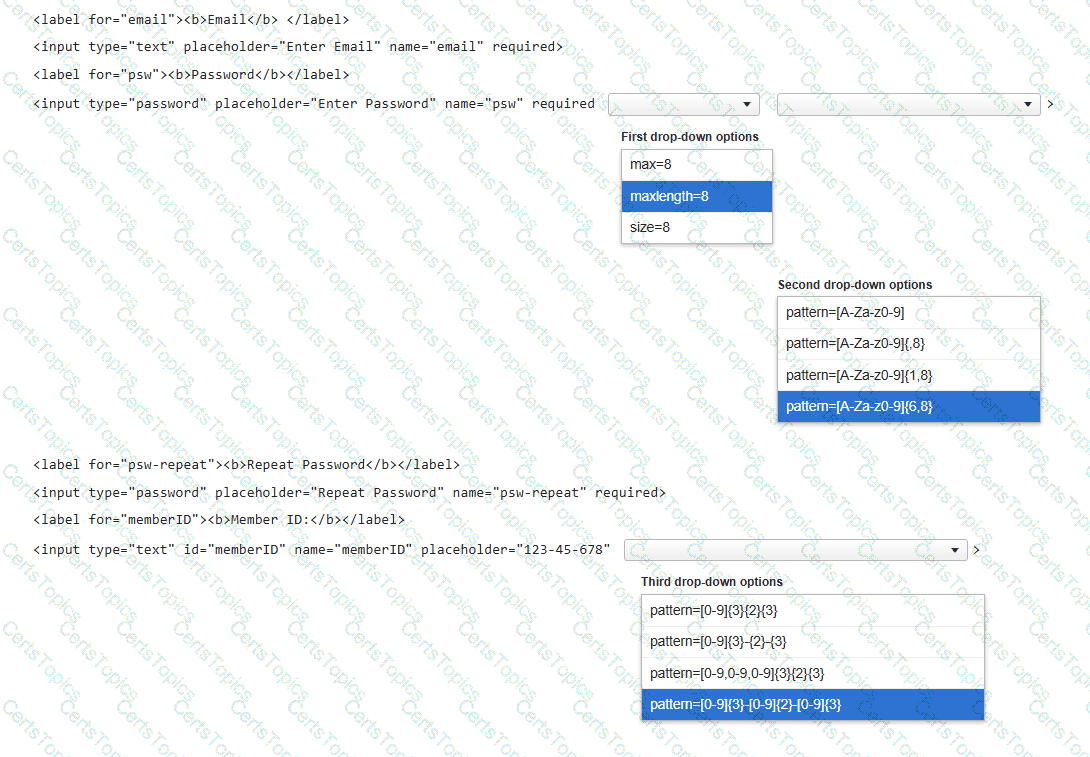
You need to complete the code for a registration form that must meet the following criteria:
• The Password must be 6–8 characters long and use only letters and numbers.
• The Member ID must follow the pattern ###-##-###.
Complete the markup by selecting the correct option from each drop-down list.
Note: You will receive partial credit for each correct selection.
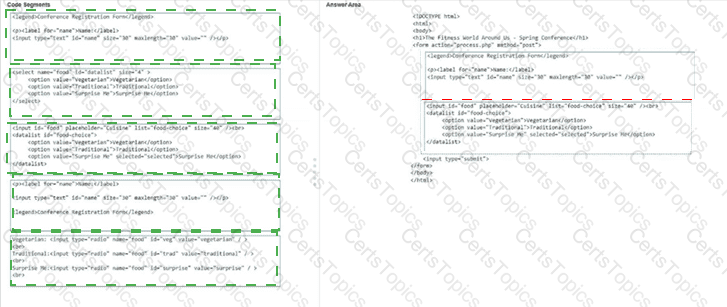
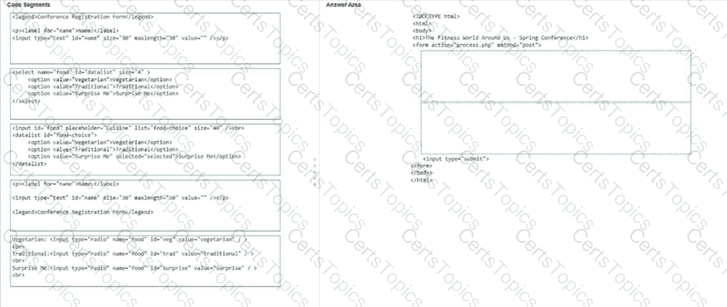
You are creating a dietary request form for an upcoming conference. The form must include the following elements:
• The title " Conference Registration Form "
• A Name input field for the attendee ' s name
• A list of food options the attendee can select by using the mouse or typing
Complete the code by moving the appropriate code segments from the list on the left to the correct locations on the right. You may use each code segment once, more than once, or not at all.
Note: You will receive partial credit for each correct response.
You create an interface for a touch-enabled application. Some input buttons do not trigger when tapped. What are two possible causes?
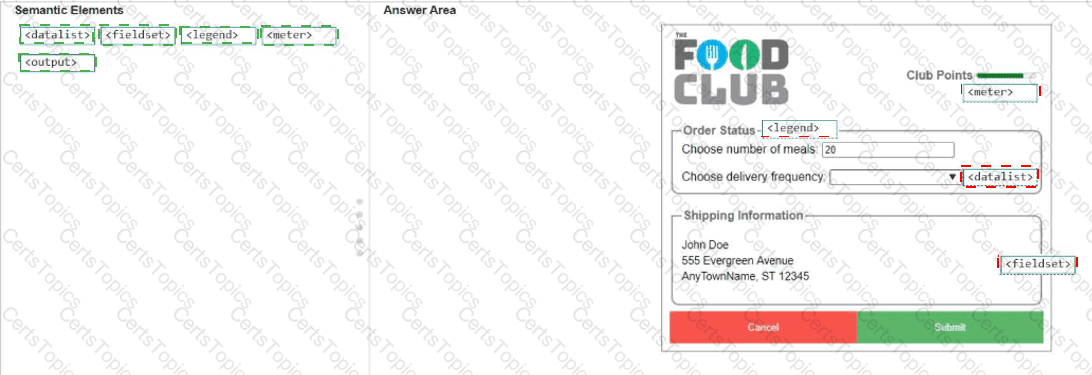
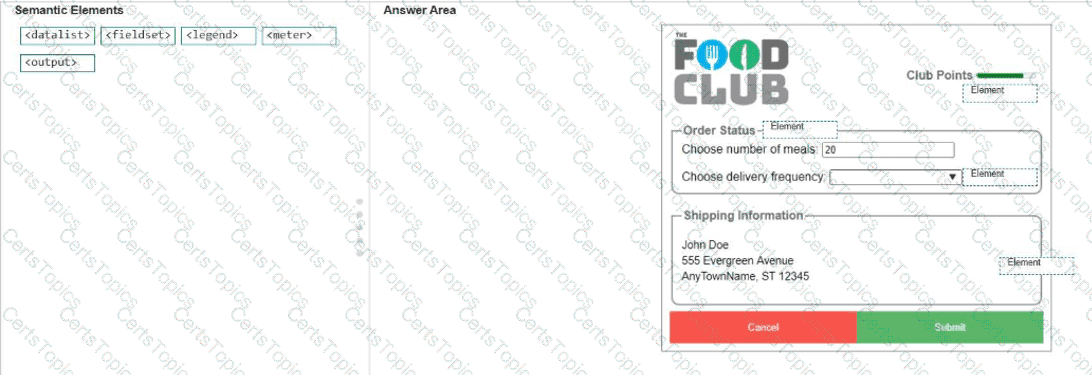
You need to identify the form elements.
Move the appropriate semantic elements from the list on the left to the correct locations on the right.
Note: You will receive partial credit for each correct response.
Review the grid container requirements and mockup on the left. Which markup should you use to define the grid container?
The ctx variable is the context of an HTML5 canvas object. What does the following HTML markup draw?
ctx.arc(x, y, r, 0, Math.PI, true);
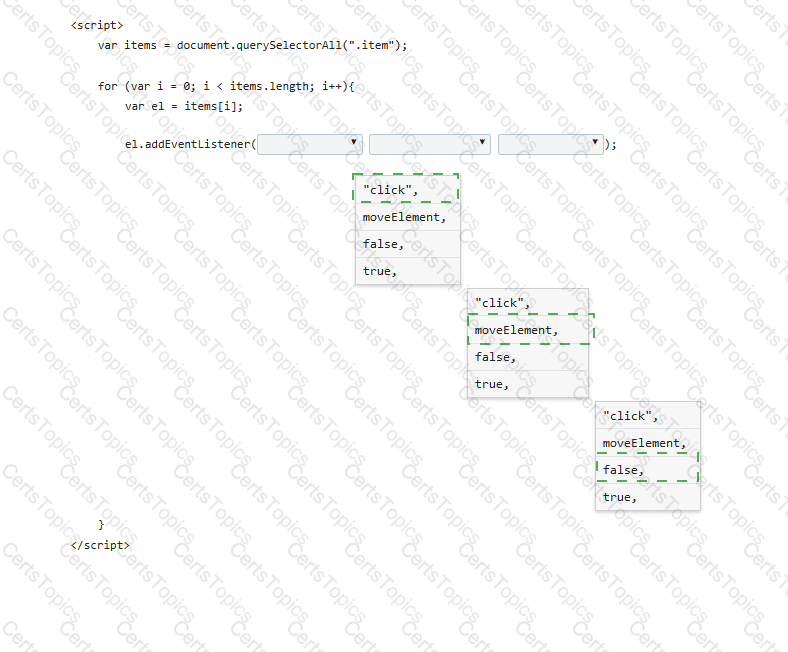
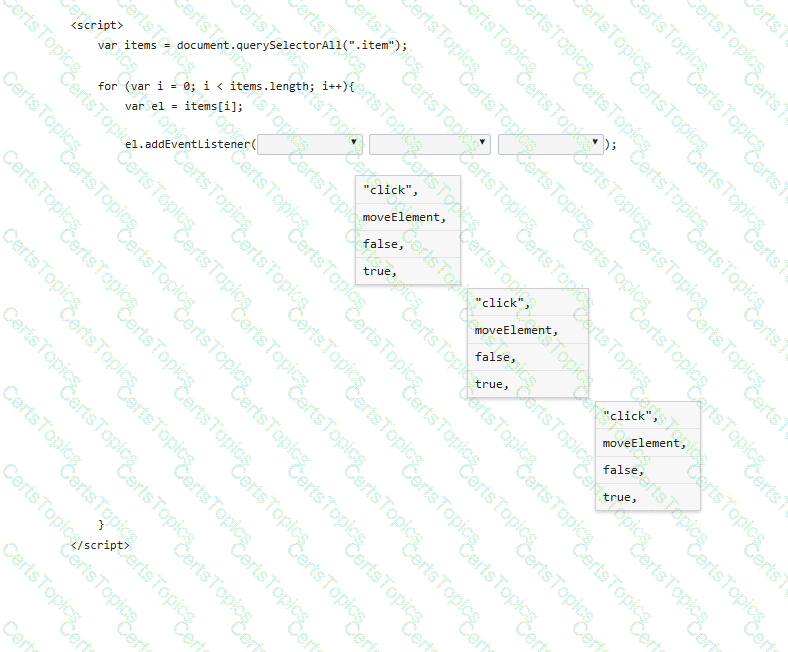
A form has four buttons with a class of item. You need to apply an event listener to all buttons to invoke the moveElement function when a button is pressed. Your code must ensure bubble capture.
Complete the markup by selecting the correct option from each drop-down list.
Note: You will receive partial credit for each correct selection.
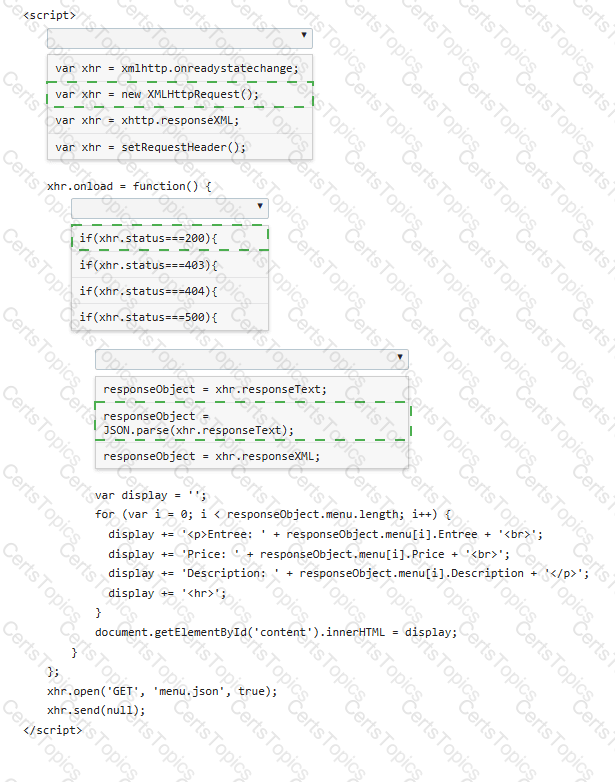
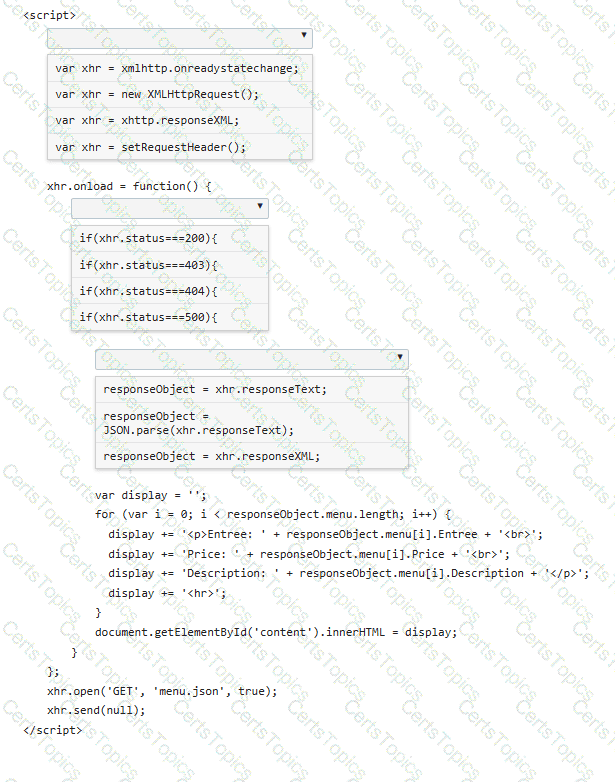
You are creating a script that reads a JSON menu file and displays the Entree, Price, and Description.
Complete the code by selecting the correct option from each drop-down list.
Note: You will receive partial credit for each correct selection.
You are creating a form that requires the category to be entered as a two- or three-letter abbreviation. The input is mandatory.
You need to configure the input validation for the form.
Complete the markup by typing into the boxes.
Note: You will receive partial credit for each correct answer.

Which three methods are associated with the HTML5 localStorage API? Choose 3.
The following form is missing validation attributes:
< form >
< div class= " container " >
< h1 > Register Here < /h1 >
< p > Please fill in the details to create an account with us. < /p >
< hr >
< label for= " ? " > < b > Enter Email < /b > < /label >
< input type= " ? " placeholder= " Enter Email " name= " ? " placeholder= " username@domain.com " >
< label for= " ? " > < b > Password < /b > < /label >
< input type= " ? " placeholder= " Enter Password " name= " ? " >
< label for= " ? " > < b > Confirm Password < /b > < /label >
< input type= " ? " placeholder= " Confirm Password " name= " ? " >
< label for= " phone " > < b > Phone < /b > < /label >
< input type= " tel " id= " phone " name= " phone " placeholder= " 123-45-678 " >
< hr >
< p > By creating an account you agree to our < a href= " # " > Terms & Privacy < /a > . < /p >
< button type= " submit " class= " registerbtn " > < strong > Register < /strong > < /button >
< /div >
< /form >
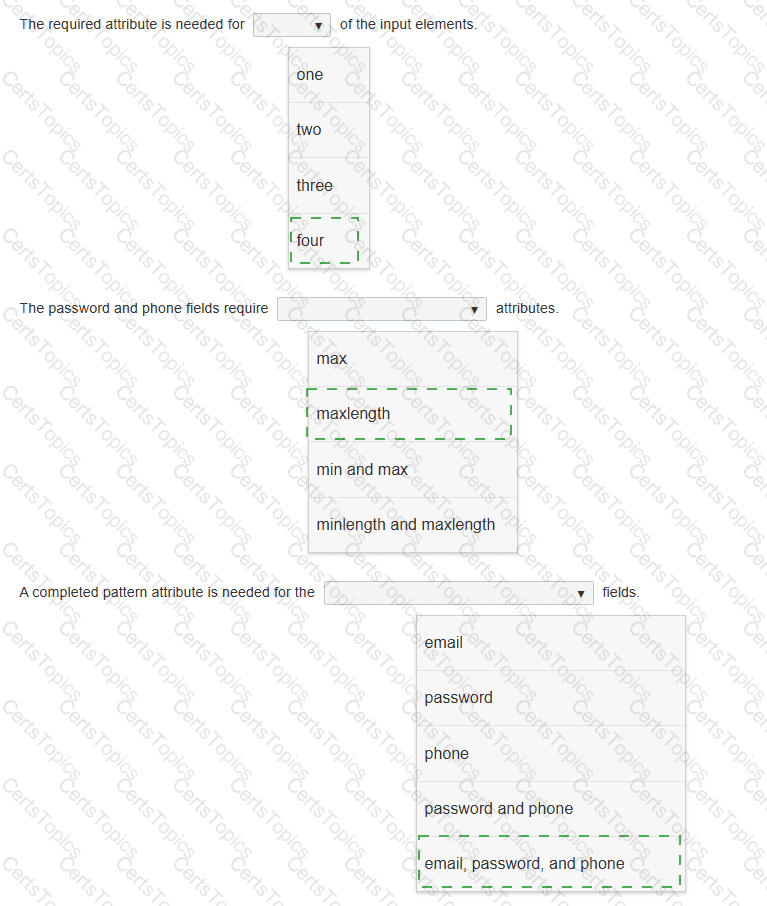
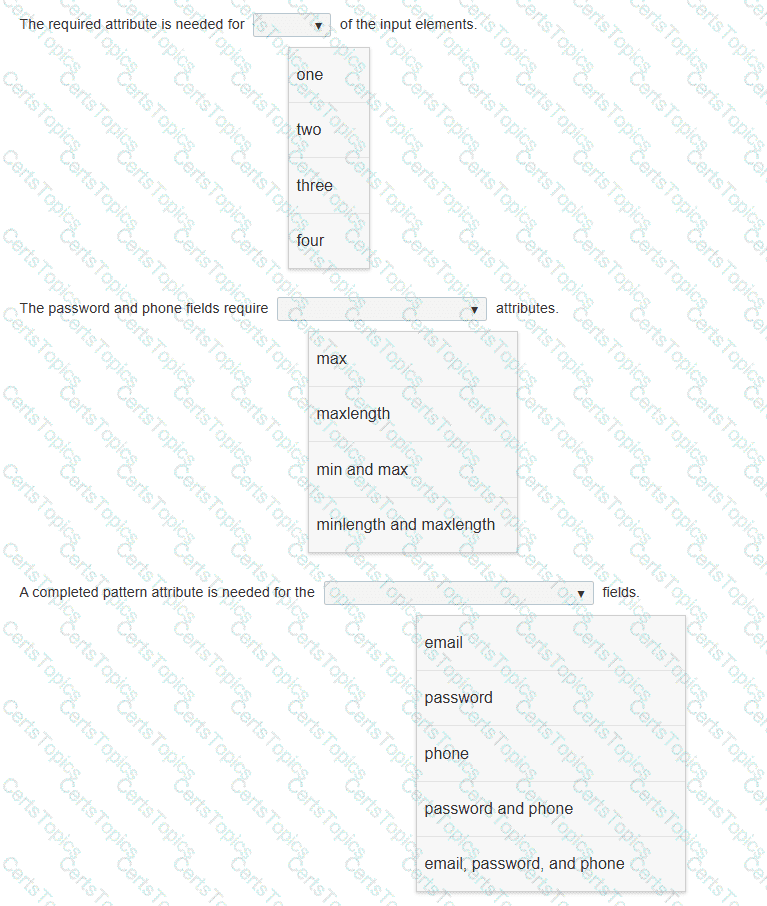
You need to update the form to enforce the following requirements for visitors:
• All fields must be completed with valid information.
• The users should not be allowed to type passwords longer than 8 characters.
• Passwords must use only numbers and letters.
• Phone numbers and email addresses must follow the configuration of the placeholder text.
• The browser must display an error message that makes it clear what type of input change is needed.
Review the markup on the left.
Complete the sentences by selecting the correct option from each drop-down list.
Note: You will receive partial credit for each correct selection.
What is the effect of applying the CSS float: right property to an image?
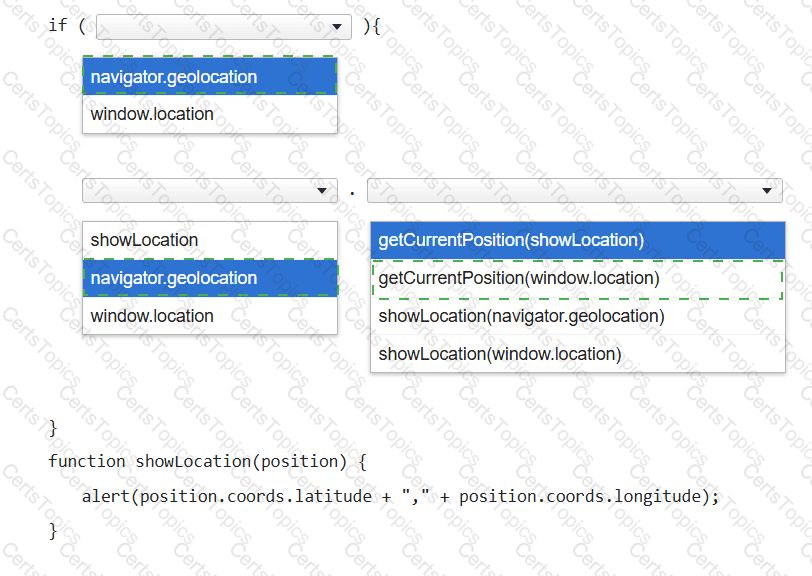
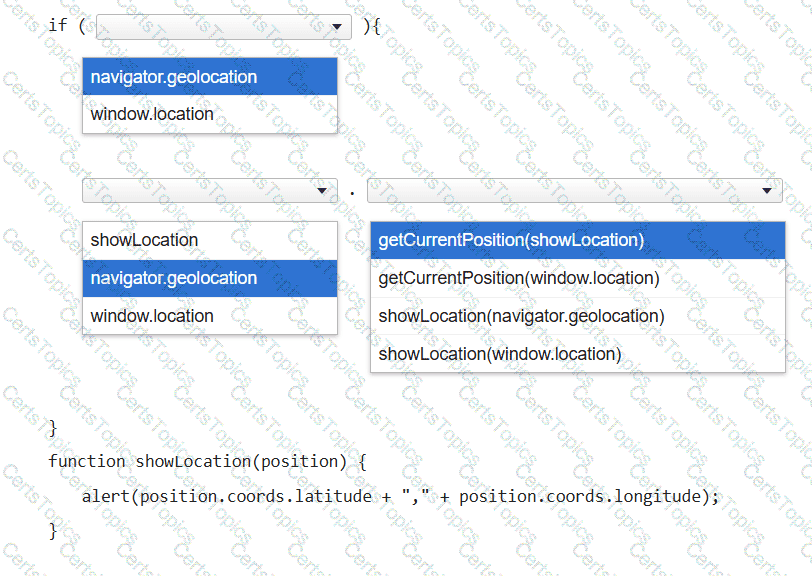
You want to display a message box showing the user ' s current latitude and longitude as identified by the user’s browser.
Complete the code by selecting the correct option from each drop-down list.
Note: You will receive partial credit for each correct selection.
You want to position a specific element so that it always directly follows the previous element, which is positioned by default, regardless of the viewport characteristics. Which positioning method should you use?
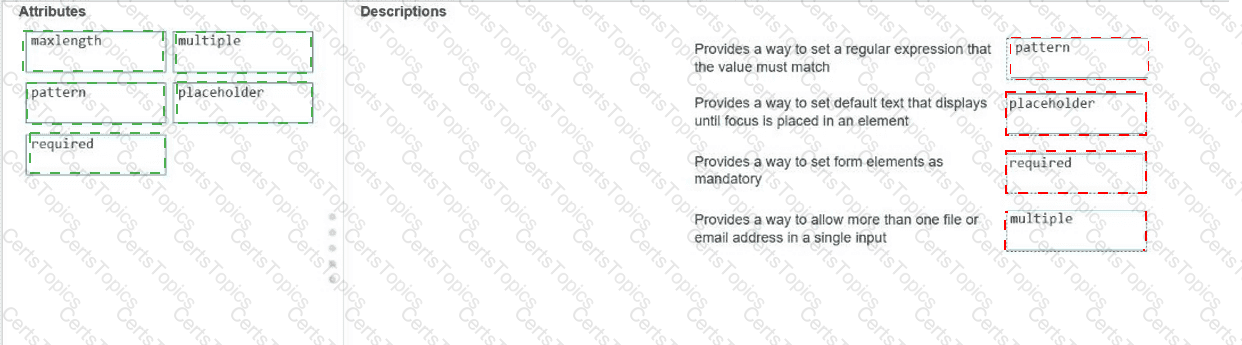
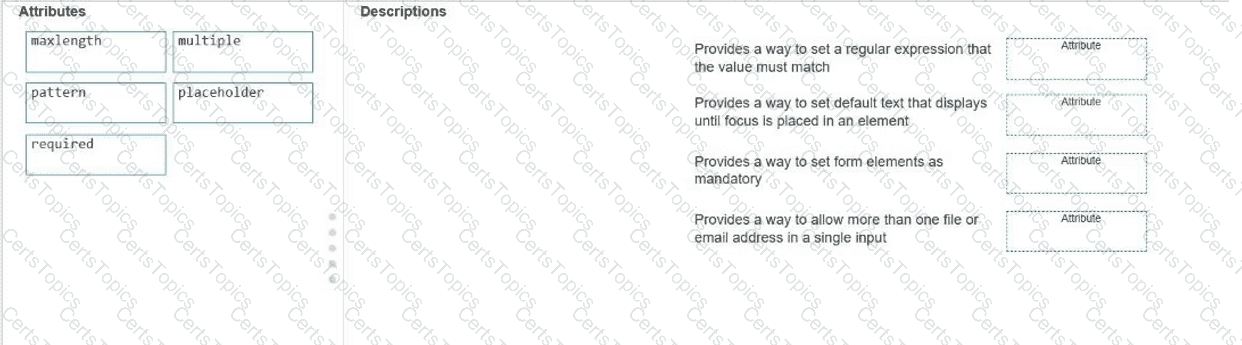
Move the appropriate attributes from the list on the left to the correct descriptions on the right. You may use each attribute once, more than once, or not at all.
Note: You will receive partial credit for each correct match.
Which element should you use to rotate an SVG square?
You write the following markup to create a page. Line numbers are included for reference only.
01 < !DOCTYPE html >
02 < html >
03 < head >
04 < style >
05
10 < /style >
11 < /head >
12 < body >
13 < svg height= " 500 " width= " 500 " >
14 < defs >
15 < filter id= " f2 " x= " 0 " y= " 0 " width= " 200% " height= " 200% " >
16 < feOffset result= " offOut " in= " SourceGraphic " dx= " 20 " dy= " 20 " / >
17 < feGaussianBlur result= " blurOut " in= " offOut " stdDeviation= " 10 " / >
18 < feBlend in= " SourceGraphic " in2= " blurOut " mode= " normal " / >
19 < /filter >
20 < /defs >
21 < text x= " 10 " y= " 100 " style= " fill:red; " > Blur Me! < /text >
22 Sorry, your browser does not support inline SVG.
23 < /svg >
24 < /body >
25 < /html >
An SVG blur filter is defined in the markup on the left. You need to apply the SVG blur filter to the text element on the page.
Which CSS code should you insert at line 05?
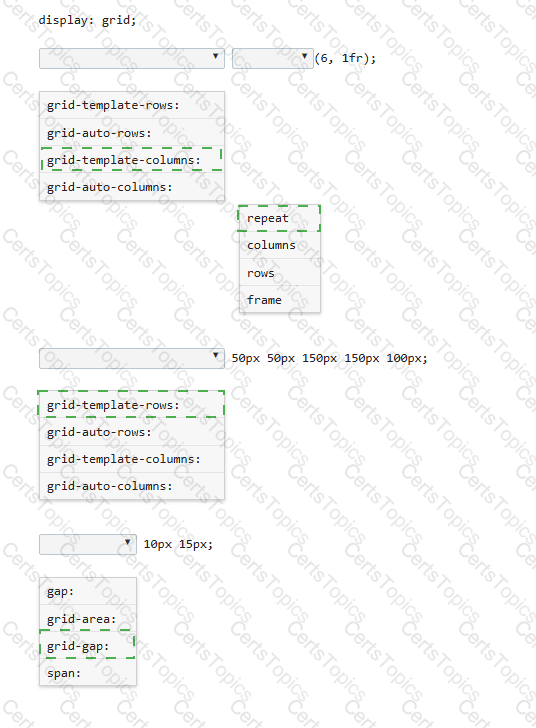
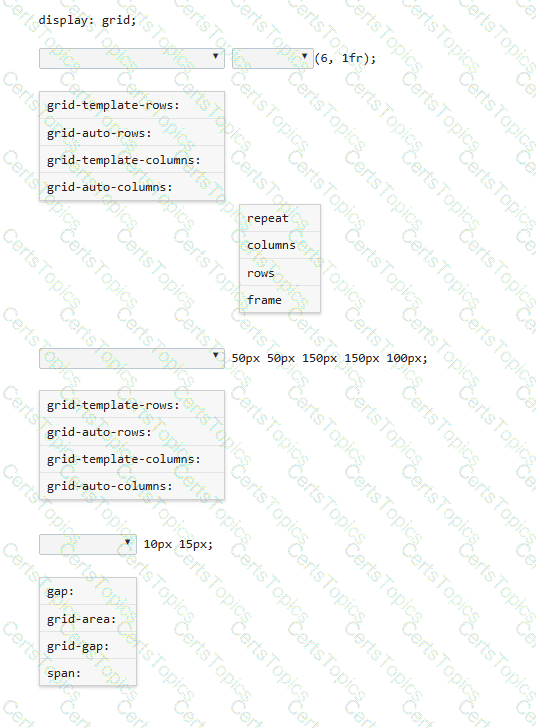
You need to define a grid that meets the following requirements:
• Explicitly sets the width of 6 equal columns of 1 fraction
• Explicitly sets 5 varied sized rows
• Defines 15px of space between each grid column
• Defines 10px between each grid row
Complete the code by selecting the correct option from each drop-down list.
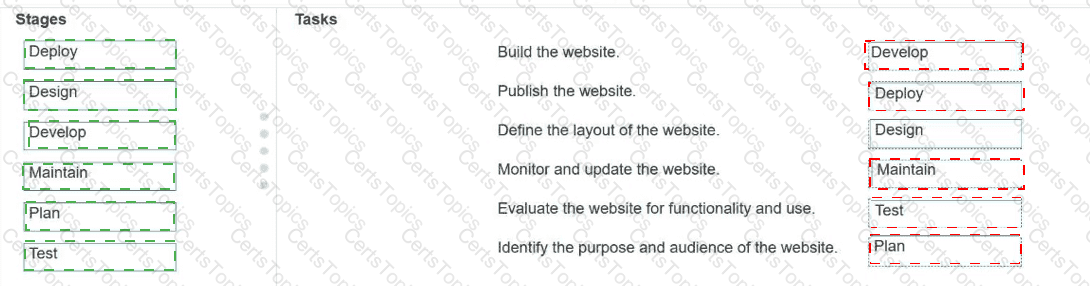
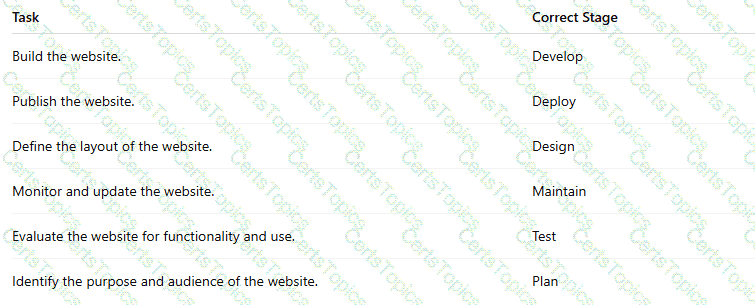
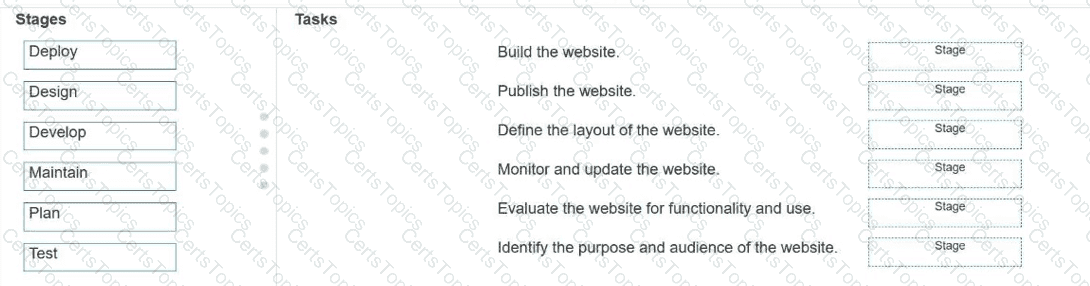
Match each stage of Application Lifecycle Management to the task that occurs during that stage.
Move each stage from the list on the left to the correct task on the right.
Note: You will receive partial credit for each correct match.
Which three events are valid for the HTML canvas element? Choose 3.
Copyright © 2021-2026 CertsTopics. All Rights Reserved