You write the following markup to create a page. Line numbers are included for reference only.
01 < !DOCTYPE html >
02 < html >
03 < head >
04 < style >
05
10 < /style >
11 < /head >
12 < body >
13 < svg height= " 500 " width= " 500 " >
14 < defs >
15 < filter id= " f2 " x= " 0 " y= " 0 " width= " 200% " height= " 200% " >
16 < feOffset result= " offOut " in= " SourceGraphic " dx= " 20 " dy= " 20 " / >
17 < feGaussianBlur result= " blurOut " in= " offOut " stdDeviation= " 10 " / >
18 < feBlend in= " SourceGraphic " in2= " blurOut " mode= " normal " / >
19 < /filter >
20 < /defs >
21 < text x= " 10 " y= " 100 " style= " fill:red; " > Blur Me! < /text >
22 Sorry, your browser does not support inline SVG.
23 < /svg >
24 < /body >
25 < /html >
An SVG blur filter is defined in the markup on the left. You need to apply the SVG blur filter to the text element on the page.
Which CSS code should you insert at line 05?
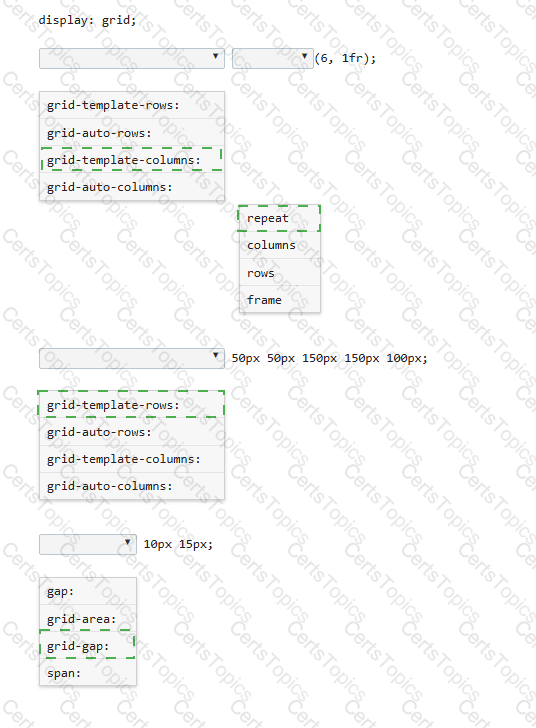
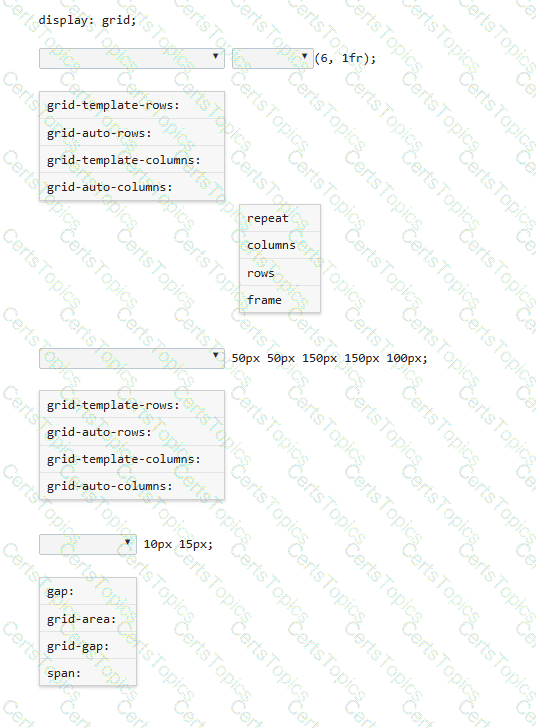
You need to define a grid that meets the following requirements:
• Explicitly sets the width of 6 equal columns of 1 fraction
• Explicitly sets 5 varied sized rows
• Defines 15px of space between each grid column
• Defines 10px between each grid row
Complete the code by selecting the correct option from each drop-down list.
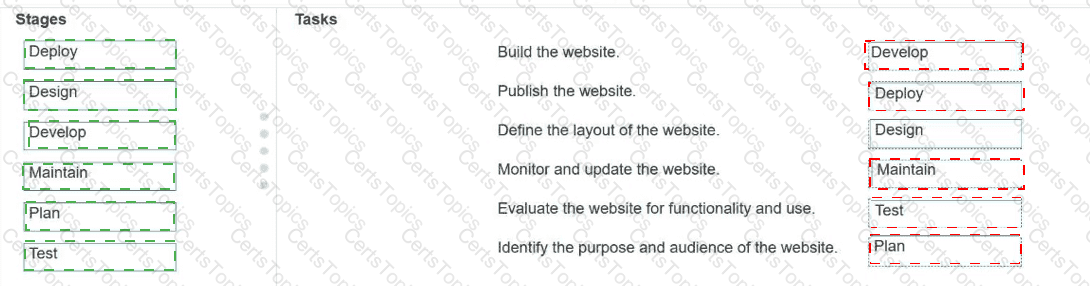
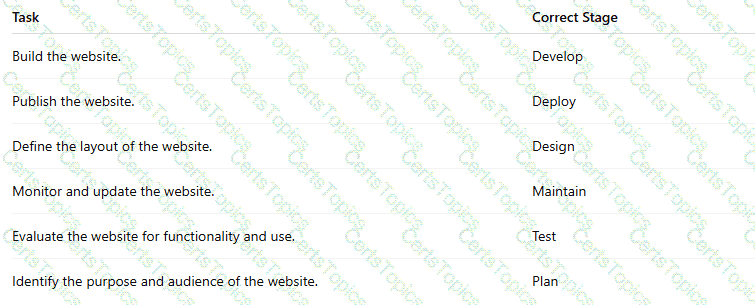
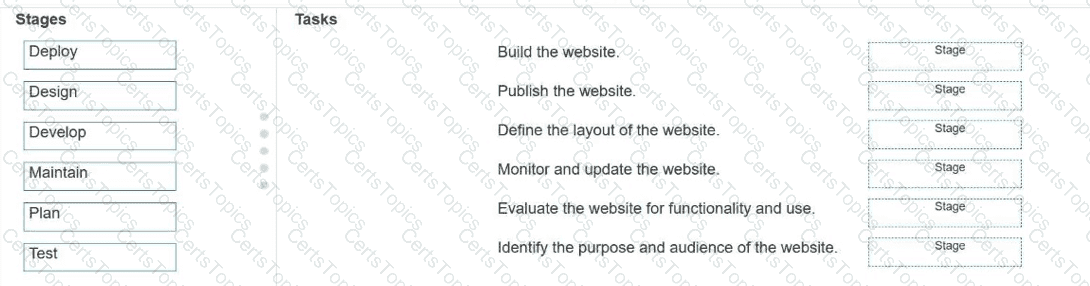
Match each stage of Application Lifecycle Management to the task that occurs during that stage.
Move each stage from the list on the left to the correct task on the right.
Note: You will receive partial credit for each correct match.
Which three events are valid for the HTML canvas element? Choose 3.
Copyright © 2021-2026 CertsTopics. All Rights Reserved