You have just configured Mobile VPN with IKEv2 for your customer. By default, authenticated Mobile VPN users are allowed to send traffic to all Firebox networks through the VPN.
You configured email notifications in WatchGuard Cloud for your Firebox Device Alarms and want to receive an email when your users download any .exe files through an HTTP proxy. You must enable what type of log message in the Firebox configuration? (Select one.)
You routinely ship Fireboxes directly to remote offices without configuring them first. What is the zero-touch deployment method you can use to apply a configuration file after a Firebox arrives at a remote office? (Select one.)
Which of these is a network IP address? (Select one.)
As you troubleshoot a Branch Office VPN tunnel, you see the log message below. Which settings can you modify in the BOVPN virtual interface configuration to resolve this issue? (Select one.)
(Log message: msg='iprocess: SA Proposal mismatch on Phase 2 negotiation')
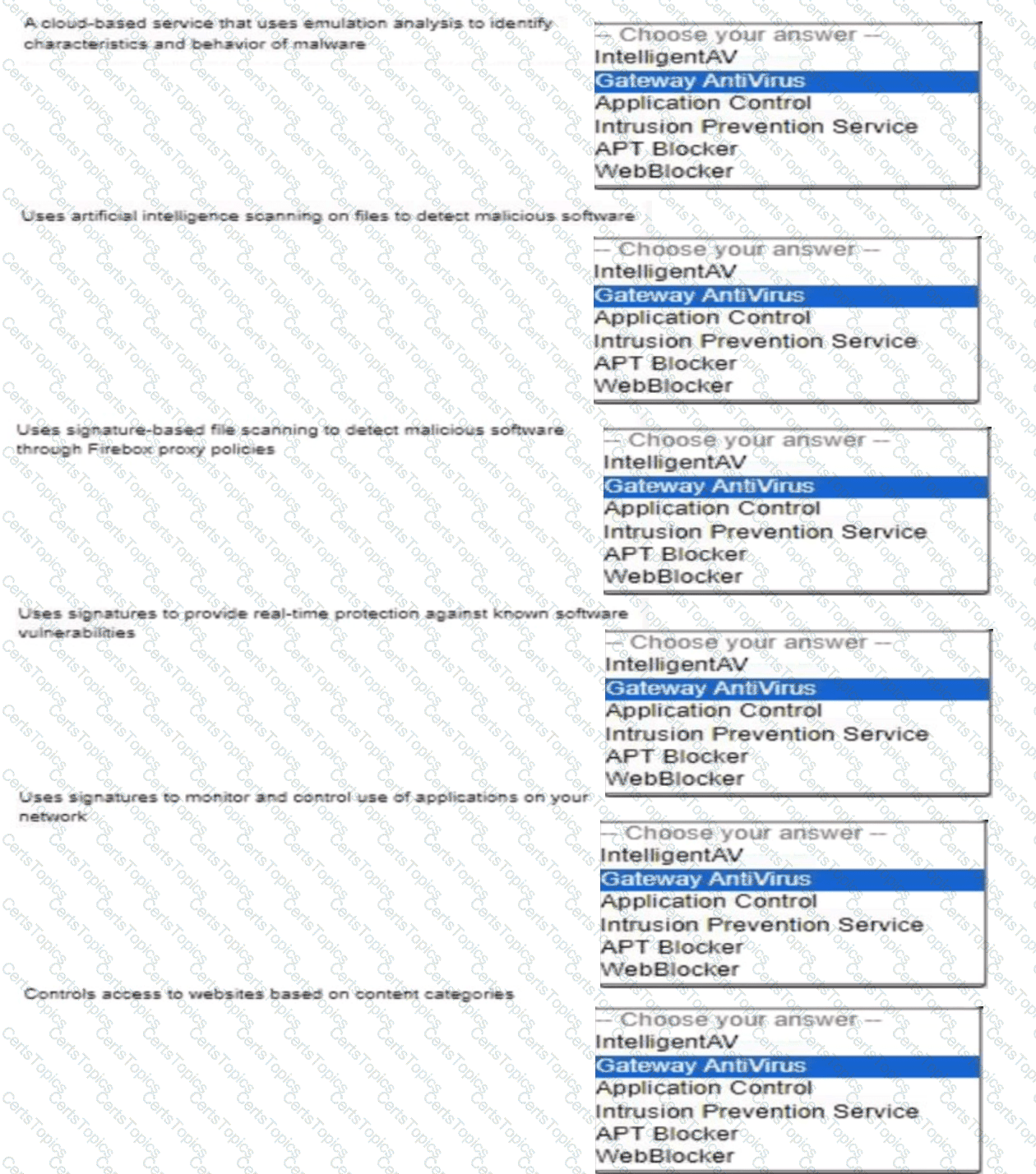
Match each WatchGuard Subscription Service with its function:
What type of NAT enables clients on a private network to connect to servers on the Internet? (Select one.)
You can run TCP Dump directly from the Firebox.
There is an Internet outage at your primary ISP, but the Internet connection from the Firebox has not failed over to your backup ISP. Both ISP connectors are correctly cabled and have active physical links. What could cause this problem? (Select two.)
You can add your Firebox to WatchGuard Cloud but continue to manage it locally. When you do this, what additional features does WatchGuard Cloud provide for your locally-managed Firebox? (Select two.)
Based on the configuration shown in this image, clients on the network can successfully connect to

You enable a network device monitoring application on a server with IP address 10.0.1.22. After you run the application, it reports that it cannot ping the Firebox at 10.0.1.1, and you see this log message in Traffic Monitor. What is the most likely cause of this issue? (Select one.)
(Log: Deny 10.0.1.22 10.0.1.1 icmp/8 255-Unhandled Internal Packet-00)
If the Firebox does not have a feature key installed, which of these statements are true? (Select three.)
Users cannot download a PDF file from your intranet. You know the file is safe to download. When you review the log messages, you see that IntelligentAV identified the file as malicious. The only way to resolve this is to change the file extension.
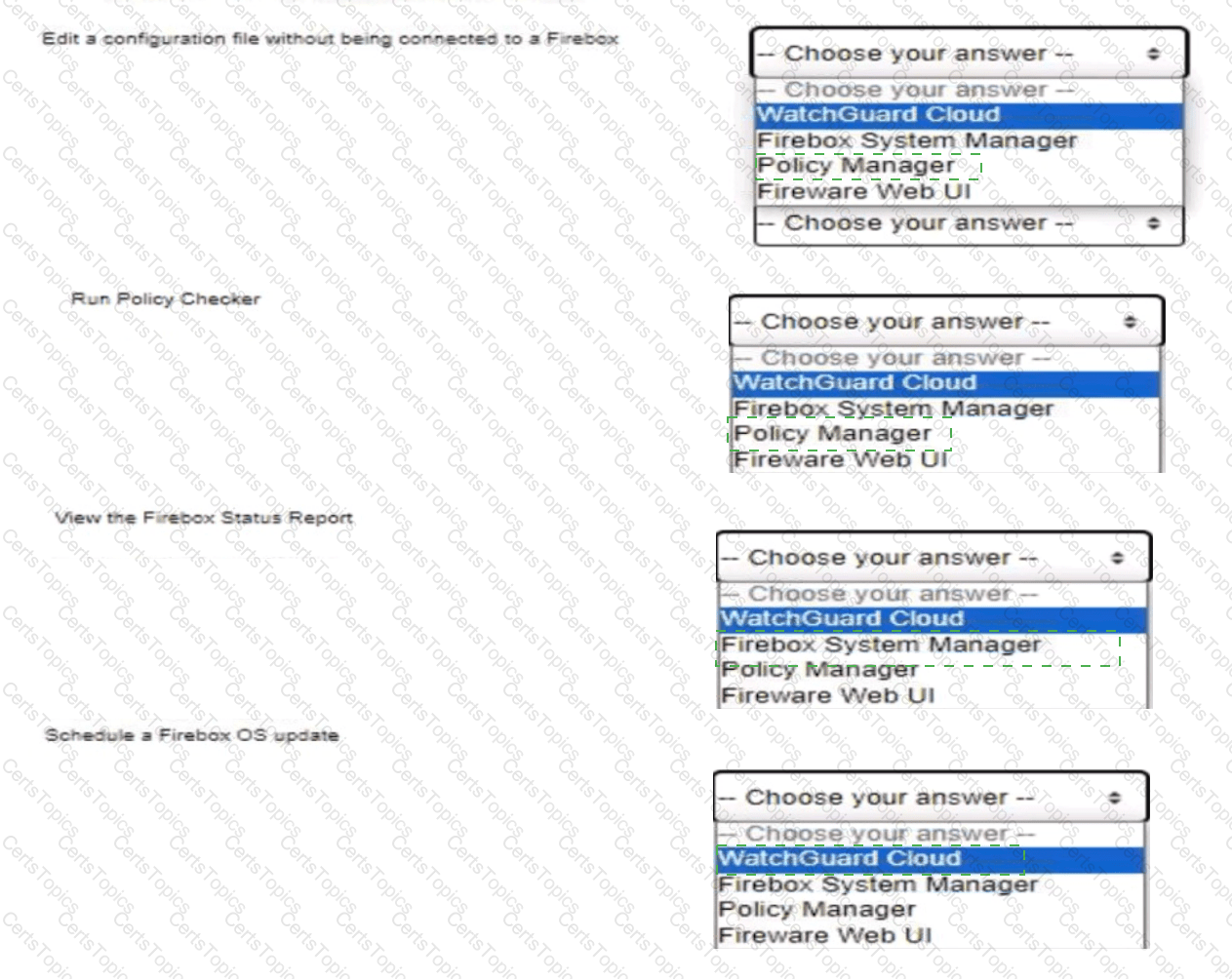
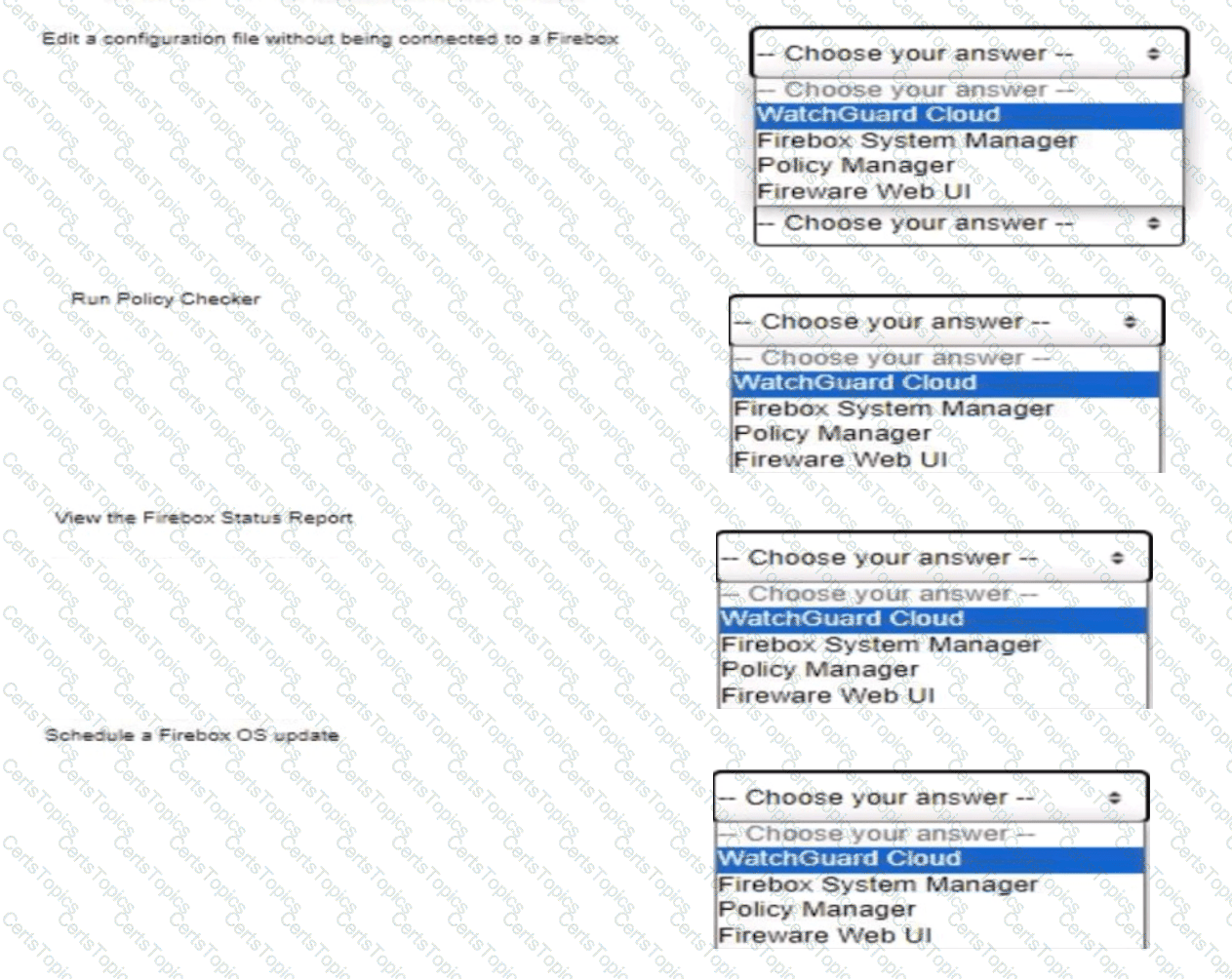
Some management tasks require you to use a specific management interface. Match the task below with the management interface that supports it.
Which of these statements are true for this log message? (Select three.)
(Log context: A Traffic Monitor log entry detailing an HTTP connection through an HTTP-proxy policy that was terminated due to a signature match by Gateway AntiVirus)
To accurately detect applications over an HTTPS connection with Application Control, you must enable content inspection in the HTTPS proxy.
When Mobile VPN is enabled, remote users receive the domain name and DNS servers from the Firebox Network Configuration by default.
Copyright © 2021-2026 CertsTopics. All Rights Reserved