According to the SD-WAN 7.6 Core Administrator study guide and the FortiOS 7.6 Administration Guide, for the FortiGate SD-WAN engine to successfully steer traffic using SD-WAN rules, three fundamental configuration components must be in place. This is because the SD-WAN rule lookup occurs only after certain initial conditions are met in the packet flow:
Interfaces (Option C): You must first define the physical or logical interfaces (such as ISP links, LTE, or VPN tunnels) as SD-WAN members. These members are then typically grouped into SD-WAN Zones. Without designated member interfaces, there is no " pool " of links for the SD-WAN rules to select from.
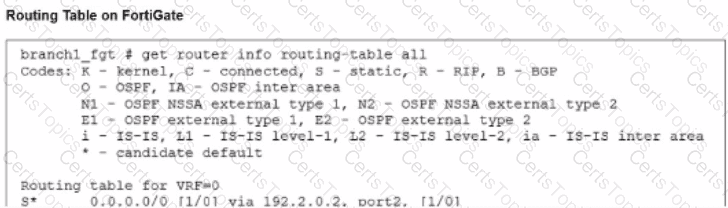
Routing (Option D): For a packet to even be considered by the SD-WAN engine, there must be a matching route in the Forwarding Information Base (FIB). Usually, this is a static route where the destination is the network you want to reach, and the gateway interface is set to the SD-WAN virtual interface (or a specific SD-WAN zone). If there is no route pointing to SD-WAN, the FortiGate will use other routing table entries (like a standard static route) and bypass the SD-WAN rule-based steering logic entirely.
Firewall Policies (Option A): In FortiOS, no traffic is allowed to pass through the device unless a Firewall Policy permits it. To steer traffic, you must have a policy where the Incoming Interface is the internal network and the Outgoing Interface is the SD-WAN zone (or the virtual-wan-link). The SD-WAN rule selection happens during the " Dirty " session state, which requires a policy match to proceed with the session creation.
Why other options are incorrect:
Security Profiles (Option B): While mandatory for Application-level steering (to identify L7 signatures), basic SD-WAN steering based on IP addresses, ports, or ISDB objects does not require security profiles to be active.
Traffic Shaping (Option E): This is an optimization feature used to manage bandwidth once steering is already determined; it is not a prerequisite for the steering engine itself to function.