You have a Microsoft 365 subscription that contains a custom agent named Agent1.
Contractors require self-service access to Agent1 for a 30-day project.
You need to configure access to Agent1. The solution must meet the following requirements:
Access requests must require approval.
Access must expire automatically after 30 days.
What should you use?
You have a Microsoft 365 subscription that uses Microsoft Defender for Office 365 Plan 2.
You need to configure automated investigation and response (AIR) to specify which types of message clusters to remediate automatically without approval from the security team.
Which remediation action should you use?
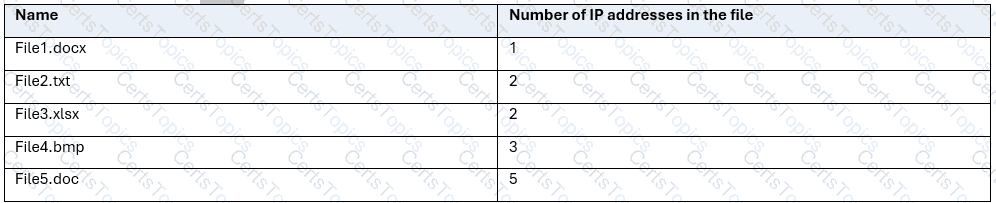
You have a Microsoft 365 subscription that contains a Microsoft SharePoint site named Site1. Site1 has the files shown in the following table.
For Site1, users are assigned the roles shown in the following table.

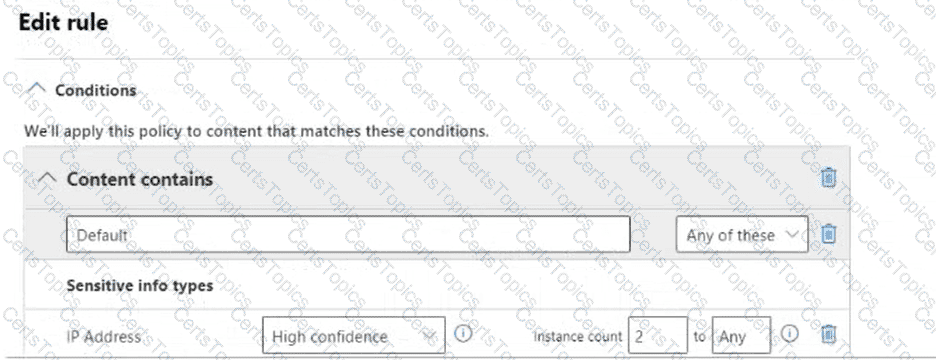
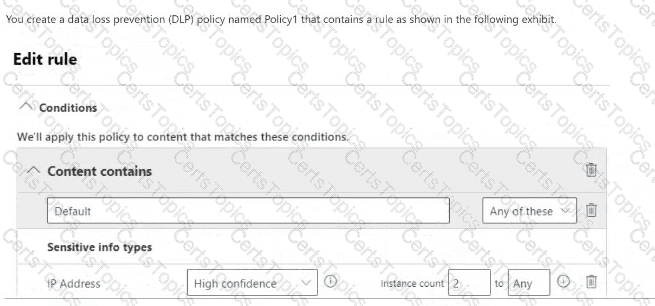
You create a data loss prevention (DLP) policy named Policy1 that contains a rule as shown in the following exhibit.
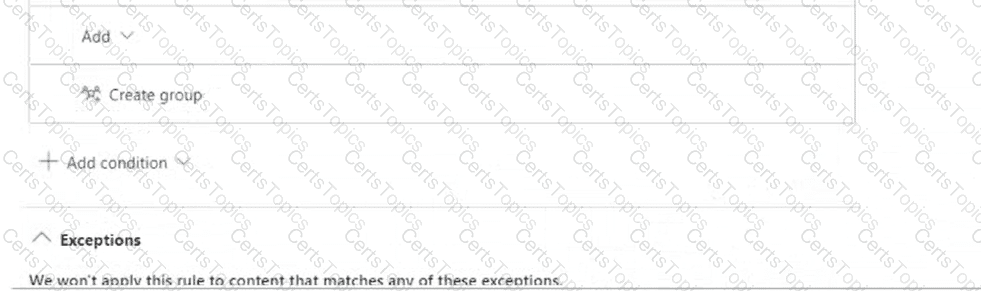
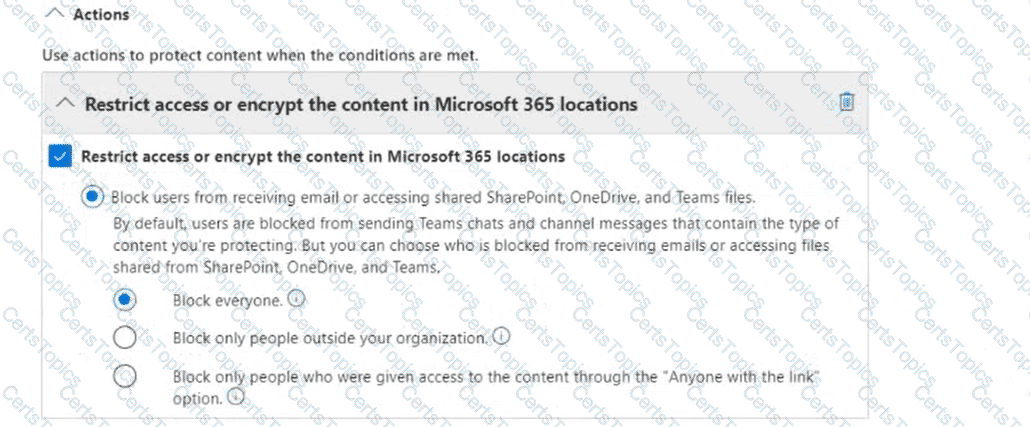
[The closing instruction below the long DLP exhibit is not fully visible in the recording. The answer area asks for the number of files accessible to each user.]
AB650 Q40 files and roles recovered
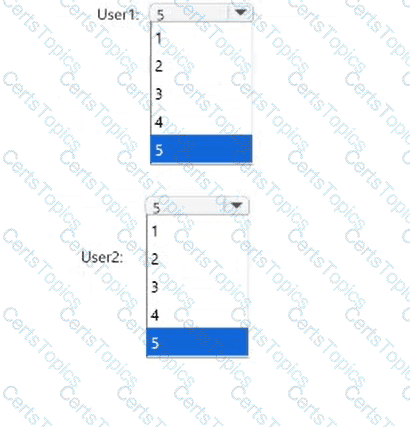
How many files can be accessed by User1 and User2 after Policy1 is applied to Site1? To answer, select the appropriate options in the answer area.
You have a Microsoft 365 E5 subscription that has an accepted domain named contoso.com.
You need to ensure that the message headers of emails sent from Microsoft Exchange are signed digitally.
What should you configure?
You have a Microsoft 365 subscription that uses Microsoft Defender for Office 365. The subscription contains a group named Group1.
Group1 receives recurring unwanted email from countries where your company does NOT do business.
You need to reduce the unwanted email for Group1 without affecting other groups.
What should you configure?
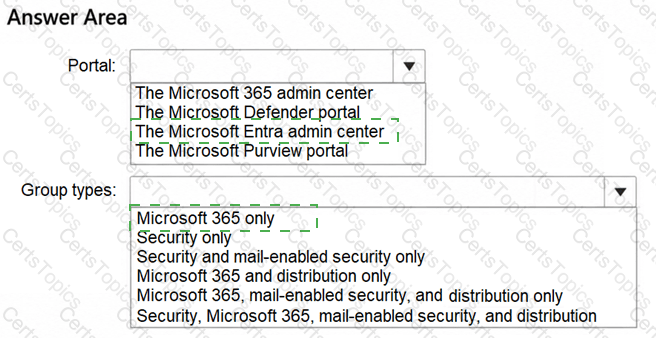
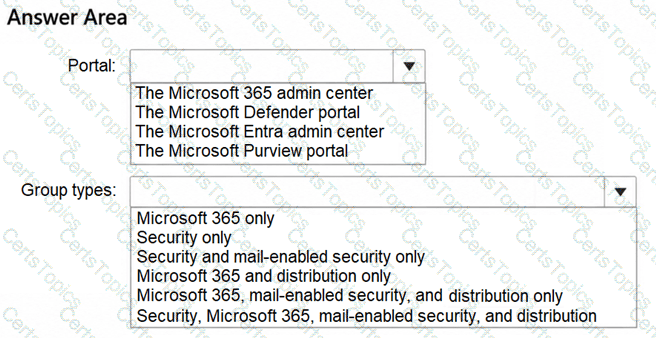
You have a Microsoft 365 E5 subscription.
You need to configure a group naming policy.
Which portal should you use, and to which types of groups will the policy apply? To answer, select the appropriate options in the answer area.
NOTE: Each correct selection is worth one point.
You have a Microsoft 365 subscription.
Several support engineers at your company require temporary access to Microsoft Entra administrator roles.
You need to configure role access for the engineers. The solution must meet the following requirements:
The engineers must activate role access before role use.
Role access must expire automatically after activation.
What should you do?
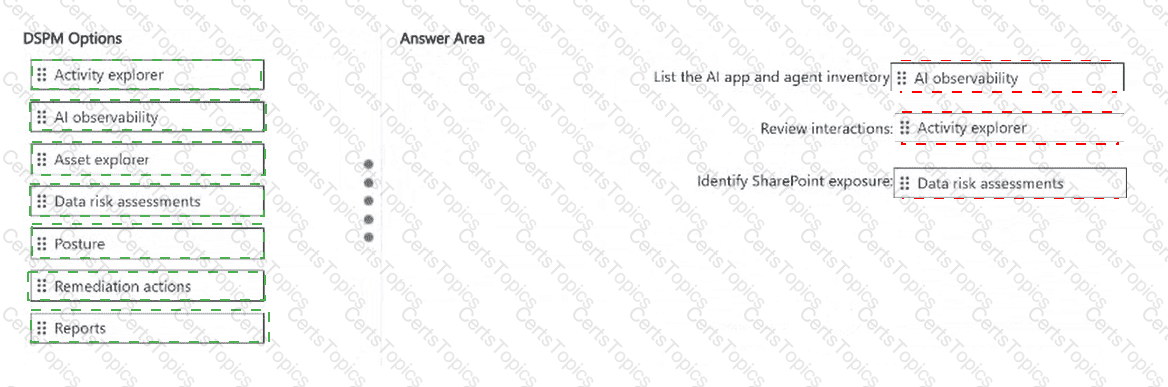
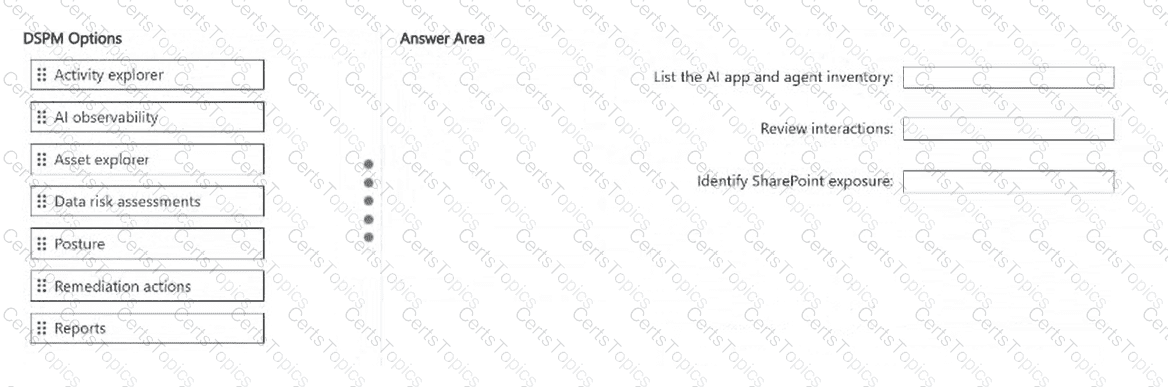
You have a Microsoft 365 subscription that uses Microsoft 365 Copilot, Microsoft Copilot Studio agents, and enterprise AI apps. The subscription has Data Security Posture Management (DSPM) configured.
Users suspect that an AI app accessed sensitive content in Microsoft SharePoint.
You need to use DSPM to triage the data exposure. The solution must meet the following requirements:
List AI apps and agents by recent use, status, and sensitive interaction indicators.
Review interaction records, prompt and response content, sensitivity detections, and policy matches.
Identify SharePoint locations that have exposure concerns.
What should you use for each requirement? To answer, drag the appropriate DSPM options to the correct requirements. Each option may be used once, more than once, or not at all. You may need to drag the split bar between panes or scroll to view content.
NOTE: Each correct selection is worth one point.
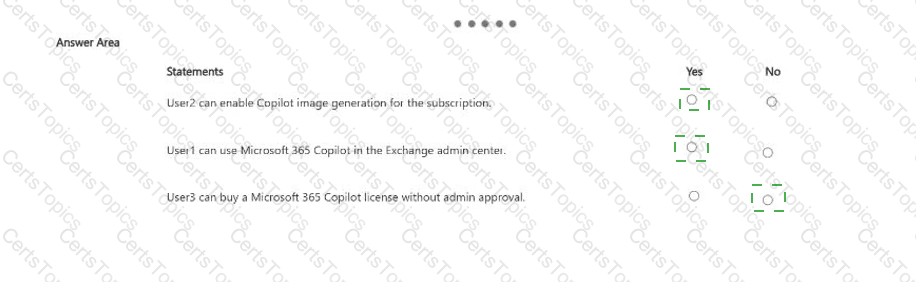
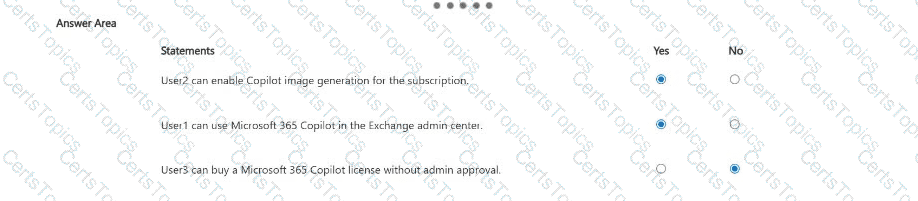
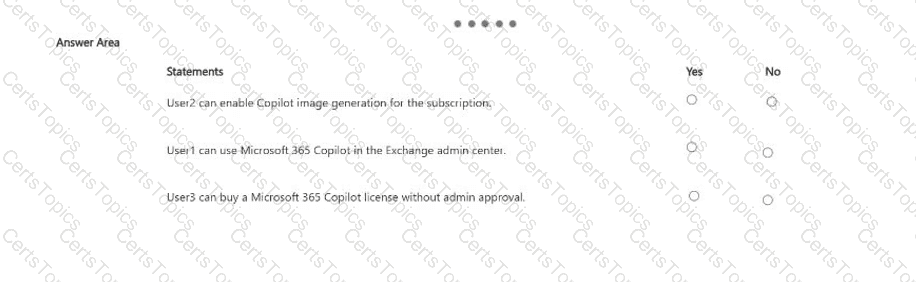
You have a Microsoft 365 subscription that has at least one paid Microsoft 365 Copilot license.
Microsoft 365 Copilot is configured as shown in the following table.

The subscription contains the users shown in the following table.

For each of the following statements, select Yes if the statement is true. Otherwise, select No.
NOTE: Each correct selection is worth one point.
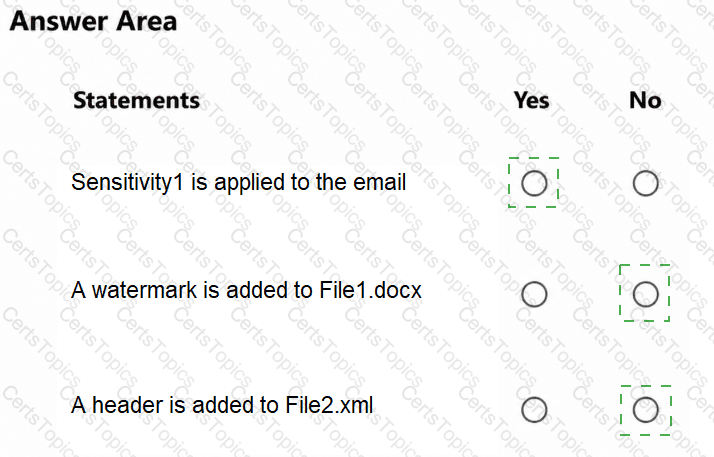
You have a Microsoft 365 E5 tenant.
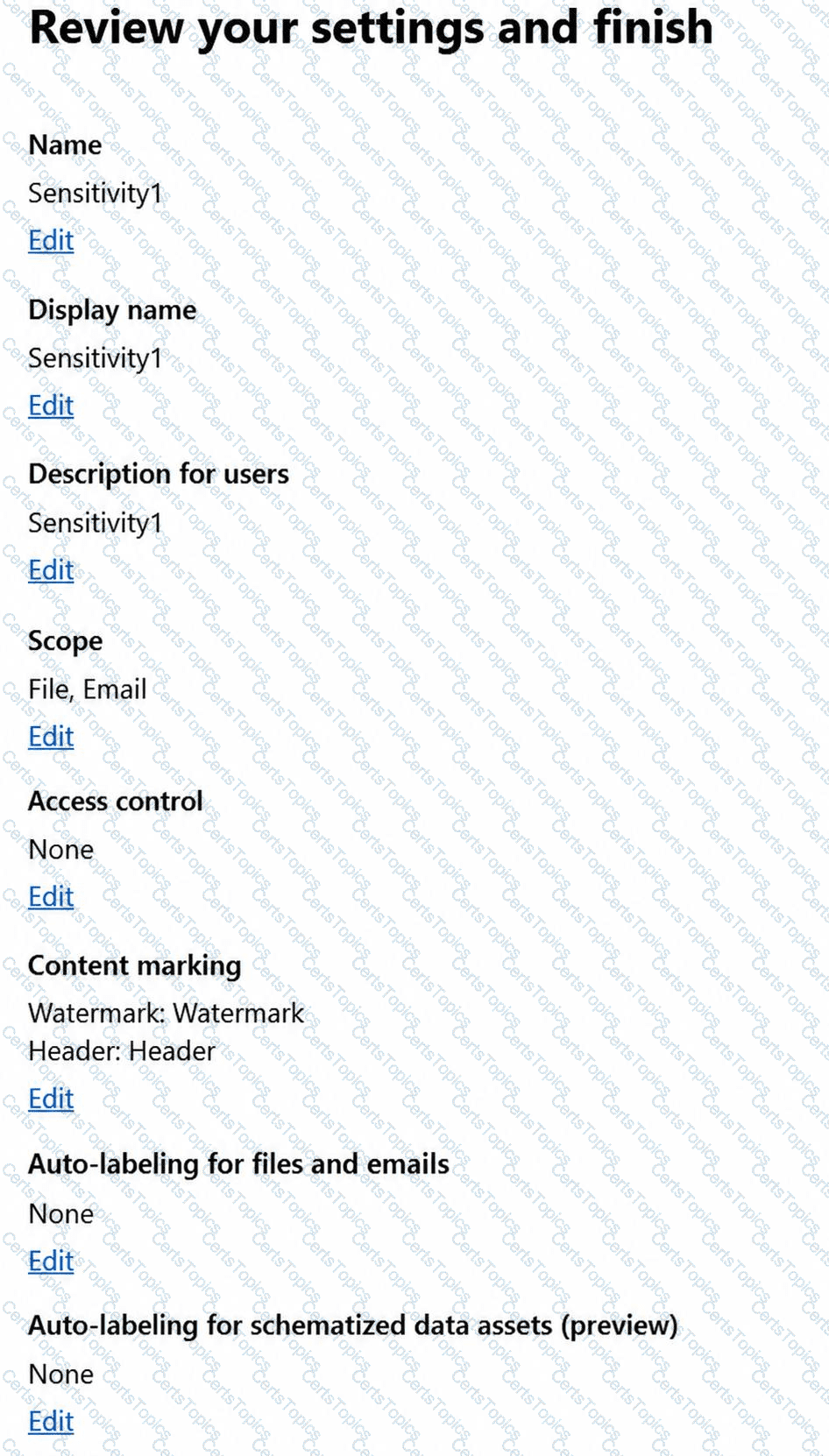
You have a sensitivity label configured as shown in the Sensitivity label exhibit. (Click the Sensitivity label tab.)
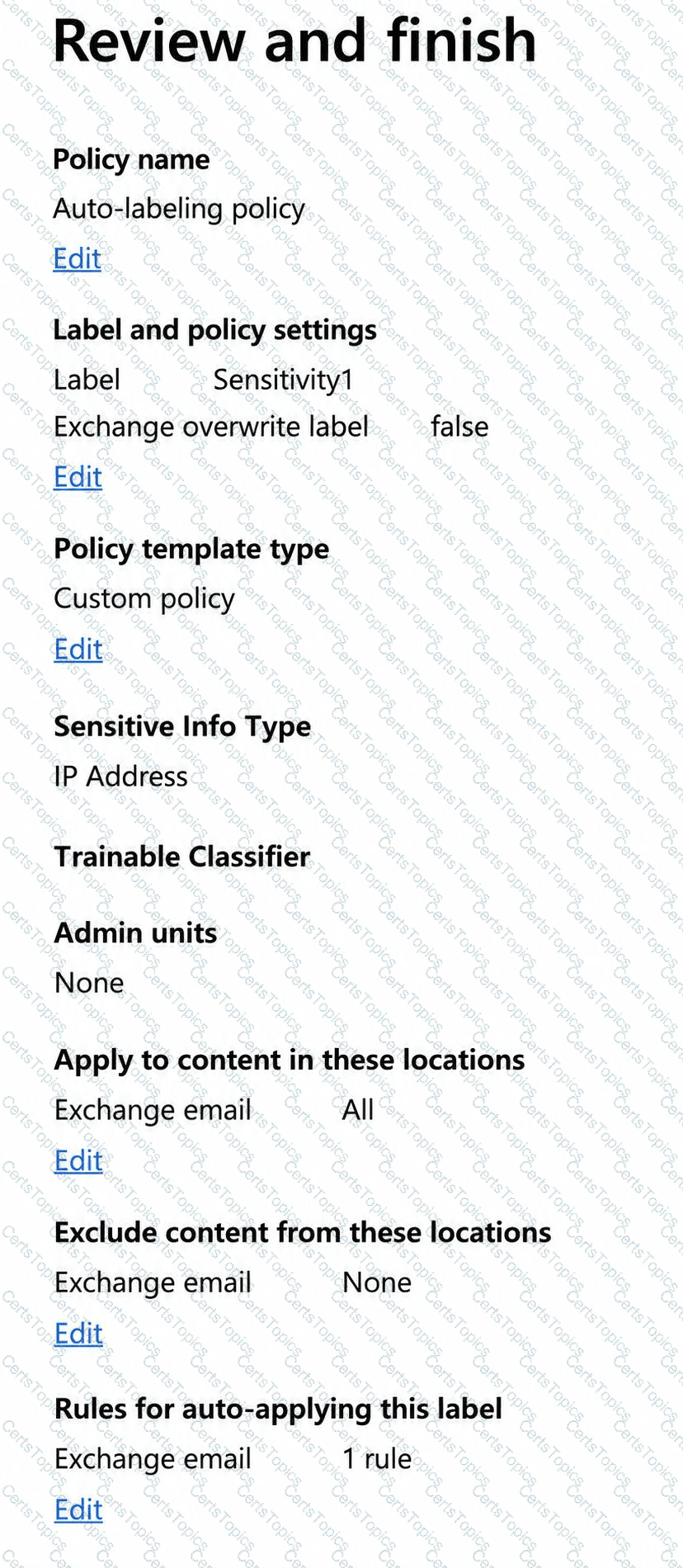
You have an auto-labeling policy as shown in the Auto-labeling policy exhibit. (Click the Auto-labeling policy tab.)
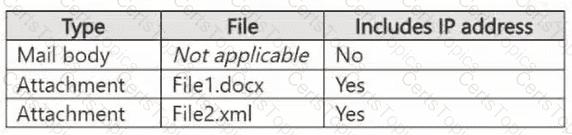
A user sends an email that contains the components shown in the following table.
Sensitivity label:
Auto-labeling policy:
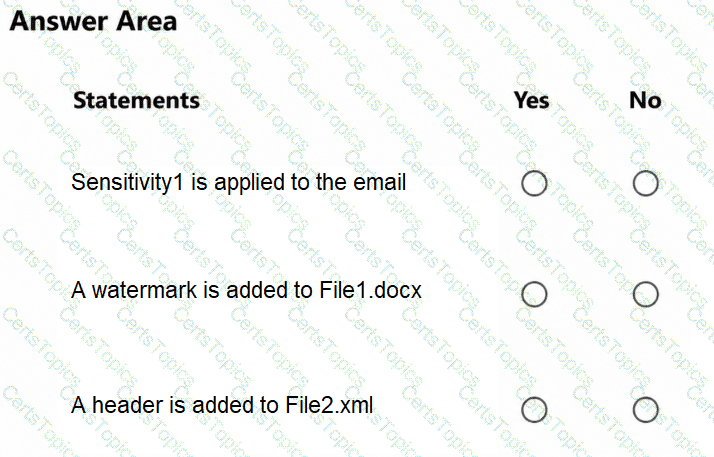
For each of the following statements, select Yes if the statement is true. Otherwise, select No.
NOTE: Each correct selection is worth one point.
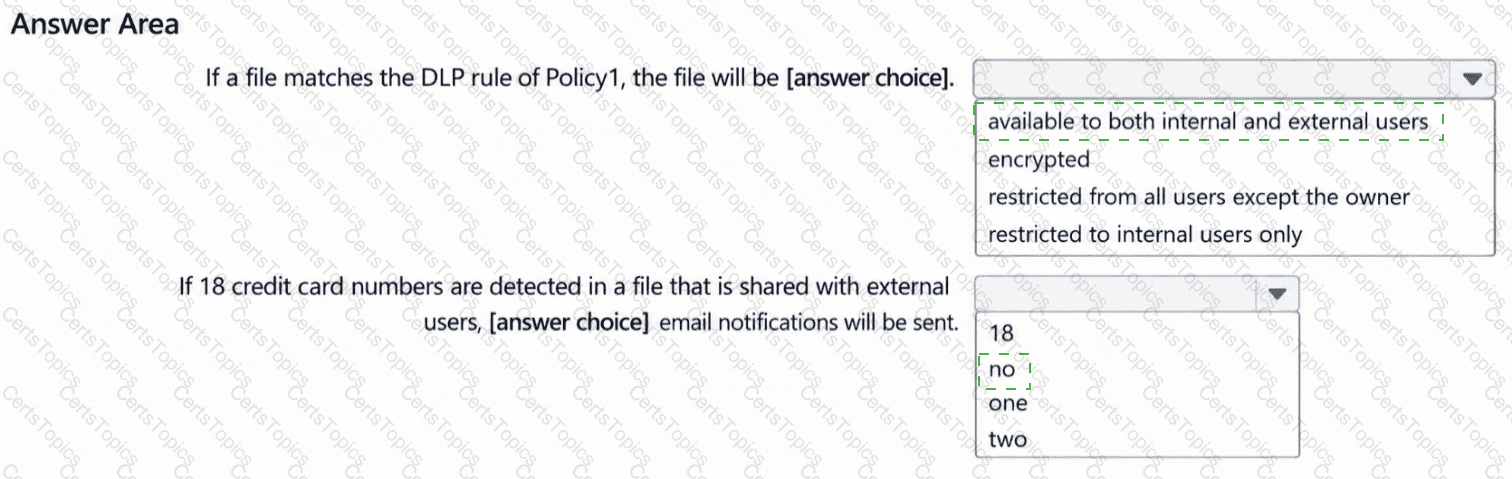
You have a Microsoft 365 E5 subscription.
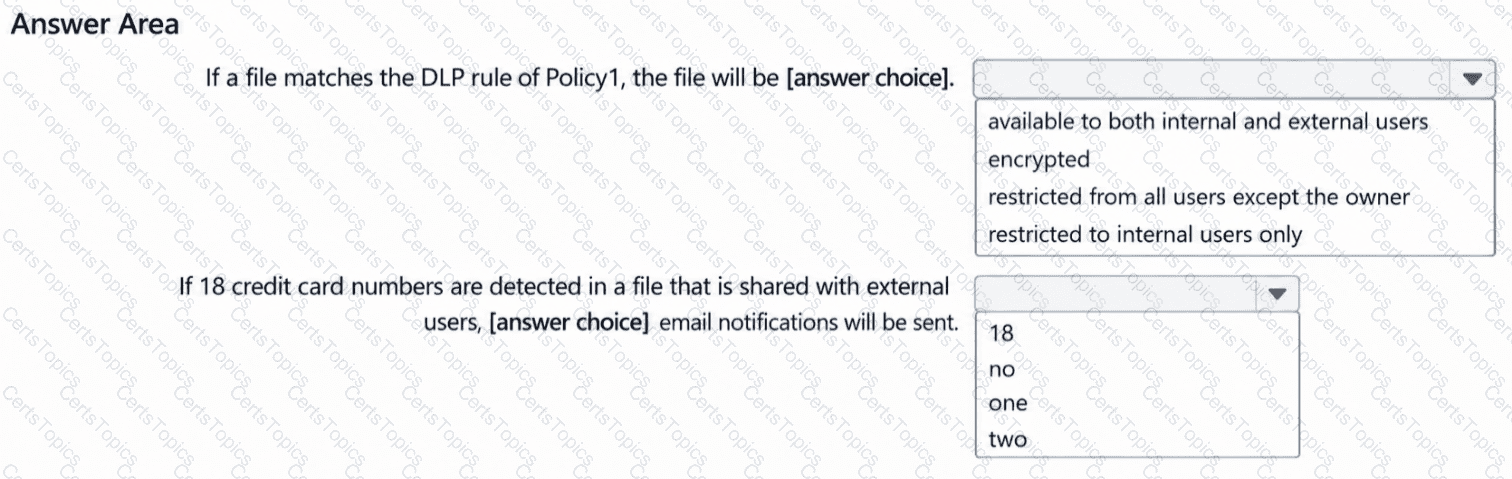
You configure a new data loss prevention (DLP) policy named Policy1 that detects when sensitive content is shared externally.
Policy1 has the DLP rule shown in the following exhibit.
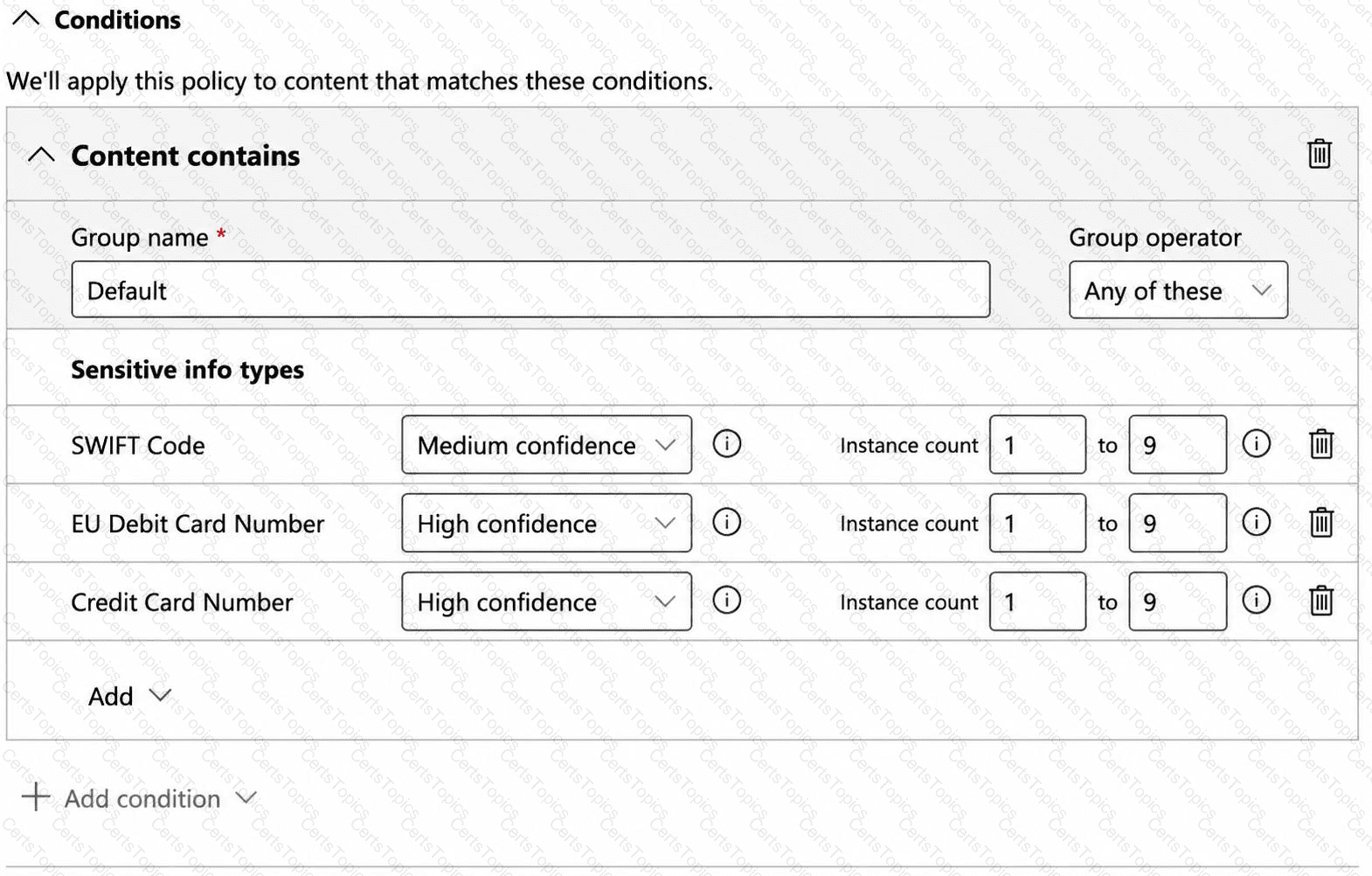
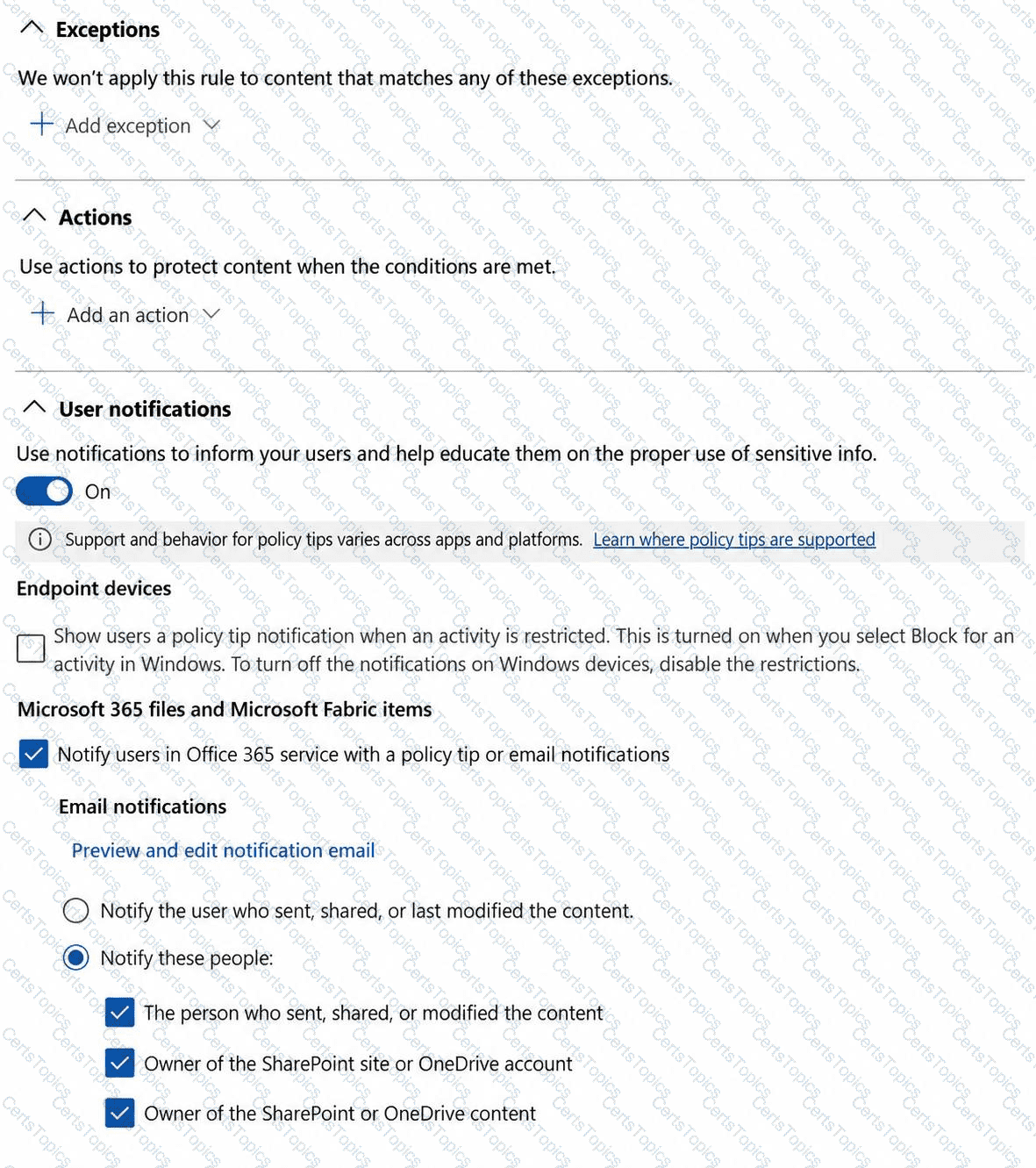
Use the drop-down menus to select the answer choice that completes each statement based on the information presented in the graphic.
NOTE: Each correct selection is worth one point.
You have a Microsoft 365 E5 subscription that uses Attack simul-ation training. The subscription contains a group named Group1.
A simul-ation that targeted Group1 ended 30 days ago and assigned a training module. The users have 90 days to complete the training module.
You need to assign the same training module to the current users in Group1. The solution must meet the following requirements:
The users must receive reminder notifications as soon as possible.
Changes to recipient targeting must be minimized.
Which two actions should you perform? Each correct answer presents part of the solution.
NOTE: Each correct selection is worth one point.
You have a Microsoft 365 subscription that has an initial domain named contoso.onmicrosoft.com and two verified custom domains named contoso.com and fabrikam.com.
The contoso.com domain is NOT the default domain. No users, groups, or applications reference contoso.com.
The subscription contains the administrator accounts shown in the following table.
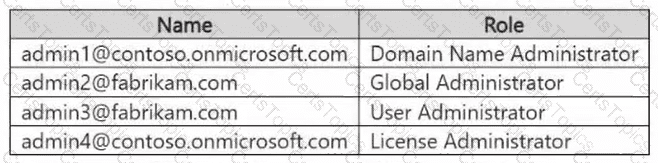
You need to delete contoso.com by using an account that is assigned the minimum required Microsoft Entra role.
Which account should you use?
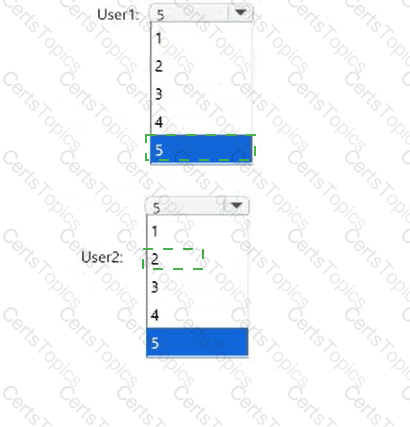
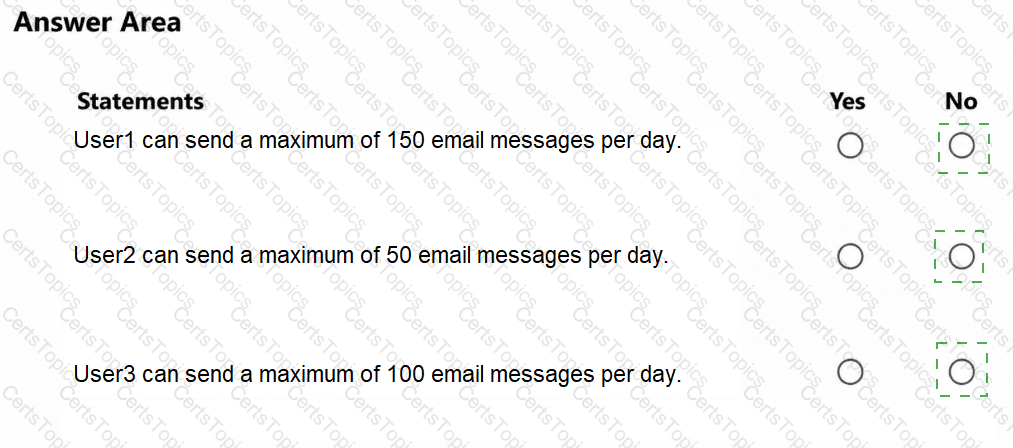
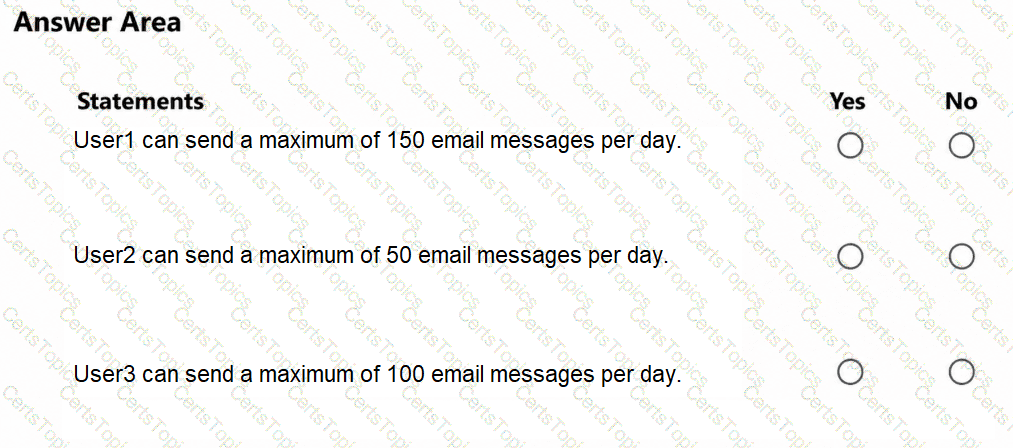
You have a Microsoft 365 E5 subscription that contains the users shown in the following table.
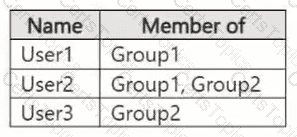
The subscription has the following two anti-spam policies:
AntiSpam1
Name: AntiSpam1
Priority: 0
Include these users, groups and domains
Users: User3
Groups: Group1
Exclude these users, groups and domains
Groups: Group2
Message limits
Set a daily message limit: 100
AntiSpam2
Name: AntiSpam2
Priority: 1
Include these users, groups and domains
Users: User1
Groups: Group2
Exclude these users, groups and domains
Users: User3
Message limits
Set a daily message limit: 50
For each of the following statements, select Yes if the statement is true. Otherwise, select No.
NOTE: Each correct selection is worth one point.
NOTE: Each correct selection is worth one point.
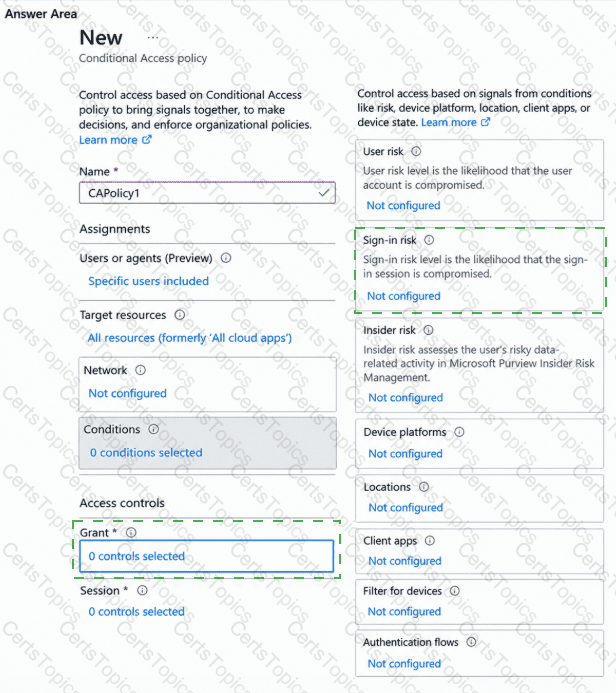
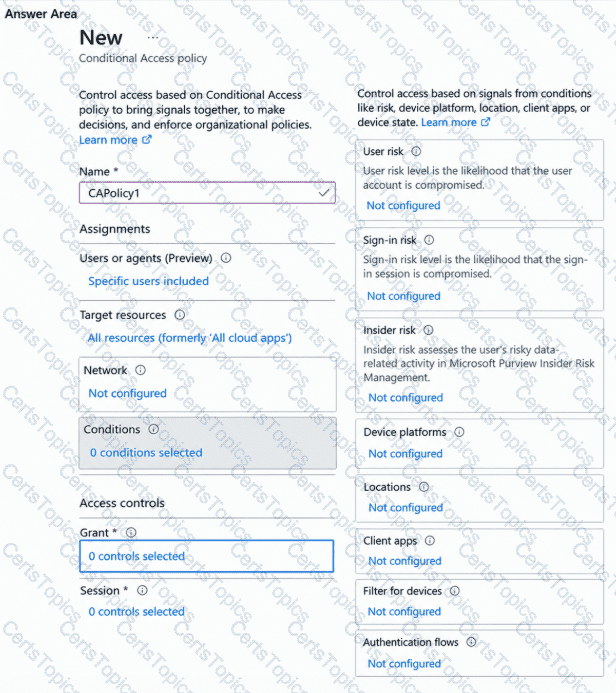
You need to implement CAPolicy1. The solution must meet the technical requirements.
Which two Conditional Access settings should you configure? To answer, select the appropriate settings in the answer area.
NOTE: Each correct selection is worth one point.
You need to meet the technical requirements for the project documents.
What should you create in Microsoft Purview?
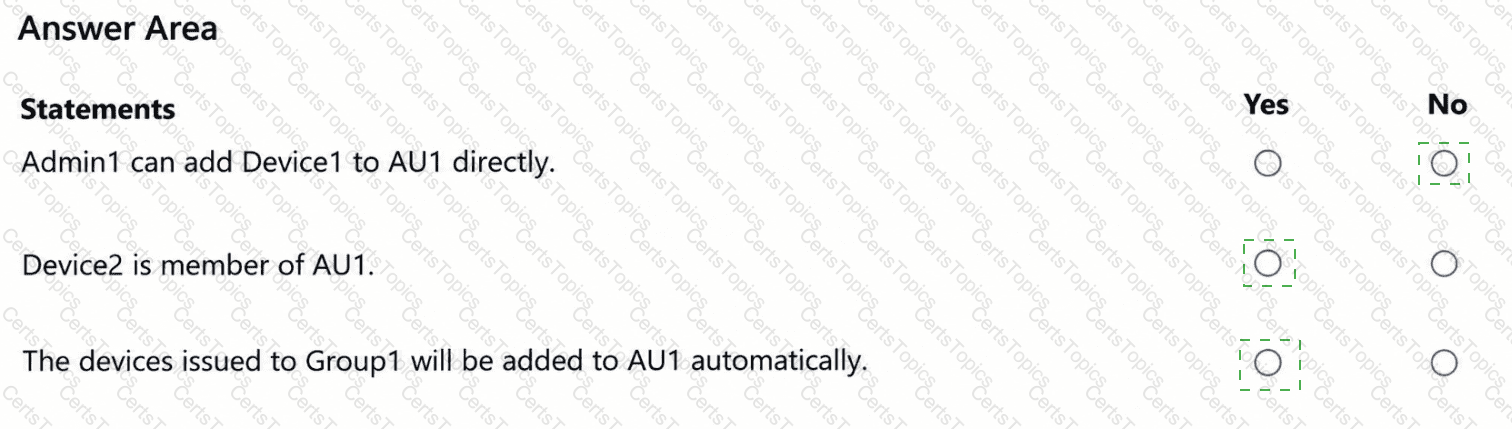
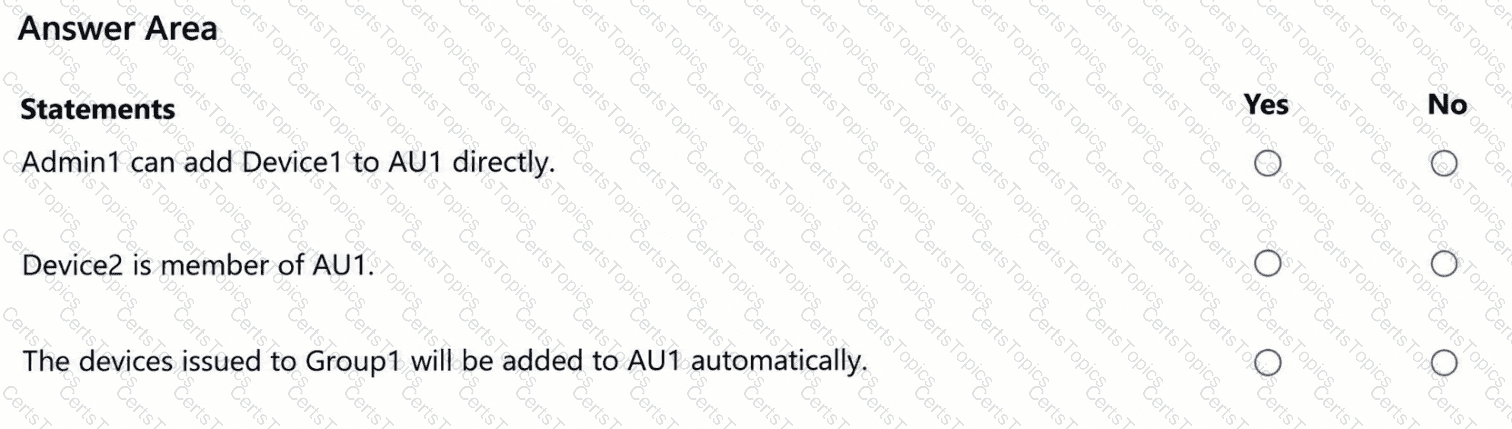
You need to evaluate the configuration of AU1.
For each of the following statements, select Yes if the statement is true. Otherwise, select No.
NOTE: Each correct selection is worth one point.
Copyright © 2021-2026 CertsTopics. All Rights Reserved